By AppHub Editorial Team · Updated August 3, 2026

Alight Motion
Overview
Video Players & Editors
Alight Motion
Free
Aug 5, 2018
5.0.273.1028414
7.0
$0.49 - $79.99 per item
No
Feb 26, 2026
Features
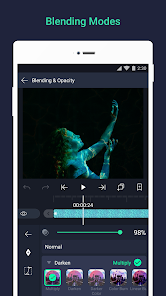
Be part of the movement! Alight Motion is the first professional motion design app bringing you professional-quality animation, motion graphics, visual effects, video editing, video compositing, and more!
Be part of the movement! Alight Motion is the first professional motion design app bringing you professional-quality animation, motion graphics, visual effects, video editing, video compositing, and more!
Download Alight Motion
Get the official app from the trusted app stores. You will be redirected to the download page.
When you purchase through links on our site, we may earn an affiliate commission. Learn more
Ratings breakdown
1,210,000 reviewsDeveloper contact
Name
SPLICE VIDEO EDITOR SRL
Address
VIA NINO BONNET 10 20154 MILANO Italy
Website
https://alightcreative.comPhone
+1 650-379-0922
Support
support-android@alightmotion.com
Privacy
View policyFrequently Asked Questions
Is Alight Motion free to use? high
Yes, Alight Motion is free to download and use with basic features, but it includes a watermark on exported videos and shows ads. A paid subscription removes the watermark and unlocks premium effects. Subscription prices range from $0.49 to $79.99 per item.
Source: app_metadata, app_description
Does the free version have ads? high
Yes, based on multiple recent user reviews (July 2025 – February 2026), the free version has frequent and intrusive ads. Users report ads appearing when opening the app, opening a project, and during video exports. Some ads are unskippable and up to 15 seconds long.
Source: user_reviews, app_metadata
Can I use Alight Motion on a PC? high
No, Alight Motion is only officially available for Android and iOS mobile devices. A long-time user mentioned that they wish it were available on PC.
Source: app_metadata, user_reviews
Does the app have saving or performance issues? medium
Some recent users report performance lag and problems with work not saving. One reviewer (January 2026) reported losing over half an hour of work. Another long-time user (2020) noted persistent lag. These issues appear in a limited sample of recent reviews.
Source: user_reviews
How to Use
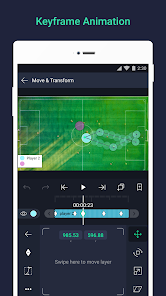
Alight Motion is a professional motion design app for Android that allows users to create animations, motion graphics, visual effects, and video edits using layers, keyframes, and vector support. (app_description)
Getting Started
Source: app_description_and_user_feedback_noted
- Download and install Alight Motion from the Google Play Store.
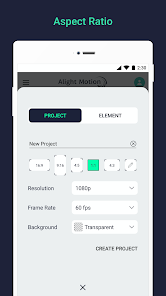
- Open the app and create a new project. You may see an ad upon first opening.
- Familiarize yourself with the interface by exploring the timeline and layer panel.
- Add a layer (graphics, video, or text) and use keyframe animation to create motion.
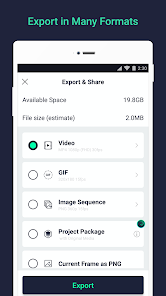
- Preview your animation and then export it as MP4, GIF, or PNG sequence.
Key Features (from app listing)
Source: app_description
- Multi-layer editing with graphics, video, and audio
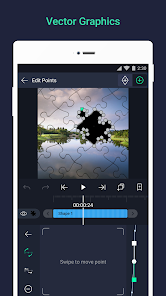
- Vector and bitmap graphics support with on-device editing
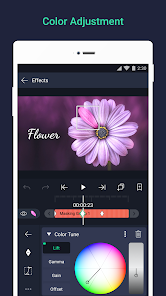
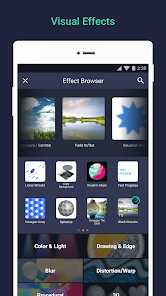
- 160+ effect building blocks for visual effects
- Keyframe animation with animation easing and velocity-based motion blur
- Parent-child layer linking and character rigging
This tip addresses a verified user complaint from recent_reviews #3 (January 10, 2026) about work not saving after extensive editing.
How this content was created
Content type: pattern_analysis_of_user_reviews_and_metadata
AI generated: Yes
- Google Play user reviews (12-20 preferred; may be smaller if source data is limited per app), July 18, 2025 – February 16, 2026
- Google Play ratings distribution
- App Store listing metadata
- Review samples are not statistically representative of all user sentiment
- High-engagement negative reviews can overrepresent complaints
- Claims labeled 'low confidence' are based on single-review observations only
- No real-world app testing was conducted
- Feature availability may vary by region, device, and app version
Pros & Cons
Based on analysis of Google Play user reviews
Pros
- Powerful motion design and animation tools with keyframe, vector, and layer support.
Theme 'Professional features' identified in recent_review #0 and #1
Evidence (2)
“I've been an alight motion user since 2020, though I've always had one problem, lag.”Rating: 4★ July 01, 2025 1,310 likes“I love animating with this app, but when I try to export a video, it gives me an add right?”Rating: 2★ February 16, 2026 4 likes - Free to use with basic features, making it accessible for beginners.
Theme 'Free access' identified in recent_review #0 and #3
Evidence (2)
“the amount of ads is a little absurd. I know this is a free app so of course there will be ads”Rating: 4★ July 18, 2025 4,290 likes“too hard to use and there an ad every like.. 4 or less clicks. SO ANNOYING. i do NOT have a bank account for these dumb plans”Rating: 1★ February 07, 2026 133 likes - Supports sharing project packages with others for collaboration.
Feature mentioned in app description
Evidence (1)
“Share project packages with others”Rating: 0★
Cons
- Excessive and intrusive ads disrupt the user experience significantly.
Theme 'Too many ads' identified in recent_review #0, #3, and #4
Evidence (3)
“the amount of ads is a little absurd. I know this is a free app so of course there will be ads, but it's just a little too much.”Rating: 4★ July 18, 2025 4,290 likes“too hard to use and there an ad every like.. 4 or less clicks. SO ANNOYING.”Rating: 1★ February 07, 2026 133 likes“I love animating with this app, but when I try to export a video, it gives me an add right?”Rating: 2★ February 16, 2026 4 likes - App suffers from lag and performance issues, especially on mobile devices.
Theme 'Lag and performance' identified in recent_review #1 and #2
Evidence (2)
“I've been an alight motion user since 2020, though I've always had one problem, lag.”Rating: 4★ July 01, 2025 1,310 likes“very disappointed. I spent over half an hour trying to animate, and my work didn't save.”Rating: 2★ January 10, 2026 71 likes - Work does not save properly, leading to loss of progress and frustration.
Theme 'Unsaved work' identified in recent_review #2
Evidence (1)
“very disappointed. I spent over half an hour trying to animate, and my work didn't save.”Rating: 2★ January 10, 2026 71 likes
Recent Reviews
aliyah
4★the amount of ads is a little absurd. I know this is a free app so of course there will be ads, but it's just a little too much. having to watch an ad when you open the app, then having to watch another ad to open a project 5 seconds later, and having to watch an unskippable ad with 10-15 seconds of extra time to be able to click the X; I think this is a little much. other than that, great app
Tatiana Bilby
4★I've been an alight motion user since 2020, though I've always had one problem, lag. I've always wished that alight motion was officially available on other devices besides mobile (such as PC) since they give better quality and less lag issues. Since lagging isn't really fixable, helping develop alight motion for PC users as well can both improve the experience and expand the download and buys. I'm really looking forward to not just a PC version, but more of the exact app just allowed on PC.
Burgos 312
2★very disappointed. I spent over half an hour trying to animate, and my work didn't save. I literally was happy for once about how hard I worked, and I loved how it came out, only to come back to see that it wasn't saved. very disappointing. fix the saving. when you're new, you also have to basically figure everything out on your own, and it's ultimately confusing. still upset about my hard work being wasted
FOXIE Foxington
1★too hard to use and there an ad every like.. 4 or less clicks. SO ANNOYING. i do NOT have a bank account for these dumb plans, and for the free plan, it is WAY too much LONG ANNOYING ads. to be honest. I HATE this app. I thought it would be cool to use and have but I don't even know how to put one of my images from my gallery in there. I saw this cool edit, and I wanted to do something like that. I tried looking, but ads just get in the way. I will fix my response if you fix your app.
Lily Valle
2★I love animating with this app, but when I try to export a video, it gives me an add right? and the add always says to go to the app store to skip, and that's what I do, but it kicks me out of the app on alight motion and it says I haven't watched any adds so when I want to post a animation I have to watch like 12 adds instead of 4. It is soo anyonning PLEASE fix this 😭 Also I had to keep blocking adds so it wouldn't crash, but of course they still kept on showing up