By AppHub Editorial Team · Updated August 3, 2026
TIDAL Music: HiFi sound






Overview
Music & Audio
TIDAL
Free
Oct 28, 2014
$0.99 - $35.50 per item
No
Apr 3, 2026
Features
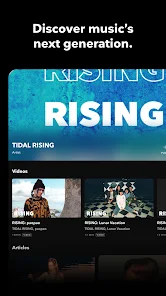
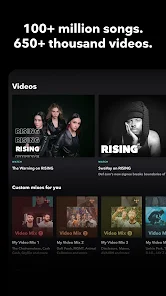
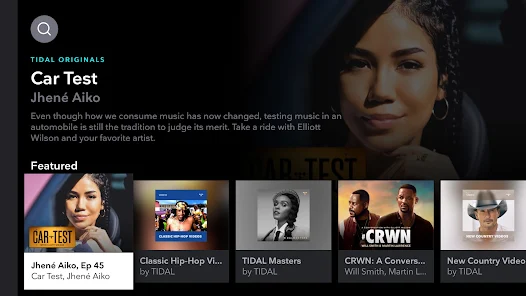
With the TIDAL app's extensive library of music, offline music features, and personalized recommendations, TIDAL is a must-have app for anyone who loves music. Whether you're on the go or just relaxing at home, TIDAL has everything you need to enjoy your favorite tracks and discover new music.
Why download the TIDAL music app?
Try TIDAL for FREE: with a 30-day trial, you can experience the difference for yourself
High-quality audio streaming: TIDAL offers high-fidelity audio streaming, provid...
With the TIDAL app's extensive library of music, offline music features, and personalized recommendations, TIDAL is a must-have app for anyone who loves music. Whether you're on the go or just relaxing at home, TIDAL has everything you need to enjoy your favorite tracks and discover new music. Why download the TIDAL music app? Try TIDAL for FREE: with a 30-day trial, you can experience the difference for yourselfHigh-quality audio streaming: TIDAL offers high-fidelity audio streaming, providing you with an immersive and rich listening experience. Huge selection of music genres: The TIDAL music app offers an extensive library of millions of songs and albums across multiple genres, making it easy to discover new music and listen to favorite tracks. Offline music feature: TIDAL allows you to download tracks and albums for listening offline, without an internet connection (no wifi), providing a seamless offline listening experience that is both convenient and enjoyable. Discovery and personalized recommendations: TIDAL offers curated playlists, and personalized recommendations based on your listening habits and individual music preferences. Subscription options: TIDAL offers multiple plan options
Download TIDAL Music: HiFi sound
Get the official app from the trusted app stores. You will be redirected to the download page.
When you purchase through links on our site, we may earn an affiliate commission. Learn more
Ratings breakdown
357,000 reviewsDeveloper contact
Name
Project Panther US LLC
Address
540 W 26th St 8th Fl New York, NY 10001 United States
Website
http://tidal.comPhone
+47 93 06 70 55
Support
support@tidal.com
Privacy
View policyFrequently Asked Questions
Does TIDAL offer a free trial? high
Yes, TIDAL offers a 30-day free trial for new users. During the trial, you get full access to all features including HiFi streaming and offline downloads.
Source: app_metadata
Can I download music for offline listening on TIDAL? medium
Yes, TIDAL allows you to download tracks, albums, and playlists for offline listening. Simply find the content you want and tap the download button. However, some users report that streaming on cellular data can be unreliable even with unlimited plans, and offline downloads may be necessary consistently.
Source: app_metadata, user_reviews
Is TIDAL good for audiophiles? medium
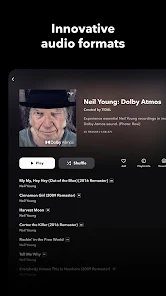
Yes, TIDAL is known for its high-fidelity audio quality, including HiRes lossless sound up to 24-bit/192 kHz and Dolby Atmos. Multiple reviewers praise the sound quality as unmatched compared to competitors like Spotify.
Source: app_metadata, user_reviews
How to Use
TIDAL is a music streaming app that offers high-fidelity audio, offline downloads, and personalized recommendations. (app_description)
Getting Started
Source: app_description_and_user_feedback_noted
- Step 1: Download the TIDAL app from the Google Play Store and create an account.
- Step 2: Choose a subscription plan (Individual, Family, or Student) and start your 30-day free trial.
- Step 3: Import your existing playlists from other services using the transfer tool at tidal.com/transfer-music.
- Step 4: Browse the extensive library, explore curated playlists, and download tracks for offline listening by tapping the download button on songs or albums.
Key Features (from app listing)
Source: app_description
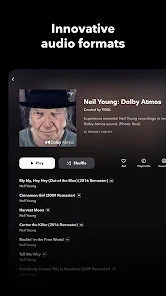
- High-fidelity audio streaming with HiRes lossless sound (up to 24-bit, 192 kHz) and Dolby Atmos
- Offline music downloads for listening without an internet connection
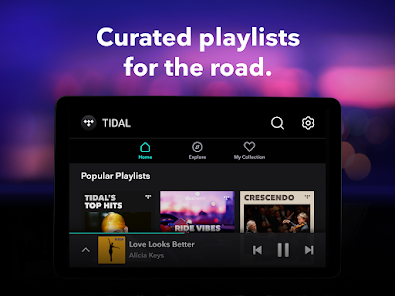
- Personalized recommendations and curated playlists based on listening habits
- TIDAL Connect for lossless streaming on supported devices
This tip responds directly to verified user complaints about streaming reliability on cellular data (recent_reviews #2 and #3). The app description confirms that offline downloads are an available feature.
How this content was created
Content type: pattern_analysis_of_user_reviews_and_metadata
AI generated: Yes
- Google Play user reviews (12-20 preferred; may be smaller if source data is limited per app), September 17, 2024 to March 21, 2026
- Google Play ratings distribution
- App Store listing metadata
- Review samples are not statistically representative of all user sentiment
- Only 5 recent reviews were available; no high-engagement, positive, or mixed buckets were provided, limiting the ability to verify patterns across diverse user groups
- Claims labeled 'low confidence' are based on single-review observations only
- No real-world app testing was conducted
- Feature availability may vary by region, device, and app version
Pros & Cons
Based on analysis of Google Play user reviews
Pros
- Unmatched high-fidelity audio quality with CD-quality streaming.
Theme 'High-fidelity audio' identified in recent_review #3 and #4.
Evidence (2)
“Fantastic music quality and so glad they pay more per stream to the artist.”Rating: 2★ March 26, 2025 201 likes“Unmatched sound quality, excellent curated playlists, fantastic UI.”Rating: 4★ September 17, 2024 156 likes - Excellent curated playlists and personalized recommendations once algorithm learns tastes.
Theme 'Curated playlists' identified in recent_review #4 and #5.
Evidence (2)
“Unmatched sound quality, excellent curated playlists, fantastic UI.”Rating: 4★ September 17, 2024 156 likes“Once the algorithm understood my music tastes, im getting a ton of new suggestions I've never heard before.”Rating: 4★ March 21, 2026 3 likes - Ability to import playlists from other services like Spotify.
Theme 'Playlist import' identified in recent_review #1.
Evidence (1)
“The library and quality of audio on Tidal, and the utility (like importing other services' playlista) are great.”Rating: 2★ November 03, 2025 214 likes
Cons
- App frequently freezes and crashes on Android devices, even on flagship models.
Theme 'App crashes' identified in recent_review #1.
Evidence (1)
“But the app, at least for my Android on a flagship Galaxy device, SUCKS. it freezes and crashes constantly on a stable high speed internet connection as well as on 5G.”Rating: 2★ November 03, 2025 214 likes - Streaming often fails on cellular data, requiring WiFi for playback.
Theme 'Streaming issues on cellular' identified in recent_review #2.
Evidence (1)
“The app stopped playing music when I wasn't connected to WiFi even when I had great cellular service (and an unlimited data plan). Only downloaded tracks worked... kinda ridiculous.”Rating: 2★ September 16, 2025 165 likes - Search algorithm is terrible and almost inexcusably bad.
Theme 'Poor search algorithm' identified in recent_review #4.
Evidence (1)
“It's only flaw, down right terrible search algorithm. Almost inexcusably bad.”Rating: 4★ September 17, 2024 156 likes
Recent Reviews
Margaret Collins
2★The library and quality of audio on Tidal, and the utility (like importing other services' playlista) are great. But the app, at least for my Android on a flagship Galaxy device, SUCKS. it freezes and crashes constantly on a stable high speed internet connection as well as on 5G. I haven't switched to something else just because the politics of the competitors are bad but it's super frustrating especially considering how expensive it is. can't use it as party music etc as it's so unreliable.
Alyx Olinde
2★After having Tidal for several years, I canceled my subscription. The app stopped playing music when I wasn't connected to WiFi even when I had great cellular service (and an unlimited data plan). Only downloaded tracks worked... kinda ridiculous. When I went to YouTube music to stream the same song it played immediately. It wasn't a service issue. I do like the layout of the app.
Austin Martin
2★Fantastic music quality and so glad they pay more per stream to the artist. The glaring UI issues, interruption of songs, not being able to control Tidal on another device from your phone, slow loading no matter the Wi-Fi or connection you have kept me off the app though. You shouldn't have to download third party software to get an app to work properly. I love this app and streaming service but the system needs to be fixed.
Tony Cooper
4★Unmatched sound quality, excellent curated playlists, fantastic UI. It's only flaw, down right terrible search algorithm. Almost inexcusably bad. I thought there would be no way I would leave Spotify. After spending so long listening to CD quality music, Spotify sounds like garbage. This becomes more apparent using premium speakers or headphones. Fix the search algorithm for the love of God.
C. A. Weixler
4★Fantastic streaming app. Once the algorithm understood my music tastes, im getting a ton of new suggestions I've never heard before. I only wish the system would synch with all my devices, like Spotify did....like if im streaming on my computer, it would be great if I could pause the music, open the app on my phone in the car, to continue the same song. Otherwise, im very happy with the quality.