By App Discoverer Editorial Team · Updated October 1, 2026

Car Launcher Pro








Overview
Auto & Vehicles
Apps LabDev
Free
Jun 23, 2015
5.5.0.85
5.0
No
Jan 13, 2026
Features
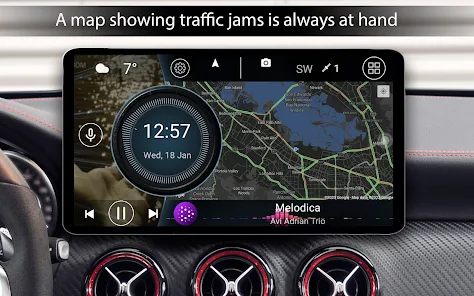
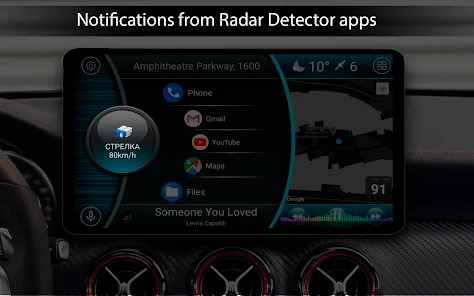
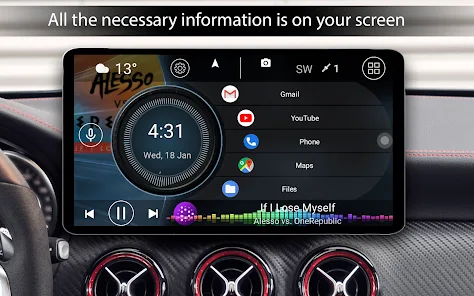
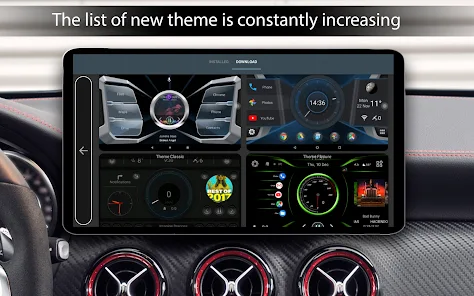
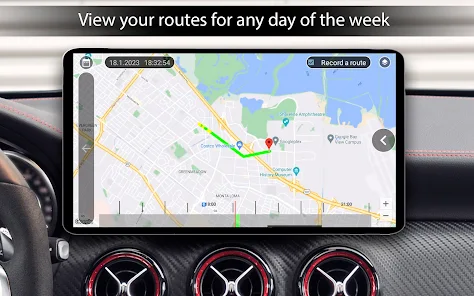
Car Launcher PRO — a launcher designed specifically for your car. Works on phones, tablets, and Android head units. It combines a convenient app launcher with a trip computer that tracks your distance over various periods (requires background GPS permission).
Key Features:
Set as the default launcher (for head units).
Unlimited apps on the home screen, folders for favorites (PRO feature).
Display current speed and trip data (GPS).
Speed in the status bar.
Quick list of all apps with sortin...
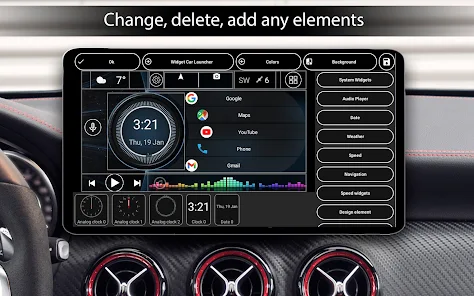
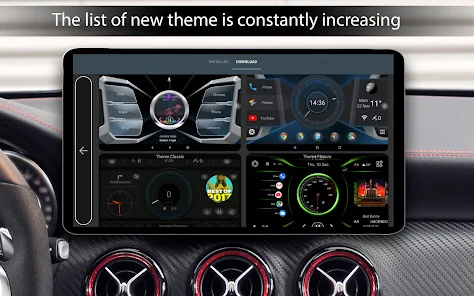
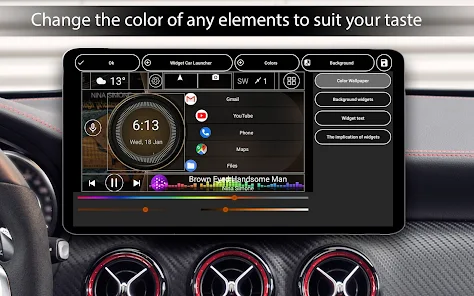
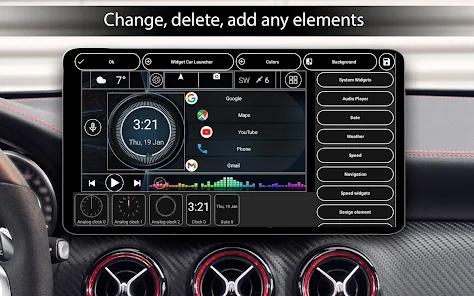
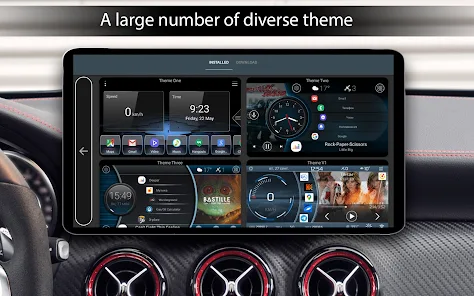
Car Launcher PRO — a launcher designed specifically for your car. Works on phones, tablets, and Android head units. It combines a convenient app launcher with a trip computer that tracks your distance over various periods (requires background GPS permission). Key Features: Set as the default launcher (for head units). Unlimited apps on the home screen, folders for favorites (PRO feature). Display current speed and trip data (GPS). Speed in the status bar. Quick list of all apps with sorting and uninstall option (long press). Slide-out menu (trip computer), customizable to your needs. Data: speed (current/average/max), distance, time, acceleration (0-60/100/150 km/h), 1/4 mile. Reset statistics anytime. View data for: current trip, day, week, month, all time. Switch between km/h and mph. Quick access to Google Assistant. Auto-start (for head units).3 themes + support for third-party themes, icon packs, music players with cover art. Weather and location information. On-screen volume control. Custom splash screen, adjustable text colors and wallpapers. Auto-brightness based on time of day. Customizable screensaver/clock (layouts, fonts, date, colors, dimming). System widgets and additional home screens. Theme editor: resize, delete, move elements, assign multiple actions to a widget, lock widgets, change names and backgrounds. Additional widgets: visualizer, analog clock & speedometer, address, driving/stop time, max speed, acceleration meters. Favorites settings: infinite scroll, grid layout, curvature. Custom logo and advanced color scheme settings.🔐 Important Transparency NoticeCar Launcher uses the Android Accessibility Service. Why? The service is required to recognize edge swipe gestures (Back, Home, Recent Apps) and convert them into system navigation actions. This provides convenient alternative control. What the app does NOT do:
Download Car Launcher Pro
Get the official app from the trusted app stores. You will be redirected to the download page.
Official Links
When you purchase through links on our site, we may earn an affiliate commission. Learn more
Ratings breakdown
43,400 reviewsDeveloper contact
Name
Кенжегали Ергалиев
Address
Лахно 14 031100 Хромтау Kazakhstan
Support
carlauncher@mail.ru
Privacy
View policyFrequently Asked Questions
Is Car Launcher Pro free to download? high
Yes. The app metadata lists Car Launcher Pro as free.
Source: app_metadata
What do sampled users complain about in Car Launcher Pro? low
Car Launcher Pro has sampled reports of video, audio, or media playback problems. Only 1 sampled review supports this theme, so confidence is low.
Source: user_reviews
What do sampled users like about Car Launcher Pro? medium
Car Launcher Pro is praised by sampled reviewers as easy, useful, or convenient. 2 sampled reviews or 1 sampling buckets support this theme.
Source: user_reviews
How to Use
Car Launcher PRO — a launcher designed specifically for your car. (app_description)
Getting Started
Source: app_description_and_user_feedback_noted
- Install Car Launcher Pro from the appropriate app store.
- Open the app and start with the free experience.
- Review the main features described in the app listing.
- Check settings or support resources if you run into sampled issue patterns such as car launcher pro has sampled reports of video, audio, or media playback problems.
Key Features (from app listing)
Source: app_description
- It does NOT read, analyze, or collect your screen content, typed text, or personal data.
- It does NOT change system settings without your knowledge.
- It does NOT collect, store, or transmit your personal data or usage data.Your Control & Privacy:
- Use of the service is voluntary.
- Upon first launch, a clear dialog will appear requesting access with an explanation.
Theme 'easy, useful, or convenient to use' identified in recent_reviews #2, recent_reviews #4. Review #2 praises easy, useful, or convenient to use. Review #4 praises easy, useful, or convenient to use.
How this content was created
Content type: pattern_analysis_of_user_reviews_and_metadata
AI generated: Yes
- Google Play user reviews (12-20 preferred; may be smaller if source data is limited per app), January 31, 2026 to July 05, 2020
- Google Play ratings distribution
- App Store listing metadata
- Review samples are not statistically representative of all user sentiment
- High-engagement negative reviews can overrepresent complaints
- Claims labeled 'low confidence' are based on single-review observations only
- No real-world app testing was conducted
- Feature availability may vary by region, device, and app version
Pros & Cons
Based on analysis of Google Play user reviews
Pros
- Car Launcher Pro is praised by sampled reviewers as easy, useful, or convenient. medium
Theme 'easy, useful, or convenient to use' identified in recent_reviews #2, recent_reviews #4. Review #2 praises easy, useful, or convenient to use. Review #4 praises easy, useful, or convenient to use.
Evidence (2)
“ant done. I tried, more than once. the video makes it look easy, and after 15-20 attempts I'm sure it”Rating: 3★ November 02, 2025 9 likes“Easy enough to set up once you figure it out... but not all android widgets (system widgets) work. There isn't an easy way to integrate navigation into the home screen and there's no way to ”Rating: 3★ September 20, 2022 40 likes - Car Launcher Pro is praised by sampled reviewers for features, customization, or flexibility. low
Theme 'features, customization, or flexibility' identified in recent_reviews #1. Review #1 praises features, customization, or flexibility.
Evidence (1)
“ly for an Android head unit. There is a learning curve for customization, but think if I really sat down and messed with it a bit longer it would be ever”Rating: 4★ July 05, 2020 95 likes
Cons
- Car Launcher Pro has sampled reports of video, audio, or media playback problems. low
Theme 'video, audio, or media playback problems' identified in recent_reviews #2. Review #2 mentions video, audio, or media playback problems.
Evidence (1)
“us to get what you want done. I tried, more than once. the video makes it look easy, and after 15-20 attempts I'm sure it”Rating: 3★ November 02, 2025 9 likes - Car Launcher Pro has sampled reports of bugs, crashes, lag, or reliability problems. low
Theme 'bugs, crashes, freezing, lag, or slow performance' identified in recent_reviews #3. Review #3 mentions bugs, crashes, freezing, lag, or slow performance.
Evidence (1)
“uld probably recommend. That being said there are a ton of bugs that come along with it. 1. Sometimes after connecting bluetooth to play music it just won't let you unless you have an”Rating: 3★ March 15, 2023 50 likes
Recent Reviews
James Weber
4★I've been using this for my Joying head unit in a Mitsubishi Lancer for a few months now, and I love it! I wouldn't use it for phone at all, but only for an Android head unit. There is a learning curve for customization, but think if I really sat down and messed with it a bit longer it would be everything I need. However, as of now I'm very happy with the simplistic look and easy to use interface(once it has been customized).
Marcus Smith
3★This looks like an awesome app til you actually try and set it up. There has to be a better way the devs can come up with for an editing menu. too many steps to open different menus to get what you want done. I tried, more than once. the video makes it look easy, and after 15-20 attempts I'm sure it would get that way. I just don't have the patience for it, or the time for the learning curve vs the results. Since it is paid for I will reinstall down now n then to see if has been refined.
J Andrus
3★Decent App, better than what's default on my aftermarket system. It is highly customizable to fit your wants and I would probably recommend. That being said there are a ton of bugs that come along with it. 1. Sometimes after connecting bluetooth to play music it just won't let you unless you have an internet connection. I've downloaded songs and since having this app they won't play. 2. The navigation integration is horrible. 3. The Screensaver is a cool feature but it glitches around.
Zachary Haynes
3★Easy enough to set up once you figure it out... but not all android widgets (system widgets) work. There isn't an easy way to integrate navigation into the home screen and there's no way to get user apps to show notifications (like dots when you have a message, etc...) Would also be nice if you could integrate hands free mode behind the scenes. Overall a good app and worth the $5.99.
Aleksandar Veljković
4★I quite much love the app - it has a great look, and decent possibilities for customizing in the pro version. What I don't like is the fact that it doesn't have a widget that shows outside temperature from the car sensor. The developer claims that it's not possible to implement it due to differences between various cars, but having in mind that it has two versions of widget for showing information from the engine temperature sensor, I don't think that it's impossible.