By App Discoverer Editorial Team · Updated October 1, 2026
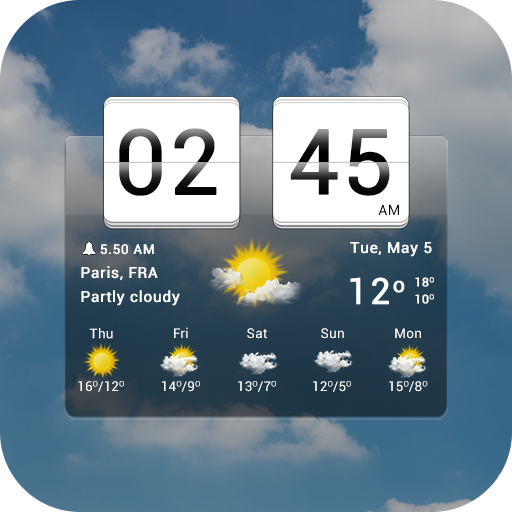
Sense Flip Clock & Weather


Overview
Weather
MACHAPP Software Ltd
Free
Dec 28, 2011
9.05.0
7.0
$4.99 - $15.99 per item
No
Apr 13, 2026
Features
Elevate your mobile experience with Sense Flip Clock & Weather, the ultimate app for timely and accurate weather forecasts and elegant timekeeping. With just a glance, get wrapped in a world of meteorological insights and stylish clock widgets, making every day planning seamless and delightful. 🌈⏰
Why Choose Sense Flip Clock & Weather?
Accurate Forecasts: Instantly access current conditions and forecasts for temperature, wind, humidity, and more for up to 10 global locations. 🌡️🌎
Hourly & Dai...
Elevate your mobile experience with Sense Flip Clock & Weather, the ultimate app for timely and accurate weather forecasts and elegant timekeeping. With just a glance, get wrapped in a world of meteorological insights and stylish clock widgets, making every day planning seamless and delightful. 🌈⏰Why Choose Sense Flip Clock & Weather? Accurate Forecasts: Instantly access current conditions and forecasts for temperature, wind, humidity, and more for up to 10 global locations. 🌡️🌎Hourly & Daily Insights: Detailed hourly forecasts for the next 12 hours and daily outlooks for 7 days keep you prepared. 🕒📆Automatic Location Detection: Wherever you are, get real-time weather updates tailored to your exact location. 📍✨KEY FEATURES:Weather Alerts: Stay safe with timely notifications for severe weather conditions. 🔔⚠️Customizable Widgets: Choose from various flip-clock and weather widget styles and sizes for your home screen. 📲💖Comprehensive Forecasts: From UV index to wind forecasts, have all the weather data you need at your fingertips. 🌞💨Exclusive Widgets & Customizations: Flip-clock style widgets in 4x1, 4x2, and 4x3 sizes. Customizable app skins, weather icons, and backgrounds. Widgets display time, date, current weather, and daily forecast. Go Premium for More: Ad-Free Experience: Enjoy the app without any interruptions. Enhanced Features: Gain access to animated weather radar, air quality forecasts, hurricane trackers, and more. 🚫🌪️We're Here for You: Have questions or feedback? Our team is just an email away, ready to enhance your Sense Flip Clock & Weather experience. Dive into a world where time and weather harmonize beautifully on your device. Try Sense Flip Clock & Weather now, and redefine how you stay informed and organized every day.
Download Sense Flip Clock & Weather
Get the official app from the trusted app stores. You will be redirected to the download page.
Official Links
When you purchase through links on our site, we may earn an affiliate commission. Learn more
Ratings breakdown
156,000 reviewsDeveloper contact
Name
MACHAPP SOFTWARE LTD
Address
Agate House Flat 201, 8 Georgiou Neofytou Ave. Mesa Geitonia 4006 Cyprus
Website
https://www.machapp.netPhone
+357 25 733350
Support
support@machapp.net
Privacy
View policyFrequently Asked Questions
Is Sense Flip Clock & Weather free to use? high
Yes, the app is free to download and use. It offers in-app purchases ranging from $4.99 to $15.99 per item, which unlock premium features like an ad-free experience, animated weather radar, air quality forecasts, and hurricane trackers.
Source: app_metadata
Does the app show ads? medium
According to the app listing, the app contains no ads. However, one recent user review reported ads overriding phone settings and being loud. This may be related to the free version or a specific bug.
Source: app_metadata, user_reviews
Why is the weather not updating automatically? low
Some recent users report that the app stopped auto-updating weather data despite having the settings enabled. This appears to be a bug that has affected at least one user. You can try manually refreshing the app or reaching out to developer support.
Source: user_reviews
Can I customize the clock and weather widgets? medium
Yes, the app offers customizable flip-clock and weather widgets in 4x1, 4x2, and 4x3 sizes. You can change app skins, weather icons, and backgrounds. One user noted that applied skins may revert to default after some time, and the settings can be confusing with two separate sets.
Source: app_metadata, user_reviews
How to Use
Sense Flip Clock & Weather provides weather forecasts and timekeeping through customizable widgets and detailed meteorological data. (app_description)
Getting Started
Source: app_description_and_user_feedback_noted
- Download and install Sense Flip Clock & Weather from the Google Play Store.
- Open the app and grant location permissions for automatic weather updates (or manually add up to 10 locations).
- Browse the home screen for current conditions and forecasts; use the menu to access hourly (12-hour) and daily (7-day) forecasts.
- Add a widget to your home screen by long-pressing the home screen, selecting 'Widgets,' and choosing a flip-clock or weather widget size (4x1, 4x2, 4x3).
- Customize the app's appearance via Settings: choose skins, weather icons, and backgrounds as desired.
Key Features (from app listing)
Source: app_description
- Accurate weather forecasts for up to 10 global locations.
- Hourly forecasts for the next 12 hours and 7-day daily outlooks.
- Automatic location detection for real-time updates.
- Weather alerts for severe conditions.
- Customizable flip-clock and weather widgets with multiple sizes.
- Comprehensive data including UV index, wind, humidity, and more.
Based on user review #3 reporting skin reversion and hard-to-navigate settings, and the developer's responsiveness to that user's issue.
How this content was created
Content type: pattern_analysis_of_user_reviews_and_metadata
AI generated: Yes
- Google Play user reviews (5 (smaller than preferred 12-20) per app), October 18, 2018 to March 22, 2026
- Google Play ratings distribution
- App Store listing metadata
- Review samples are not statistically representative of all user sentiment.
- Only recent_reviews were available; high-engagement complaints/praise and mixed feedback are absent.
- Claims labeled 'low confidence' are based on single-review observations only.
- No real-world app testing was conducted.
- Feature availability may vary by region, device, and app version.
- The ratings distribution was not provided, limiting context for overall sentiment.
Pros & Cons
Based on analysis of Google Play user reviews
Pros
- The app provides rich weather information and is a long-term favorite for some users medium
Theme 'valuable comprehensive data' found in 2 of 5 recent reviews. Recent reviewer #4 who was initially angry later updated that it became their favorite app for its detailed info. Recent reviewer #5 has used it for years on multiple devices.
Evidence (2)
“I downloaded this app years ago and it has been my favorite by far. I like how much information it gives you. Not just the weather,”Rating: 5★ March 18, 2025 27 likes“I've been using this app for several years on multiple devices.”Rating: 4★ October 18, 2018 16 likes - The app offers customization options and responsive developer support for issues low
Theme 'helpful developer/customization' appears in 1 recent review. Recent reviewer #3 received advice from the developer on changing weather icons, indicating support responsiveness.
Evidence (1)
“Thanks to advice from the developer, I was able to change the weather icons.”Rating: 3★ October 29, 2024 6 likes
Cons
- Recent updates remove features or push them behind a paywall, frustrating long-time users medium
Theme 'feature removal/paywall and pricing confusion' appears in 2 of 5 recent reviews. Recent reviewer #1 complains about tools being removed or hidden behind a paywall and confusing pricing. Recent reviewer #5 had billing confusion resolved.
Evidence (2)
“Removing more user tools every update, either to hide behind a paywall, or just getting rid of great features of time to streamline and jack up the price. That's another thing. The prices are all over the place.”Rating: 1★ March 22, 2026 1 likes“Edit: okay, I was seriously mad at this app because it was trying to force me to pay for it without telling me how much I would be paying. I guess they fixed that bug.”Rating: 5★ March 18, 2025 27 likes - The app has auto-update failures, time freezing, and bugs that affect core functionality high
Theme 'auto-update and time freezing bugs' appears in 3 of 5 recent reviews. Recent reviewer #2 reports it stopped auto-updating. Recent reviewer #5 describes the time freezing and needing to refresh. Recent reviewer #3 mentions app skins reverting and settings being hard to navigate.
Evidence (3)
“Awhile ago, it stopped auto-updating the info even though it has settings to do so. I miss being able to see the temp at a glance.”Rating: 2★ January 25, 2026 3 likes“Then suddenly a couple days ago, the time freezes and I have to refresh it to make it accurate.”Rating: 4★ October 18, 2018 16 likes“If you apply one, it doesn't last long before automatically returning to the default appearance. Also, there are two sets of settings, and they are hard to navigat”Rating: 3★ October 29, 2024 6 likes - Ads are intrusive and override phone settings, causing disruptions low
Theme 'ad intrusiveness' appears in 1 recent review. Recent reviewer #2 states ads override phone settings and are loud, waking them up.
Evidence (1)
“My other issue is suddenly the ads now override my phone settings and are loud. This has woken”Rating: 2★ January 25, 2026 3 likes
Recent Reviews
Adam F
1★Removing more user tools every update, either to hide behind a paywall, or just getting rid of great features of time to streamline and jack up the price. That's another thing. The prices are all over the place. I paid for a one time use license year ago and it still tells me I need to do an annual plan. I had it before there was an annual plan. Now, you have to have the location always on. I have 0 apps that require that. On when you use it sure, but when not in use it gets turned off. Not this
M J
2★Until recently, this was my favorite weather app. Great info appreciated! Awhile ago, it stopped auto-updating the info even though it has settings to do so. I miss being able to see the temp at a glance. My other issue is suddenly the ads now override my phone settings and are loud. This has woken up family members when I had to refresh the info. This is unacceptable. I will be switching to a less intrusive weather app ASAP! 😡😡 So Unfortunate!
Ben Jones
3★Thanks to advice from the developer, I was able to change the weather icons. The rest of the app works well, except for the app "skins." If you apply one, it doesn't last long before automatically returning to the default appearance. Also, there are two sets of settings, and they are hard to navigate. Other than that, the widget works well. The only better clock/weather app was HD Widgets but, sadly, that one is no longer on the Play Store and is not supported.
Chelle N
5★Edit: okay, I was seriously mad at this app because it was trying to force me to pay for it without telling me how much I would be paying. I guess they fixed that bug. I downloaded this app years ago and it has been my favorite by far. I like how much information it gives you. Not just the weather, it tells you moon phase, sunrise/set, wind direction & speed, hourly weather, plus it has a clock, timer, stopwatch, and even a world clock! Only negative is the short ad at the beginning.
A Google user
4★I've been using this app for several years on multiple devices. Until the last few days, no problems. Then suddenly a couple days ago, the time freezes and I have to refresh it to make it accurate. Haven't changed a thing on my Nexus 6p running Android 8.1. Tried everything I can think of and it still freezes. If I can't fix it pretty quick, time to look for a different app.