By App Discoverer Editorial Team · Updated October 1, 2026
Garmin Connect™

Overview
Health & Fitness
Garmin
Free
Jan 9, 2013
5.23.1
9
No
Mar 27, 2026
Features
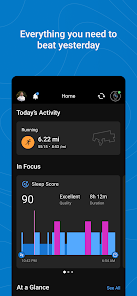
The Garmin Connect™ app is your one-stop source for health and fitness data. Whether you’re training for a race, keeping active or just staying on top of your health, Garmin Connect provides the information and inspiration you need to reach your goals.
Once you pair your phone (1) with a Forerunner®, Venu®, fēnix or another compatible Garmin device (2), you can review your tracked activities and health metrics. Plus, you can create workouts, build courses and challenge your friends on the leade...
The Garmin Connect™ app is your one-stop source for health and fitness data. Whether you’re training for a race, keeping active or just staying on top of your health, Garmin Connect provides the information and inspiration you need to reach your goals. Once you pair your phone (1) with a Forerunner®, Venu®, fēnix or another compatible Garmin device (2), you can review your tracked activities and health metrics. Plus, you can create workouts, build courses and challenge your friends on the leaderboard. With Garmin Connect you can:
Download Garmin Connect™
Get the official app from the trusted app stores. You will be redirected to the download page.
When you purchase through links on our site, we may earn an affiliate commission. Learn more
Ratings breakdown
1,080,000 reviewsDeveloper contact
Name
Garmin International, Inc.
Address
1200 E 151st St Olathe, KS 66062 United States
Phone
+1 800-800-1020
Support
Android.Dev@garmin.com
Privacy
View policyFrequently Asked Questions
Is the Garmin Connect app free? high
Yes, the Garmin Connect app itself is free to download and use. The app listing shows no price, and user reviews note that a lot of data has been free 'for years.' However, the app mentions a subscription. Based on user feedback, the subscription is seen as 'pretty useless' by some for basic activity tracking, while the free tier is considered essential by others.
Source: app_metadata, user_reviews
Can I manually log my health data like BMI or blood pressure without a Garmin device? low
Based on user feedback, it appears you cannot manually input custom BMI values without purchasing a Garmin smart scale. At least one user expresses frustration that they cannot enter BMI data taken from an external source. The app is designed to work primarily with Garmin devices.
Source: user_reviews
Can I sync Garmin Connect with other apps like MyFitnessPal and Strava? high
Yes, the app description states that you can sync with other apps like MyFitnessPal and Strava. This is a promoted feature of the Garmin Connect app.
Source: app_metadata
How to Use
The Garmin Connect app is designed to be paired with a compatible Garmin device to track and analyze health and fitness data, with additional features for creating workouts, building courses, and syncing with other services. (app_description)
Getting Started
Source: app_description_and_user_feedback_noted
- Step 1: Download and install the Garmin Connect app on your Android phone (requires Android 9 or later).
- Step 2: Pair your phone with a compatible Garmin device (e.g., Forerunner, Venu, fēnix). Refer to Garmin.com/BLE and Garmin.com/devices for a full list of compatible devices.
- Step 3: After pairing, the app will automatically sync and display your tracked activities and health metrics. You can personalize your home screen to show the most relevant information.
- Step 4: Explore features like creating custom workouts, building courses, reviewing activity trends, and connecting with other apps like MyFitnessPal and Strava. Note that if you change settings and an app update resets them, you may need to re-enter your preferences.
Key Features (from app listing)
Source: app_description
- Personalizable home screen for instant access to important information.
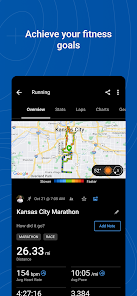
- Detailed activity analysis with comprehensive statistics.
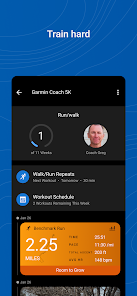
- Ability to create customized workouts and courses.
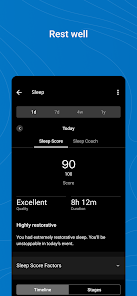
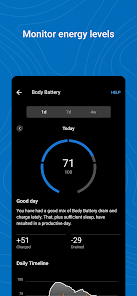
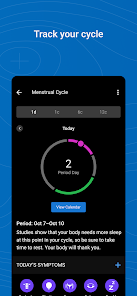
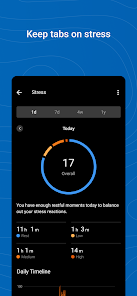
- Trend review for health metrics: heart rate, sleep, stress, menstrual cycle, weight, and more.
- Badge earning system for accomplishments.
- Integration support with apps like MyFitnessPal and Strava.
- Garmin device support and feature management.
This tip is derived from a user review in the 'recent_reviews' bucket which states 'sometimes updates make it forget settings and you have to re-enter them.'
How this content was created
Content type: pattern_analysis_of_user_reviews_and_metadata
AI generated: Yes
- Google Play user reviews (12-20 preferred; may be smaller if source data is limited per app), January 2025 - April 2026
- Google Play ratings distribution
- App Store listing metadata
- Review samples are not statistically representative of all user sentiment.
- Only one sampling bucket ('recent_reviews') was available, which limits the ability to cross-reference patterns with high-engagement or mixed feedback.
- Claims labeled 'low confidence' are based on single-review observations only.
- No real-world app testing was conducted.
- Feature availability may vary by region, device, and app version.
- The small sample size (5 reviews) means these findings may not be representative of the overall user experience for a large app with 1,080,000 reviews.
Pros & Cons
Based on analysis of Google Play user reviews
Pros
- Comprehensive health tracking including sleep, heart rate, HRV, and stress.
Theme 'Comprehensive health metrics' identified in recent_review #3
Evidence (1)
“I use it for health tracking, mainly sleep, oxygen, heart rate, HRV, and stress.”Rating: 3★ April 02, 2025 77 likes - Long-term reliability with consistent performance over many years.
Theme 'Long-term reliability' identified in recent_review #5
Evidence (1)
“I have had two Garmin devices and this app has been great for both of them the last 7 years.”Rating: 4★ April 05, 2026 - Easy to use interface for tracking activities and health data.
Theme 'Ease of use' identified in recent_review #5
Evidence (1)
“I have had this app for years at this point and it is easy to use”Rating: 4★ April 05, 2026
Cons
- Recent UI update made the layout less user-friendly, resembling Fitbit's disliked design.
Theme 'Poor UI update' identified in recent_review #4
Evidence (1)
“Now the layout mimics that of Fitbit, which I personally hate. It's drab, it's not conducive for the user and overall was a bad move.”Rating: 2★ January 20, 2025 153 likes - Cannot delete false nap detections, cluttering sleep data.
Theme 'Cannot delete false naps' identified in recent_review #3
Evidence (1)
“I think it's extremely annoying that you cannot delete naps in the Garmin Connect app. My Garmin device frequently falsely detects naps. You can edit the nap times, but cannot delete them!”Rating: 3★ April 02, 2025 77 likes - Subscription model adds a paywall for features that should be standard with expensive hardware.
Theme 'Useless subscription and paywall concerns' identified in recent_review #1 and #5
Evidence (2)
“The subscription is pretty useless. I would have considered paying if it allowed me to properly integrate with fitness apps that gave actual training guides and classes, but no, I have to pay other services to shuttle my data onto this platform.”Rating: 2★ April 11, 2025 119 likes“I do not want to pay for their very expensive monthly pay wall for features their already expensive products have as standard.”Rating: 4★ April 05, 2026
Recent Reviews
Corin Van de Griek (Isl1ngt0n)
2★it's alright, neither as terrible or as life changing as some imply. The subscription is pretty useless. I would have considered paying if it allowed me to properly integrate with fitness apps that gave actual training guides and classes, but no, I have to pay other services to shuttle my data onto this platform. Open your ecosystem, integrate with other providers and your app/hardware would be utterly indispensable to me. Now I'm only here until something better comes along.
Dylan Herbst
2★I honestly love the app and the interface tons. But I have a huge problem with the fact that you cannot input any custom BMI values UNLESS you purchase and add the Garmin scale they sell. I paid to have a very accurate BMI measurement taken and I have nowhere to input it now. It's not a technology issue, it's the decision they actively made against us.
Nina Christy Lorraine
3★I love my watch - I use it for health tracking, mainly sleep, oxygen, heart rate, HRV, and stress. Lately, I'm mostly tracking sleep. I think it's extremely annoying that you cannot delete naps in the Garmin Connect app. My Garmin device frequently falsely detects naps. You can edit the nap times, but cannot delete them! It also sometimes doesn't detect sleep properly, and even after editing sleep times, will still give false info about the sleep I got, like saying it was short when it wasn't.
Rachel Juozapaitis
2★The app used to be better before an update that happened a bit ago. Now the layout mimics that of Fitbit, which I personally hate. It's drab, it's not conducive for the user and overall was a bad move. I'm hoping Garmin will either fit it in an update, or give users the option to pick how they want their app set up. If not, I'll find another tracker to use
John Gray II
4★I have had this app for years at this point and it is easy to use, though sometimes updates make it forget settings and you have to re-enter them. I am hopeful that the data that is currently-and has been for years- free in the app remains free, as I do not want to pay for their very expensive monthly pay wall for features their already expensive products have as standard. I have had two Garmin devices and this app has been great for both of them the last 7 years.