By AppHub Editorial Team · Updated August 5, 2026
Google TV
Overview
Google LLC
Free
Jun 3, 2011
$0.01 - $999.99 per item
No
May 27, 2026
Features
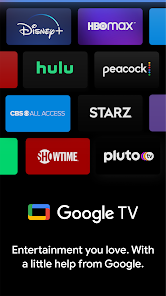
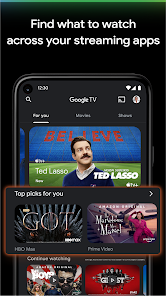
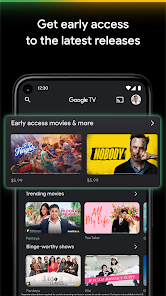
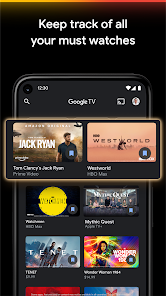
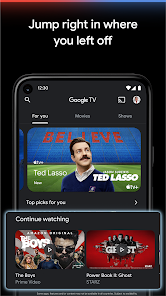
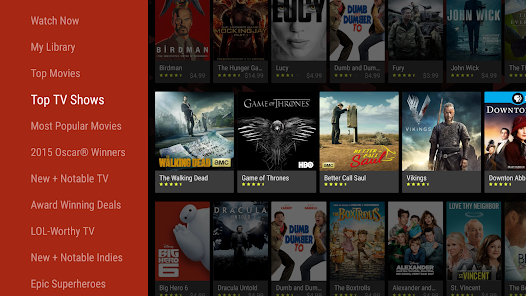
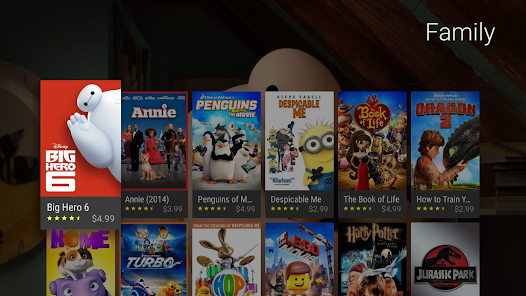
Google TV, previously Play Movies & TV, makes it easy to find and enjoy the entertainment you love in one place. With Google TV, you'll be able to: Find what to watch nextBrowse 700,000+ movies and TV episodes from across your streaming apps, all in one place and organized into topics and genres. Discover new things with recommendations based on what you love and what’s trending across the services you already have access to. Search for titles to see which streaming apps offer them. See the lates...
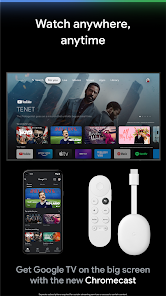
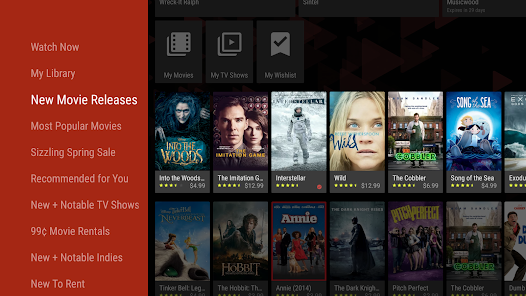
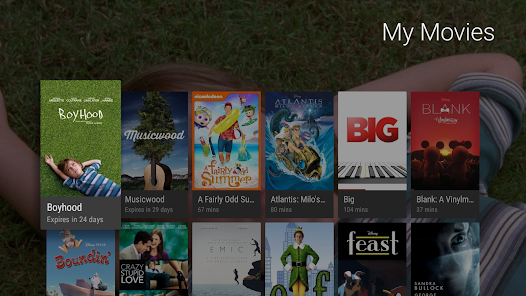
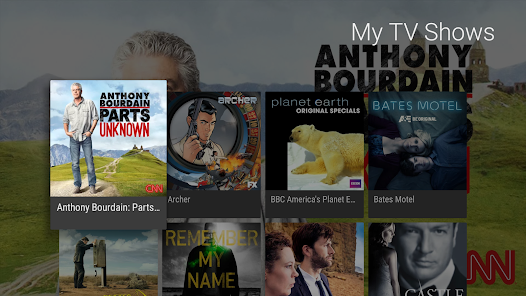
Google TV, previously Play Movies & TV, makes it easy to find and enjoy the entertainment you love in one place. With Google TV, you'll be able to: Find what to watch nextBrowse 700,000+ movies and TV episodes from across your streaming apps, all in one place and organized into topics and genres. Discover new things with recommendations based on what you love and what’s trending across the services you already have access to. Search for titles to see which streaming apps offer them. See the latest releasesBuy or rent the newest movies and shows right in the Shop tab. Purchases are stored in your Library and can be downloaded to watch when you're not connected. Watch instantly on your laptop, Android phone or tablet, or on your TV with Google TV or on Play Movies & TV where available. One list for all your discoveriesAdd interesting shows and movies to your Watchlist to keep track of your new discoveries and view them later. The Watchlist is shared between all your devices, so you can even add to your Watchlist from your TV or phone and laptop through Search on any browser. Use your phone as your remote With a remote built right into the app, you can find something great to watch even when the couch has eaten your remote. And you can use your phone’s keyboard to quickly type complicated passwords, movie names or search terms on your Google TV or other Android TV OS device. Pantaya is a service only available in the US. Separate subscriptions required for certain streaming services or access to certain content.
Official Links
When you purchase through links on our site, we may earn an affiliate commission. Learn more
Ratings breakdown
2,850,000 reviewsDeveloper contact
Name
Google LLC
Address
1600 Amphitheatre Pkwy Mountain View, CA 94043 United States
Phone
+1 650-253-0000
Support
apps-help@google.com
Privacy
View policyFrequently Asked Questions
Is Google TV free to use? high
Yes, the Google TV app is free to download. However, it offers in-app purchases ranging from $0.01 to $999.99 per item for renting or buying content. Some movies and shows require a subscription to a separate streaming service.
Source: app_metadata, app_description
Can I use Google Play Rewards credit to buy movies on Google TV? low
According to one user review, a change was made that prevents using Google Play Rewards credit for partial purchases—you may need the full amount of the movie or show in your balance. This has not been verified by Google.
Source: user_reviews
Does Google TV let me resume watching a show where I left off? low
One user review reports that the app lacks a 'previously viewed' or resume-watching section, requiring you to manually find the season and episode. This feature request is not confirmed for all versions.
Source: user_reviews
Can I buy a bundle or set of movies on Google TV? low
According to one reviewer, you can only buy movies individually on Google TV, and movie sets are not available. The reviewer mentions that competitors like Amazon offer sets. This claim is based on a single review.
Source: user_reviews
Does Google TV include bonus features like deleted scenes? low
One user review notes that purchased movies do not come with extras like deleted scenes or behind-the-scenes content, and that you may need to use a different app to access them. This is not confirmed by Google's official description.
Source: user_reviews
How to Use
Use Google TV to browse, rent, buy, and stream movies and TV shows across your devices, with integrated recommendations and a shared watchlist. (app_description)
Getting Started
Source: app_description_and_user_feedback_noted
- Download and install Google TV from the Google Play Store.
- Sign in with your Google account (required for purchases and library access).
- Browse the 'Shop' tab to rent or buy the latest movie and TV show releases.
- Use the search bar to find a specific title and see which streaming services offer it (note: some titles may be temporarily unavailable, per user reports).
Key Features (from app listing)
Source: app_description
- Browse over 700,000 movies and TV episodes from your streaming apps, organized by topics and genres.
- Get personalized recommendations based on your preferences and the services you use.
- Buy or rent new releases in the Shop tab and store them in your Library for offline viewing.
- Add shows and movies to a cross-device Watchlist that syncs via your Google account.
Tip is responsive to a verified user complaint from recent_reviews #2, which mentions that many wishlist items become unavailable over time.
How this content was created
Content type: pattern_analysis_of_user_reviews_and_metadata
AI generated: Yes
- Google Play user reviews (5 (only recent_reviews available) per app), April 6, 2026 to September 11, 2022
- Google Play ratings distribution
- App Store listing metadata
- Review samples are not statistically representative of all user sentiment.
- Only recent reviews were available; high-engagement positive, negative, and mixed feedback is missing.
- Claims labeled 'low confidence' are based on single-review observations only.
- No real-world app testing was conducted.
- Feature availability may vary by region, device, and app version.
Pros & Cons
Based on analysis of Google Play user reviews
Pros
- Good quality of movies and TV shows available for purchase or rent.
Theme 'Content Quality' identified in recent_review #5
Evidence (1)
“The quality of movies have been good.”Rating: 3★ August 25, 2022 1,353 likes - Provides a unified watchlist across devices for tracking discoveries.
Theme 'Unified Watchlist' identified in app description
Evidence (1)
“Add interesting shows and movies to your Watchlist to keep track of your new discoveries and view them later.”Rating: 5★ N/A - Phone can be used as a remote for Google TV devices, with keyboard for easy typing.
Theme 'Phone Remote' identified in app description
Evidence (1)
“With a remote built right into the app, you can find something great to watch even when the couch has eaten your remote.”Rating: 5★ N/A
Cons
- Frequent crashes and lack of a 'previously viewed' section make it frustrating to resume content.
Theme 'Crashes and Missing Features' identified in recent_review #4
Evidence (1)
“Besides the frequent crashes, the app does NOT have a previously viewed section (like all other apps)”Rating: 1★ July 26, 2024 353 likes - Many titles in wishlist become unavailable for rent or purchase, only viewable on streaming services.
Theme 'Title Unavailability' identified in recent_review #2
Evidence (1)
“Getting sick & tired of seeing "this title isn't currently available". Plus there are many things in my wishlist, that are no longer available for rent/ purchase.”Rating: 2★ January 17, 2023 203 likes - Removed ability to use Google Play credit for partial payments on movies.
Theme 'Payment Restrictions' identified in recent_review #3
Evidence (1)
“Now I just noticed you took away the ability to use Google rewards cash towards movies if you don't have the full amount.”Rating: 1★ September 11, 2022 1,337 likes
Recent Reviews
Richard Evans
1★This is terrible. Google movies were better when it was part of the play store. Separating out into an awkward and unintuitive platform is awful. I was looking for a digital set of movies and now you can only buy them individually. Amazon has the set so guess that's my route... edit: I came back to try Google tv again and it's so bad. unfortunately I've already given it 1 star rating and can't again.
D4rk “mELLo” v8dEr 2
2★Getting sick & tired of seeing "this title isn't currently available". Plus there are many things in my wishlist, that are no longer available for rent/ purchase. Can only view them now, at some stupid steaming service. And what the hell happened to the zoom in button while watching movies or TV Shows? The default viewing option is too small.
Tim Rios
1★So, you took away the ease of buying movies and shows on Google Play... Ok. Then you took away the ability to purchase movies and shows on a the YouTube app on a TV... Ok. Now I just noticed you took away the ability to use Google rewards cash towards movies if you don't have the full amount. I'm not sure why you guys seem to think user friendly apps need to be removed or changed to something that is more difficult to use than the previous iteration but keep it up. I'll be over at HBO and Prime.
Leorn Drewrey
1★This is one of the most frustrating apps to watch your purchased movies and TV shows. Besides the frequent crashes, the app does NOT have a previously viewed section (like all other apps) so if you watched a show and left it, when you come back, you have to find the season you left off of and then remember what episode you were watching. Vudu (now Fandango) and Amazon have at least sales weekly and you can pick up where you left off where you were watching (even multiple shows).
Wendy S
3★The quality of movies have been good. One of the problems I have is that you don't get the extras when you buy a movie and yes I know not all movies have "outtakes", "deleted scenes" or "the making of..." but it be nice to have them on one app instead of having me download another to watch the extra content. Also some movies don't appear on here sometimes saying unavailable but when I look up the same movie on the web I get one that's available but that one doesn't show up on the app at all.