By App Discoverer Editorial Team · Updated October 1, 2026
AppLock Pro - App Lock & Guard


Overview
Productivity
App Lock LLC
Free
May 30, 2018
5.6.8
7.0
$0.99 - $99.99 per item
No
Feb 18, 2026
Features
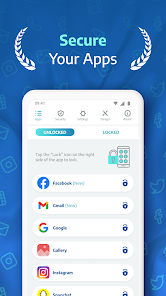
Protect your apps and photos with AppLock Pro — a fast, secure, and easy-to-use app locker trusted by millions.
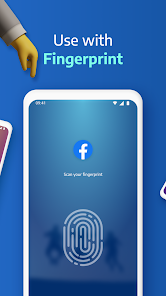
Whether you're guarding private messages, social media apps, or sensitive photos, Applock Pro keeps your data safe from intruders — with smart features like fingerprint unlock, spy camera, and customizable lock styles.
🔐 Top Features:
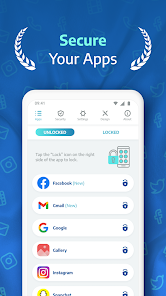
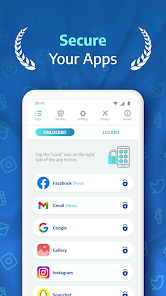
✔ Lock Any App Secure WhatsApp, Instagram, Messenger, Gallery, Settings, and more using PIN, pattern, fingerprint (if supported), or KnockCode.
📸 Sp...
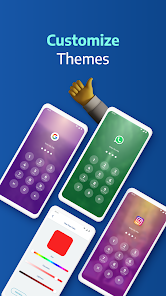
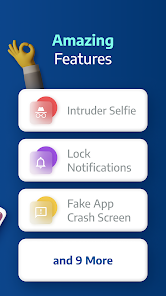
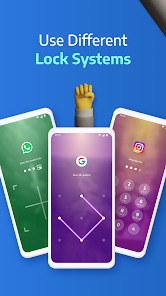
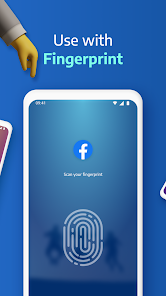
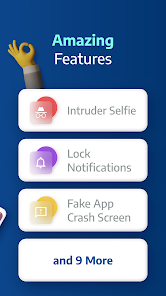
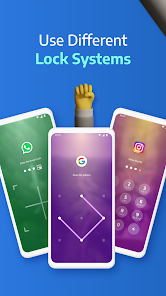
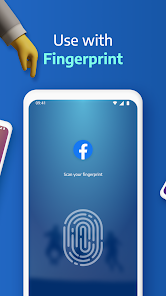
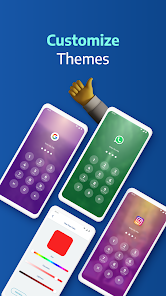
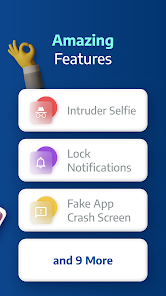
Protect your apps and photos with AppLock Pro — a fast, secure, and easy-to-use app locker trusted by millions. Whether you're guarding private messages, social media apps, or sensitive photos, Applock Pro keeps your data safe from intruders — with smart features like fingerprint unlock, spy camera, and customizable lock styles.🔐 Top Features:✔ Lock Any App Secure WhatsApp, Instagram, Messenger, Gallery, Settings, and more using PIN, pattern, fingerprint (if supported), or KnockCode.📸 Spy Camera Protection Catch snoopers in the act! A secret photo is taken when someone enters the wrong password.🧠 Fake Error Message Trick intruders with a fake error screen instead of showing the app is locked.🔕 Hide Notifications Block or hide sensitive notifications from locked apps.⏱ Lock Timer & Auto Re-Lock Set AppLock to auto-disable during certain hours, or re-lock after a short break.🚨 Spy Alarm Trigger a loud alarm if the wrong password is entered multiple times.🎨 Custom Themes Change the look and feel. Set a custom background using your own gallery photos.⚙️ Smart Settings Lightweight and optimized for battery & RAM. Includes vibration, new app alerts, lock recent apps, and more.🛡️ Lock Types: Fingerprint (if supported by your device)KnockCode – a unique and secure unlock methodPattern – simple and fastPIN – 4 to 8-digit password📌 Frequently Asked QuestionsQ: How do I prevent AppLock Pro from being uninstalled? Lock system settings and enable “Hide Icon” for extra protection. Q: Why are permissions needed? We only request permissions necessary for advanced features like custom backgrounds. Q: What if I forget my password? Use your secret answer to reset it easily. Q: Can I hide photos and videos? Lock the Gallery app to block access to your media. Q: How does the spy camera work? After 5 failed password attempts, AppLock Pro snaps a front-camera photo and stores it securely. Ready to protect your privacy? Download AppLock Pro now and take control of your app security.
Download AppLock Pro - App Lock & Guard
Get the official app from the trusted app stores. You will be redirected to the download page.
When you purchase through links on our site, we may earn an affiliate commission. Learn more
Ratings breakdown
1,940,000 reviewsDeveloper contact
Name
APP LOCK LLC
Address
1 E Erie St Ste 525 Chicago, IL 60611-2980 United States
Website
https://tryapplock.comPhone
+1 628-227-5065
Support
playstore@tryapplock.com
Privacy
View policyFrequently Asked Questions
Does AppLock Pro have ads? high
Yes. Multiple recent reviews (October 2025 and September 2025) describe aggressive ads that pop up on top of the screen, require waiting through multiple screens, and in some cases cannot be closed without restarting the phone. The app description says it contains ads (set to false in metadata, but reviews contradict this).
Source: user_reviews, app_metadata
Can AppLock Pro lock me out of my own phone? low
One recent reviewer (January 2026) reports that after granting permissions, the app locked all apps before a password was set, leaving the device inaccessible. This appears to be a rare bug. No other reviews in this sample mention the same issue.
Source: user_reviews
Is AppLock Pro free? high
The app is free to download and has in-app purchases ranging from $0.99 to $99.99 per item. However, recent reviews (September-October 2025) indicate the free version includes aggressive ads that some users find intrusive enough to make the app unusable.
Source: app_metadata, user_reviews
What lock types does AppLock Pro support? high
According to the app description, it supports fingerprint (if supported by the device), KnockCode, pattern, and PIN (4-8 digit password). Recent reviews do not specifically praise or complain about these lock methods.
Source: app_metadata
Can AppLock Pro prevent uninstallation? medium
The app description suggests locking system settings and enabling 'Hide Icon' for extra protection. One recent review (January 2026) reports that the app locked settings and Google Play Store, making it difficult to uninstall.
Source: app_metadata, user_reviews
How to Use
AppLock Pro locks apps, photos, and messages behind a PIN, pattern, fingerprint, or KnockCode to protect privacy. (app_description)
Getting Started
Source: app_description_and_user_feedback_noted
- Step 1: Download and install AppLock Pro from Google Play.
- Step 2: Open the app and grant the requested permissions (accessibility service, overlay, etc.) for it to function.
- Step 3: Set a lock method (PIN, pattern, fingerprint, or KnockCode) as your master password.
- Step 4: Select which apps (e.g., WhatsApp, Instagram, Settings, Gallery) you want to lock. Note: one recent review (January 2026) reports all apps locking immediately after granting permissions; proceed carefully.
- Step 5: (Optional) Configure additional features like Spy Camera, Fake Error Message, Lock Timer, or Hide Notifications from the settings menu.
Key Features (from app listing)
Source: app_description
- Lock any app with PIN, pattern, fingerprint, or KnockCode
- Spy Camera Protection captures a photo of intruders after 5 failed password attempts
- Fake Error Message disguises the locked app screen
- Hide Notifications from locked apps
- Lock Timer and auto re-lock after a break
- Spy Alarm triggers a loud alarm on repeated wrong passwords
- Custom themes with own gallery photos
- Lightweight and battery/ RAM optimized
This tip is responsive to a verified user complaint from recent_reviews #3 (January 17, 2026), which describes being locked out because the app locked all apps without a password being set.
How this content was created
Content type: pattern_analysis_of_user_reviews_and_metadata
AI generated: Yes
- Google Play user reviews (12-20 preferred; may be smaller if source data is limited per app), September 19, 2025 to January 17, 2026
- Google Play ratings distribution
- App Store listing metadata
- Review samples are not statistically representative of all user sentiment
- High-engagement negative reviews can overrepresent complaints
- Claims labeled 'low confidence' are based on single-review observations only
- No real-world app testing was conducted
- Feature availability may vary by region, device, and app version
- Only recent_reviews were available; no positive, negative-engagement, or mixed reviews were sampled, which may skew results toward current negatives
Pros & Cons
Based on analysis of Google Play user reviews
Pros
- Effectively locks apps as intended, providing basic security for private apps.
Theme 'App locking functionality' identified in recent_review #1
Evidence (2)
“this app works. yes, it locks apps (shocker)”Rating: 3★ October 02, 2025 531 likes“The app was great at first.”Rating: 2★ September 19, 2025 119 likes - Offers a variety of lock types including PIN, pattern, and fingerprint for user convenience.
Feature mentioned in app description
- Provides a spy camera feature to catch snoopers attempting to unlock apps.
Feature mentioned in app description
Cons
- Aggressive and unclosable ads that render the phone unusable until they finish.
Theme 'Intrusive ads' identified in recent_review #2
Evidence (4)
“The app started automatically popping up ads on top of my screen that can't be closed, rendering the phone unusable until the ad finishes.”Rating: 1★ October 02, 2025 429 likes“I have to shut my phone down every time and restart.”Rating: 2★ September 19, 2025 119 likes“some ads switch you to the app store forcefully after a certain point, and so i got stuck on the ad and had to restart my phone.”Rating: 3★ October 02, 2025 531 likes“This thing now has ads that require waiting for clocks and some are three screens long before you can close them!”Rating: 2★ September 20, 2025 90 likes - App is buggy and can lock all apps without a password, making the phone unusable.
Theme 'Critical bug locking apps' identified in recent_review #3
Evidence (1)
“I opened it to setup, granted permissions, then it immediately locked ALL my apps, I didn't even setup a password, so I couldn't unlock them or undownload the app.”Rating: 1★ January 17, 2026 66 likes - Ads interfere with other phone functions like taking photos and videos.
Theme 'Ads interfering with phone use' identified in recent_review #5
Evidence (2)
“It totally has destroyed some videos I wanted to shoot and photos I want to take of my little guy that were irreplaceable.”Rating: 2★ September 20, 2025 90 likes“an ad took over my WHOLE screen.”Rating: 1★ January 17, 2026 66 likes
Recent Reviews
flynn
3★this app works. yes, it locks apps (shocker), but sometimes it doesnt bring up the password screen and it forces you to watch ads, so if you press home while the app is showing you an ad, it just goes back to the ad instantly some ads switch you to the app store forcefully after a certain point, and so i got stuck on the ad and had to restart my phone. it has happened more than once. and yes, i understand you need to make money somehow from non-paying users, but its annoying.
Tyrone Rex
1★The app started automatically popping up ads on top of my screen that can't be closed, rendering the phone unusable until the ad finishes. If you try to bypass it, it just pops back up, restartingthe add from the beginning. i did not pay for the upgraded version which i'm guessing is what this tactic is pushing you to get. The ability to close the ads used to be a good trade off. Very irritating now. I have since removed this app.
Zarriah Ra-leigh Jaqraine
1★This app is super buggy. Do not download. I opened it to setup, granted permissions, then it immediately locked ALL my apps, I didn't even setup a password, so I couldn't unlock them or undownload the app. It couldn't get to my phone, Google Play store, settings, ANYTHING without a password I NEVER set. Then an ad took over my WHOLE screen. I had to restart my phone, immediately turn the permission off so it can't display over other apps. I'm leaving the review as a warning. DO. NOT. USE.
S
2★The app was great at first. A gaming app ad would appear every so often. It was annoying, but I was able to click or swipe out of it. After about a month using Applock Pro, the gaming app ad now pops up constantly, and I can't get rid of it. I have to shut my phone down every time and restart. I'm uninstalling the app now. It got too frustrating... but, while it worked, it was great.
Michael Hoffman
2★Scratch my first review which was at first positive. This thing now has ads that require waiting for clocks and some are three screens long before you can close them! It totally has destroyed some videos I wanted to shoot and photos I want to take of my little guy that were irreplaceable. I don't mind ads as it's free and every comes with a "cost" - but they could just be on the unlock screen. next.