By App Discoverer Editorial Team · Updated October 1, 2026

Web Video Cast | Browser to TV

Overview
Video Players & Editors
InstantBits Inc
Free
Mar 7, 2014
5.12.8
5.0
$1.49 - $7.49 per item
No
Jan 23, 2026
Features
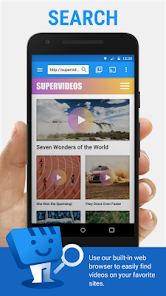
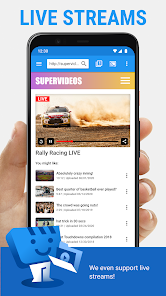
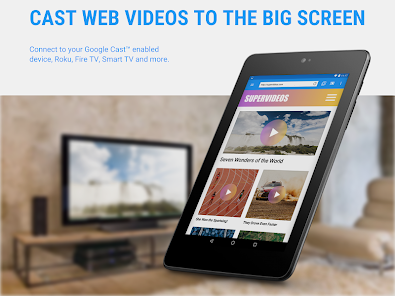
Web Video Caster® allows you to watch on your TV videos from your favorite websites including movies, TV shows, live streams of news, sports. It also lets you cast local videos stored on your phone. Photos and audio files are also supported. Subtitles are detected on the web page, you can also use your own subtitles, or you can use the integrated search of OpenSubtitles. org.
SUPPORTED STREAMING DEVICES Web Video Caster® supports the most popular streaming devices, allowing your TV to stream v...
Web Video Caster® allows you to watch on your TV videos from your favorite websites including movies, TV shows, live streams of news, sports. It also lets you cast local videos stored on your phone. Photos and audio files are also supported. Subtitles are detected on the web page, you can also use your own subtitles, or you can use the integrated search of OpenSubtitles. org. SUPPORTED STREAMING DEVICESWeb Video Caster® supports the most popular streaming devices, allowing your TV to stream videos directly from the web.
Download Web Video Cast | Browser to TV
Get the official app from the trusted app stores. You will be redirected to the download page.
Official Links
When you purchase through links on our site, we may earn an affiliate commission. Learn more
Ratings breakdown
2,340,000 reviewsDeveloper contact
Name
InstantBits Inc
Address
2250 N Rock Rd Ste 118-213 Wichita, KS 67226 United States
Website
https://www.webvideocaster.appPhone
+1 316-778-0463
Support
webvideo@instantbits.com
Privacy
View policyFrequently Asked Questions
Does Web Video Cast support Roku and Apple TV? high
Yes. According to the app description, it supports Roku, Chromecast, Amazon Fire TV, DLNA receivers, and many smart TVs. One reviewer also confirms it works with Apple TV and Blu-ray players.
Source: app_metadata, user_reviews
Is the app free or does it have a paid version? high
The app is free to download with in-app purchases ranging from $1.49 to $7.49 per item. The free version contains ads. The paid version removes ads and adds features like bookmarks and video history.
Source: app_metadata
Does it cast local videos from my phone? high
Yes. The app description states that it can cast local videos, photos, and audio files stored on your phone.
Source: app_metadata
Are the ads in the free version safe for children? medium
Two users report the ads contain violent, disturbing, or deceptive content. User reviews mention ads that are '18+' and designed to trick users into clicking. The app's content rating is 'Everyone', but advertising content is not controlled by the app developer.
Source: user_reviews, app_metadata
Why does my video keep disconnecting from my TV? medium
Two recent users reported connection instability, with random disconnections that repeat when reconnecting. This may be related to network conditions or specific devices. The developer notes that buffering issues from the content provider can also cause playback failures.
Source: user_reviews, app_metadata
How to Use
Web Video Caster allows you to stream videos, audio, and photos from websites or your phone to a variety of TV streaming devices. (app_description)
Getting Started
Source: app_description_and_user_feedback_noted
- Step 1: Open the Web Video Caster app on your phone.
- Step 2: Browse the web for a video, or use the file explorer to select a local video, audio, or photo file.
- Step 3: If using a website, play the video on the page inside the app's browser. For photos, long-press on the image.
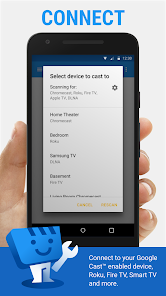
- Step 4: Tap the cast button and select your streaming device (Chromecast, Roku, Fire TV, smart TV, etc.) from the list.
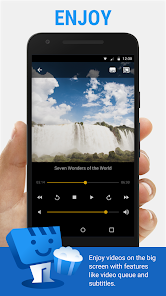
- Step 5: The video should start playing on your TV. Use the in-app controls to play, pause, and manage your queue.
Key Features (from app listing)
Source: app_description
- Cast from websites or local files (videos, audio, photos)
- Supports Chromecast, Roku, Amazon Fire TV, DLNA, and many smart TVs
- Detects and integrates subtitles from web pages and OpenSubtitles.org
- Premium features include a queue, bookmarks, video history, and no ads
The tip combines a verified user complaint (disconnections in recent_reviews #2) with the developer's disclosure about server-side buffering issues from the app description.
How this content was created
Content type: pattern_analysis_of_user_reviews_and_metadata
AI generated: Yes
- Google Play user reviews (12-20 preferred; may be smaller if source data is limited per app), Date range of available reviews: September 30, 2024 to January 26, 2026
- Google Play ratings distribution
- App Store listing metadata
- Review samples are not statistically representative of all user sentiment
- Claims labeled 'low confidence' are based on single-review observations only
- Claims labeled 'medium confidence' are based on two-user observations within the same bucket
- No real-world app testing was conducted
- Feature availability may vary by region, device, and app version
Pros & Cons
Based on analysis of Google Play user reviews
Pros
- Excellent compatibility with a wide range of devices including Apple TV, Roku, and smart TVs.
Theme 'Wide device compatibility' identified in recent_review #3
Evidence (1)
“this app will cast to almost every network device I've come across... Apple TVs, Roku TV/Roku devices, Blu Ray players, smart TVs, etc...”Rating: 5★ January 26, 2026 24 likes - Useful features like bookmarks, browser history, playlists, and local file playback.
Theme 'Useful features' identified in recent_review #3
Evidence (1)
“Bookmarks, browser history, recent media, playlists, play local files, no ads, plus this app will cast to almost every network device I've come across...”Rating: 5★ January 26, 2026 24 likes - No ads in the paid version, making it a worthwhile purchase.
Theme 'No ads in paid version' identified in recent_review #3
Evidence (1)
“no ads, plus this app will cast to almost every network device I've come across...”Rating: 5★ January 26, 2026 24 likes
Cons
- Frequent disconnections and buffering issues when streaming to TV.
Theme 'Disconnections and buffering' identified in recent_review #2
Evidence (1)
“I attempt to stream a video and it randomly disconnects from my television. I reconnect and it does the same thing over and over and over and over and over with countless different videos. When it does stay connected and plays the videos it takes forever to buffer.”Rating: 1★ February 28, 2025 77 likes - Deceptive ads with hidden close buttons that navigate away from the app.
Theme 'Deceptive ads' identified in recent_review #1
Evidence (2)
“Some of the ads are deceiving in that they put "X" in the image or video, tricking you into clicking the ad. that navigates you away from the app.”Rating: 3★ December 02, 2025 7 likes“Many of the random forced video advertisements are rather violent, gory and disturbing.”Rating: 4★ September 30, 2024 286 likes - Stability issues when connected to an external monitor, causing increased buffering.
Theme 'Stability issues with external monitor' identified in recent_review #4
Evidence (1)
“What kind of android media player immediately loses the vast majority of it's stability when connected to an external monitor? Especially one called Web Video CAST. Casting or a wired connection immediately triples or quadruples buffer time”Rating: 3★ December 30, 2025 7 likes
Recent Reviews
Darien Young
4★Seems to work great so far. Will probably pay for the full version soon. Good work developer! Discovered a problem: Many of the random forced video advertisements are rather violent, gory and disturbing. I just saw another one and started thinking that I could get nightmares from it! Seems 18+! I will still pay to remove ads later, but for now, I am curious how bad the advertising can be! The ads can be skipped of course, but only after what seems to be quite a long time of forced viewing!
Michael Norman
1★Paid for the full version and things seemed to get worse. I attempt to stream a video and it randomly disconnects from my television. I reconnect and it does the same thing over and over and over and over and over with countless different videos. When it does stay connected and plays the videos it takes forever to buffer. Some videos it doesn't play at all saying it's not supported. Apparently this app can't do anything.
Bobby S
5★Still the best purchase I have ever made on the Play Store! Bookmarks, browser history, recent media, playlists, play local files, no ads, plus this app will cast to almost every network device I've come across... Apple TVs, Roku TV/Roku devices, Blu Ray players, smart TVs, etc... Plus it has several options for workarounds for older devices and unsupported formats. Best if used with the Web Video Receiver app (which is free) if your device has an app store.
SüprSly Sky
3★This app contains a plethora of useful features, from downloading to generating playlists of various online videos. HOWEVER, it loses 2 stars from me because it's absolutely awful for my primary use case. What kind of android media player immediately loses the vast majority of it's stability when connected to an external monitor? Especially one called Web Video CAST. Casting or a wired connection immediately triples or quadruples buffer time, despite other apps and dl speed being the same.
Derick
3★Works sometimes for my use cases, though ads are deceptive. A lot of times the controls won't work to play or pause. If this app worked for me all the time, it would definitely be worth paying to remove ads. Some of the ads are deceiving in that they put "X" in the image or video, tricking you into clicking the ad. that navigates you away from the app. At times, that is enough to stop the video from playing or disables the media controls.