By App Discoverer Editorial Team · Updated October 1, 2026

Videoleap: AI Video Editor



Overview
Video Players & Editors
Lightricks Ltd.
Free
Jul 27, 2021
1.39.1
8.0
$3.99 - $299.99 per item
No
Nov 4, 2025
Features
Create Stunning Reels, Videos & Shorts with AI
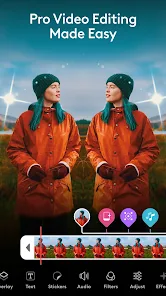
Unleash your creativity and produce scroll-stopping content effortlessly with Videoleap, your all-in-one AI-powered video editor, reel maker, and video enhancer. Whether you’re a beginner or a seasoned content creator, Videoleap gives you the tools to transform your ideas into high-quality, professional videos in just minutes.
🎥 The Smartest Way to Create Reels, Videos & Clips Videol...
Create Stunning Reels, Videos & Shorts with AI
Download Videoleap: AI Video Editor
Get the official app from the trusted app stores. You will be redirected to the download page.
Official Links
When you purchase through links on our site, we may earn an affiliate commission. Learn more
Ratings breakdown
198,000 reviewsDeveloper contact
Name
LIGHTRICKS LTD
Address
30 Yesha'yahu Leibowitz JERUSALEM Israel
Phone
+972 55-319-4847
Support
videoleap.android.support@lightricks.com
Privacy
View policyFrequently Asked Questions
Is Videoleap free to use? high
The app is free to download, but it requires a subscription to access most features. According to app metadata, in-app purchases range from $3.99 to $299.99 per item. User reviews warn of a short free trial (e.g., 7 days) followed by an expensive subscription. One reviewer noted that signing up is required just to see the interface.
Source: app_metadata, user_reviews
Does Videoleap drain battery or track location in the background? low
A user review from January 2023 reports that the app performed 107 location tracking attempts in a short period, even when the app was not open and all permissions were denied. This reviewer claimed the app caused rapid battery drain. However, this is a single report out of the sample, so it may not reflect a widespread issue.
Source: user_reviews
Can I create AI videos and images with Videoleap? medium
According to the app description, Videoleap includes an AI Video Generator and AI-driven enhancements. However, a user review states that the AI features are limited: you cannot create AI images, and AI video options are restricted to a few functions like 'infinite zoom' or voice changes using your photos. The app appears to focus more on editing existing footage than generating new content from scratch.
Source: user_reviews, app_metadata
Why does my video save fail or crash in Videoleap? low
A long-term paid user reports that in the last 3-6 months, the app has frequently frozen or crashed while trying to save an edit, leading to lost work. Another reviewer notes that exports fail when the phone is low on storage. These issues appear in recent reviews, suggesting current performance problems.
Source: user_reviews
How to Use
Videoleap is an AI-powered video editor designed to help users create reels, shorts, and professional-quality videos for social media platforms like Instagram, YouTube, and TikTok. (app_description)
Getting Started
Source: app_description_and_user_feedback_noted
- Step 1: Download Videoleap from the Google Play Store; note that a subscription is required after a limited free trial (reported as 7 days).
- Step 2: Sign up with an email address to access the interface, as noted by user reviews.
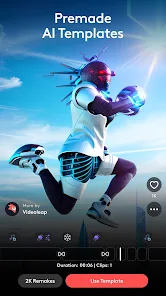
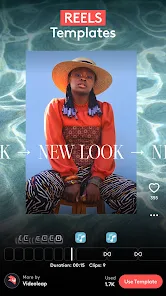
- Step 3: Choose a template for reels, stories, or shorts, or start with a blank project from your media library.
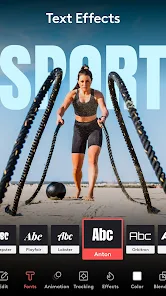
- Step 4: Use the AI video generator, trim, cut, and apply effects or filters from the editor toolbar.
Key Features (from app listing)
Source: app_description
- AI Video Generator and AI-powered editing to automatically apply enhancements, effects, and filters.
- Pro editing tools: trim, cut, crop, merge, resize, rotate, and flip videos.
- Templates for Reels, Stories, and Shorts optimized for Instagram, YouTube, and TikTok.
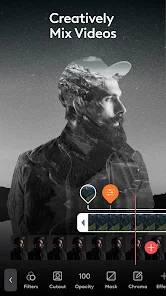
- Layer-based editing with masking, blending, and transformation for advanced compositions.
Tip is responsive to a verified user complaint from recent_reviews #3, which states videos fail when the phone is low on storage.
How this content was created
Content type: pattern_analysis_of_user_reviews_and_metadata
AI generated: Yes
- Google Play user reviews (5 (limited to recent_reviews only) per app), January 23, 2023 – January 26, 2026
- Google Play ratings distribution
- App Store listing metadata
- Review samples are not statistically representative of all user sentiment.
- The sample is limited to 5 recent reviews; no high-engagement negative, positive, or mixed reviews were available.
- Claims labeled 'low confidence' are based on single-review observations only and may not reflect general user experience.
- No real-world app testing was conducted.
- Feature availability may vary by region, device, and app version.
- The app's high overall rating (4.5) is not reflected in the sampled reviews, which are overwhelmingly negative.
Pros & Cons
Based on analysis of Google Play user reviews
Pros
- App has a solid set of functions and works well for video editing most of the time.
Theme 'Solid functions and features' identified in recent_review #3
Evidence (1)
“Overall, very solid app. I love the functions that it provides and it works well... most of the time.”Rating: 3★ April 26, 2024 65 likes - App offers AI-powered features like video generation and enhancement.
Feature 'AI capabilities' inferred from app description and not contradicted by reviews
Evidence (1)
“Theres only a handful of ways to create an ai video using your photos.”Rating: 3★ March 21, 2025 3 likes - App provides templates for creating reels and shorts for social media.
Feature 'Templates for social media' inferred from app description and not contradicted by reviews
Evidence (1)
“Theres nothing to really choose from except a bunch of templates that u can do on capcut.”Rating: 3★ March 21, 2025 3 likes
Cons
- App has become unstable and frequently freezes or crashes during saving, especially for paid users.
Theme 'Frequent freezing and crashing' identified in recent_review #1 and #3
Evidence (2)
“In the last 3-6 months the amount of times it's frozen on me while trying to save an edit is unacceptable.”Rating: 1★ December 11, 2025 10 likes“The videos will fail after waiting the amount of time it takes to upload/download.”Rating: 3★ April 26, 2024 65 likes - App engages in deceptive practices, including forced email sign-up and difficult cancellation.
Theme 'Deceptive sign-up and cancellation' identified in recent_review #2
Evidence (1)
“They force an email sign-up just to see the interface, followed by a tiny trial and an expensive subscription.”Rating: 1★ January 26, 2026 5 likes - App consumes excessive battery and performs background location tracking without permission.
Theme 'Excessive battery drain and location tracking' identified in recent_review #4
Evidence (1)
“I began experiencing a rapid battery drain on my Android device.”Rating: 1★ January 23, 2023 227 likes
Recent Reviews
Eric Foxwell
1★Once a good app, now barely functioning... I've had this app (paid) three years now. In the last 3-6 months the amount of times it's frozen on me while trying to save an edit is unacceptable. Nothing like spending time tediously working on a video just for it to endlessly crash and not allow you to make the edit. If I could get my money back for this year I would. No point in paying for a broken app.
Jæv Rojho
1★Don’t let the "free" download fool you. They force an email sign-up just to see the interface, followed by a tiny trial and an expensive subscription. The third-party spam since joining is absurd, and seven days isn't enough time to justify the cost. My wife has already canceled; there are better, cheaper alternatives that don't rely on these tactics. Save your money and your inbox.
cronchmylonch
3★Ok, I've paid for the yearly subscription, and I can tell what I really think. Overall, very solid app. I love the functions that it provides and it works well... most of the time. It doesn't do well at all when the phone is low on storage. The videos will fail after waiting the amount of time it takes to upload/download. There's also some lag. It was taking up 36 gigabytes once I started really using it. I kept having to delete drafts just to begin another project. Fix that & 🌟🌟🌟🌟🌟
Shannon G
1★I enjoyed the application and its features. However, I began experiencing a rapid battery drain on my Android device. Using Developer Options on my device,, I was able to locate the issue. The application was not open, and all permissions denied. Videoleap still performed 107 location tracking attempts in 5 days. It also was tagged for 39% of battery usage in that same time frame. More than Google or any other application. Read the Privacy Statement! Does much more than what is stated. Deleted.
JonandGina Butcher
3★NO!!! I got a free trial to see what the app was about. its not worth 19.99!!! no way!! there's no way to create Ai images and you can't create Ai videos the way you think. Theres only a handful of ways to create an ai video using your photos. infinite zoom, voice change, and like 2 more that aren't very good. I want to bring my nature images to life and nothing on this app does that. there's nothing to really choose from except a bunch of templates that u can do on capcut.