By App Discoverer Editorial Team · Updated October 1, 2026

Planner 5D: AI Home Design












Overview
House & Home
Planner 5D
Free
May 27, 2015
2.74.0
10
$0.99 - $399.99 per item
No
Apr 10, 2026
Features
#1 AI home design and room planner app for your next home project.
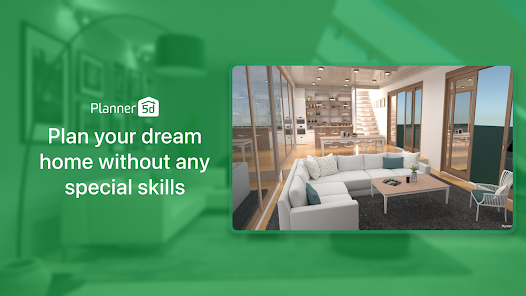
From floor planning to interior décor and 3D home design visualisation, the Planner 5D is here to help. Design house of your dreams or renovate your existing home interior with our easy to use, smart 3D home planning and AI room design tools. Your dream home is only a few clicks away with our house design app.
Planner 5D, an AI home design and 3D room planner partner, is designed for both enthusiasts and professionals.
► 40.0...
#1 AI home design and room planner app for your next home project. From floor planning to interior décor and 3D home design visualisation, the Planner 5D is here to help. Design house of your dreams or renovate your existing home interior with our easy to use, smart 3D home planning and AI room design tools. Your dream home is only a few clicks away with our house design app. Planner 5D, an AI home design and 3D room planner partner, is designed for both enthusiasts and professionals.► 40.000.000+ HAPPY USERS! Need a detailed floor plan for your existing home, or planning to refresh your apartment interior décor using some of the 10.000+ items from our library? Or maybe you want to sketch 2D and 3D floor plans from scratch for your new dream house? No problem! From architectural drawing support to powerful AI home design tools, Planner 5D house design tool has everything you need. Get fresh ideas for both interior and exterior spaces.► 3D ROOM PLANNER Use our 3D home design features to build, customize, and explore your space from every angle. Get the help of the AR room planner feature to configure layouts using your real room dimensions and see how your ideas look in real life. With our 3D room planner and AI house design toolkit, you can make the most of every square foot of your space. Planner 5D is your gateway to home makeovers, remodels, and renovation dreams.► 300.000.000+ HOME DESIGN PROJECTSPlanning some home renovation? With Planner 5D, you can easily become a virtual house flipper, redesigning and redecorating spaces to your heart’s content. Embellish your home design with interior décor like paintings, clocks, vases, lamps, and more. Use our app for house décor planning, whether it’s a cozy bedroom, a functional kitchen, or a stylish living room. Redecorate and redesign with ease, making every space uniquely yours.► AI INTERIOR DESIGN TOOLPlanner 5D offers far more than other house décor tools. Plan and visualize the design of restaurants, cafés, offices, or gyms with ease. Our home interior design features are flexible, powerful, and built to support any creative project, It’s an all-in-one tool for anyone who loves to redecorate, remodel, or take on home renovation projects. Planner 5D interior design app bridges the gap between imagination and reality, helping you sketch up and create the spaces you’ve always dreamed of.► JOIN THE COMMUNITYJoin the community
Download Planner 5D: AI Home Design
Get the official app from the trusted app stores. You will be redirected to the download page.
Official Links
When you purchase through links on our site, we may earn an affiliate commission. Learn more
Ratings breakdown
483,000 reviewsDeveloper contact
Name
PLANNER5D UAB
Address
Antakalnio g. 17 10312 Vilnius Lithuania
Website
https://planner5d.comPhone
+370 626 06336
Support
support@planner5d.com
Privacy
View policyFrequently Asked Questions
Does Planner 5D have a free trial? medium
Based on recent user reports, the free trial claim is disputed. Multiple reviewers state they were charged unexpectedly when trying the 'free trial.' The app description does not mention a trial period, but in-app purchases range from $0.99 to $399.99 per item. You may need to pay before accessing core features.
Source: user_reviews, app_metadata
Does Planner 5D require a LiDAR sensor on my phone? low
Yes, at least one reviewer reports that the 'Scan a Room' feature requires a LiDAR sensor (commonly found on newer high-end phones). They state that scanning does not work with camera only. The app description mentions an 'AR Room Planner' feature but does not highlight this hardware requirement upfront.
Source: user_reviews, app_metadata
Is Planner 5D free to use? high
The app is free to download, but it contains in-app purchases ranging from $0.99 to $399.99 per item. The recent user reviews indicate that basic editing functions like moving objects and drawing walls are blocked by prompts to upgrade to the paid 'Premium' version.
Source: user_reviews, app_metadata
Is Planner 5D good for floor planning on a tablet? low
User feedback suggests mixed results. While the app description highlights 2D and 3D floor plan creation, at least one recent reviewer found the wall and floor drawing system to be 'not mobile/tablet friendly,' criticizing its reliance on adding pre-made rooms instead of free-form drawing.
Source: user_reviews, app_metadata
How to Use
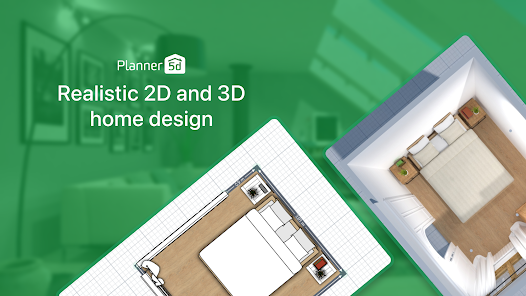
Planner 5D is an AI-powered home design tool for creating floor plans, decorating interiors with a catalog of over 10,000 items, and visualizing results in 2D and 3D. (app_description)
Getting Started
Source: app_description_and_user_feedback_noted
- Step 1: Download the app and be aware that core features may require an in-app purchase or subscription starting at $0.99. Reviewers warn against assuming a free trial exists.
- Step 2: Create a new project by either taking a photo of an existing room (requires a LiDAR sensor, per user reports), or starting with a blank canvas.
- Step 3: Use the floor plan tool to draw walls and rooms. Note that user feedback indicates this interface is designed for whole-room insertion rather than free-form finger drawing.
- Step 4: Furnish your space by selecting from the library of 10,000+ items (furniture, décor, plants) and drag them into your 2D or 3D view.
- Step 5: Use the 3D visualization and AR room planner features to view your design in realistic detail. The AR feature is only supported on devices with a LiDAR scanner.
Key Features (from app listing)
Source: app_description
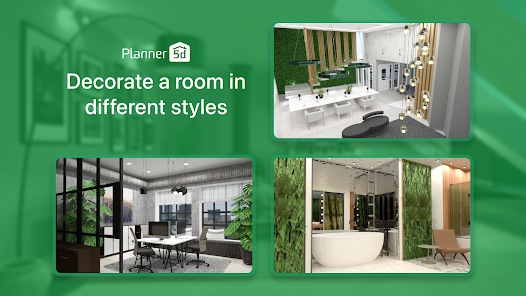
- AI-Powered Interior Design: Redesign rooms using AI tools that generate layouts and décor suggestions.
- 2D Floor Plan & 3D Visualization: Sketch 2D floor plans and instantly convert them into a 3D model.
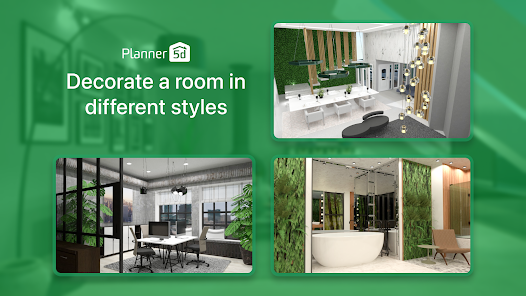
- Furniture Catalogue: Access a library of over 10,000 items including furniture, lighting, and décor for home staging.
- AR Room Planner: Use augmented reality to place furniture in your real room (requires LiDAR sensor).
This tip addresses a verified user complaint from recent_reviews #5, who paid $6.99 only to discover their phone lacked LiDAR support for the desired room scanning feature.
How this content was created
Content type: pattern_analysis_of_user_reviews_and_metadata
AI generated: Yes
- Google Play user reviews (5 (limited) per app), January 03, 2026 to March 11, 2026
- Google Play ratings distribution
- App Store listing metadata
- The review sample is critically limited: only 5 recent reviews were available, all negative. This is not statistically representative of the app's user sentiment.
- No high-engagement positive or negative reviews were available for cross-bucket validation.
- Claims labeled 'high confidence' are based on a recurring theme within the single 'recent_reviews' bucket, and may disproportionately represent a specific time period's user complaints.
- Claims labeled 'low confidence' are based on single-review observations only.
- No real-world app testing was conducted.
- Feature availability may vary by region, device, and app version (e.g., LiDAR requirement is device-dependent).
Pros & Cons
Based on analysis of Google Play user reviews
Pros
- Great concept with many options and useful measurement tools.
Theme 'Good concept' identified in recent_review #2
- Widely used with a large user base, indicating popularity.
Theme 'Large user base' identified in app description
- Offers a vast library of over 10,000 items for interior design.
Theme 'Large item library' identified in app description
Cons
- Aggressive and misleading upgrade prompts that block basic functionality.
Theme 'Aggressive upgrade prompts' identified in recent_review #2
- Deceptive billing practices; charges users without clear free trial disclosure.
Theme 'Deceptive billing' identified in recent_review #1
- Wall and floor drawing tools are not mobile/tablet friendly and overly complicated.
Theme 'Poor mobile UI' identified in recent_review #3
Recent Reviews
D D
1★Attempted to try this system out on a free trial basis, but it charged me for the $29 program. It is very complicated and not intuitive from a selections standpoint, so I wanted to delete the app, not realizing that there was no free trial. They claim I already used it, so now I have to pay. I literally used it for 5 minutes before realizing it was not what I thought it was, and that it's likely they have "bought" reviews. Buyer beware, horrible predatory business practice and customer service!
Estrella Magdalena
2★I've been using this app for about 4 days consistently. Now, it won't let me do anything without offering me the premium option. I try to move something, it pops up to offer me to pay and the thing doesn't get moved. It is like a bug in the system. I would have upgraded it yesterday if it would have fixed the slowness of it on my computer, but it wouldn't. The app itself is a great concept! I love all the options and the way it tells you how many meters/feet that you are working with. etc.
J P
2★The way the app's walls and floors are currently set up is not mobile/tablet friendly, and is way more complicated and time-consuming than it needs to be. I'd like the option to draw walls and floors using the S pen or my finger, the way you can with a mouse, rather than adding entire rooms, resizing and deleting walls, and merging rooms, when all I want is to draw a simple wall. I'd enjoy using this app and be willing to renew if you'd add this very simple feature.
Daniel Hoglan
1★The extremely aggressive prompts to upgrade even before you open your first canvas "you'll never see this special price again" make me think the issues must be pretty bad. Within minutes, I found that simply typing in the inch/cm wall lengths and it changing them for some unknown reason(it's not rounding, and you wouldn't know immediately unless it was visually off or you clicked into the menu to see if what you typed in was what it used?). Neat though, I can pay for cosmetics!
Jevon LaBar
1★No way to test out the application without 'subscribing'. I had to pay $6.99 only to find out my phone hardware does not support the feature I was looking to use. Without Lidar, you'll not be able to scan a room. Cannot do it with camera only (nor is that even an option). Would be nice to know that before you have to purchase. I'd look for other apps that at least let you demo the features.