By App Discoverer Editorial Team · Updated October 1, 2026

MobileSheets




Overview
Music & Audio
Zubersoft
Free
Apr 13, 2015
3.9.41 (Build 588)
7.0
No
May 29, 2026
Features
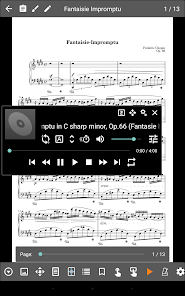
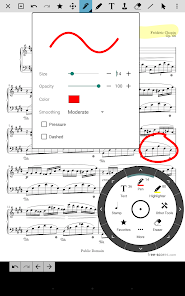
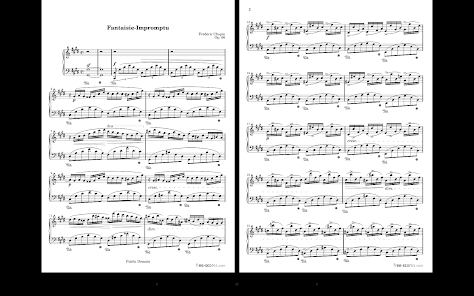
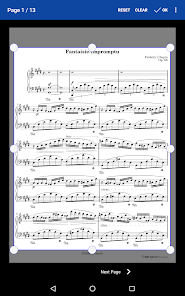
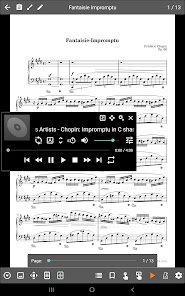
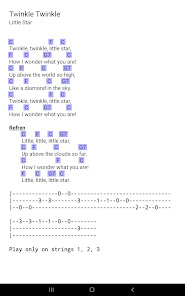
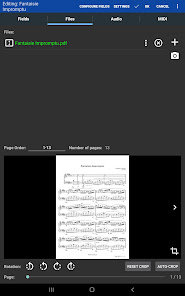
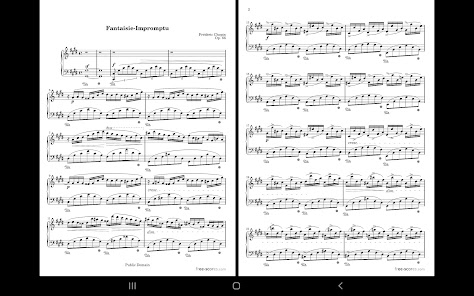
MobileSheets is the ultimate sheet music viewer for Android tablets. It frees you from having to lug around books and binders, and gives you the ability to access any score in your library in seconds. It also comes with a number of powerful features for musicians including:
MobileSheets is the ultimate sheet music viewer for Android tablets. It frees you from having to lug around books and binders, and gives you the ability to access any score in your library in seconds. It also comes with a number of powerful features for musicians including:
Download MobileSheets
Get the official app from the trusted app stores. You will be redirected to the download page.
When you purchase through links on our site, we may earn an affiliate commission. Learn more
Ratings breakdown
4,910 reviewsDeveloper contact
Name
ZUBERSOFT, LLC
Address
4234 SE 16th Ave Portland, OR 97202 United States
Phone
+1 503-479-8005
Support
support@zubersoft.com
Privacy
View policyFrequently Asked Questions
Is MobileSheets free to download? high
Yes. The app metadata lists MobileSheets as free.
Source: app_metadata
What do sampled users complain about in MobileSheets? low
MobileSheets has sampled reports of connection, sync, backup, or device pairing problems. Only 1 sampled review supports this theme, so confidence is low.
Source: user_reviews
What do sampled users like about MobileSheets? low
MobileSheets is praised by sampled reviewers for working well or feeling reliable. Only 1 sampled review supports this theme, so confidence is low.
Source: user_reviews
How to Use
MobileSheets is the ultimate sheet music viewer for Android tablets. (app_description)
Getting Started
Source: app_description_and_user_feedback_noted
- Install MobileSheets from the appropriate app store.
- Open the app and start with the free experience.
- Review the main features described in the app listing.
- Check settings or support resources if you run into sampled issue patterns such as mobilesheets has sampled reports of connection, sync, backup, or device pairing problems.
Key Features (from app listing)
Source: app_description
- Music & Audio app experience
- Free download
- From Zubersoft
- 100,000+ downloads listed
Theme 'works well or feels reliable' identified in recent_reviews #1. Review #1 praises works well or feels reliable.
How this content was created
Content type: pattern_analysis_of_user_reviews_and_metadata
AI generated: Yes
- Google Play user reviews (12-20 preferred; may be smaller if source data is limited per app), October 22, 2020 to February 27, 2026
- Google Play ratings distribution
- App Store listing metadata
- Review samples are not statistically representative of all user sentiment
- High-engagement negative reviews can overrepresent complaints
- Claims labeled 'low confidence' are based on single-review observations only
- No real-world app testing was conducted
- Feature availability may vary by region, device, and app version
Pros & Cons
Based on analysis of Google Play user reviews
Pros
- Users appreciate the app: "A really amazing app. I love that I can import sheet music files, or take pictures of hard copies and create files that " medium
Extracted from 3 high-rated user review(s)
Evidence (3)
“A really amazing app. I love that I can import sheet music files, or take pictures of hard copies and create files that way. The organization tools are excellent, I use the "collections" and "setlist"”Rating: 5★ February 27, 2026 11 likes“One more 5 star review for what is inarguably the "killer app" for a Chromebook tablet / convertible. The app works beautifully with or without a keyboard, and the ability to quickly create a blank pa”Rating: 5★ June 22, 2019 27 likes“This is easy to set up and use once you get the hang of it. Now, I'm quickly snapping pics of my library via my phone and transferring them to my bigger tablet using the built in sync options. PDFs in”Rating: 5★ January 30, 2023 45 likes
Cons
- Some users report issues: "I was enjoying the free version, I got the full version so I could sync my library across all my devices, and immediately found problems with syncing " low
Identified from 1 low-rated user review(s)
Evidence (1)
“I was enjoying the free version, I got the full version so I could sync my library across all my devices, and immediately found problems with syncing the library. If I change the name of a song on one”Rating: 2★ February 20, 2025 19 likes
Recent Reviews
Quincy Summerlin
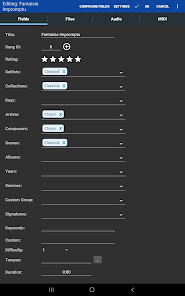
5★A really amazing app. I love that I can import sheet music files, or take pictures of hard copies and create files that way. The organization tools are excellent, I use the "collections" and "setlist" tools regularly. The app also works well with my Bluetooth page turn pedal. For what you get, this app should be at least 2x the price.
Alex Brenchley
2★I was enjoying the free version, I got the full version so I could sync my library across all my devices, and immediately found problems with syncing the library. If I change the name of a song on one device and hit sync, then when I hit sync on the other device, instead of changing the name, it creates a duplicate with the changed name. Syncing the library is also a pretty big pain because of a few other reasons that are too big to fit in this review.
A Google user
5★One more 5 star review for what is inarguably the "killer app" for a Chromebook tablet / convertible. The app works beautifully with or without a keyboard, and the ability to quickly create a blank page (or start with a blank staff sheet or lead sheet, though you've gotta find those yourself to start with) then write a chart real quick with a pen/stylus... Just wonderful. You can also bulk select and edit or tag songs. Just perfect. Easily the best money I've spent on music gear in ages. For the price, perhaps ever.
Myles S
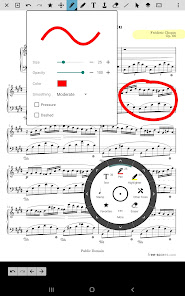
5★This is easy to set up and use once you get the hang of it. Now, I'm quickly snapping pics of my library via my phone and transferring them to my bigger tablet using the built in sync options. PDFs instantly upload as well. There's lots of other options, including the ability to write on the sheets. The setlist feature is awesome. I wanted an app that could eliminate the need to carry my many books of music around to gigs. This app does that and much more.
Chaney Goldstein
5★Really a great app for anyone who wants to have their sheet music digital. Because of the low system requirements, I'm using an old 10inch tablet with it and it runs really well. The app is feature-full with great support if there are any issues. When paired with the desktop companion, it is like an open sesame. You can easily manage everything! Definitely recommended to anyone who carries sheet music around and doesn't want to deal with carrying a giant binder. This is definitely the way to go!