By AppHub Editorial Team · Updated August 5, 2026


Overview
Google LLC
Free
Aug 12, 2010
No
May 29, 2026
Features
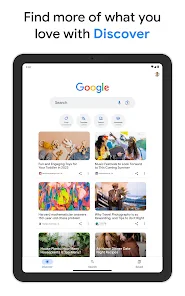
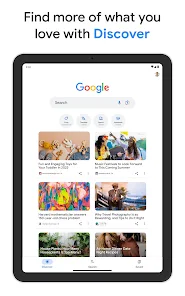
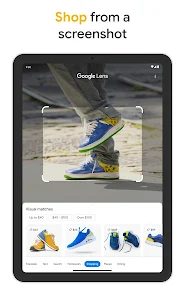
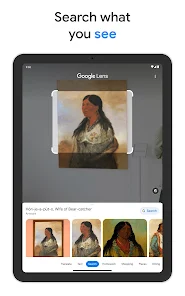
The Google app offers more ways to search about the things that matter to you. Try AI Mode, AI Overviews, Google Lens, and more to find quick answers, explore your interests, and stay up-to-date. Use text, voice, photos, and your camera to get help in new ways. Feature highlights:
The Google app offers more ways to search about the things that matter to you. Try AI Mode, AI Overviews, Google Lens, and more to find quick answers, explore your interests, and stay up-to-date. Use text, voice, photos, and your camera to get help in new ways. Feature highlights:
When you purchase through links on our site, we may earn an affiliate commission. Learn more
Ratings breakdown
29,200,000 reviewsDeveloper contact
Name
Google LLC
Address
1600 Amphitheatre Pkwy Mountain View, CA 94043 United States
Phone
+1 650-253-0000
Support
apps-help@google.com
Privacy
View policyFrequently Asked Questions
Is Google free to download? high
Yes. The app metadata lists Google as free.
Source: app_metadata
What do sampled users like about Google? low
Google is praised by sampled reviewers for reliable performance, stability, or smooth operation. Only 1 sampled review supports this theme, so confidence is low.
Source: user_reviews
Is Google worth downloading in 2026? medium
Based on 5 sampled reviews spanning February 21, 2026 to October 28, 2025, Google has a 4.1/5 overall rating from 29.2M total reviews. Sampled reviews show 1 praised themes and 0 complaint themes. As with any app, experiences vary by device and use case.
Source: user_reviews, app_metadata, ratings_data
How to Use
The Google app offers more ways to search about the things that matter to you. (app_description)
Getting Started
Source: app_description_and_user_feedback_noted
- Install Google from the Google Play Store or Apple App Store.
- Open the app and begin with the free experience to explore its core functionality.
- Review the main features described in the app listing to understand what this app offers.
- Configure app settings based on your preferences.
Key Features (from app listing)
Source: app_description
- Bring your toughest questions to generative AI features like AI Overviews and AI Mode
- Get help with planning, researching, brainstorming new ideas, and more with a custom version of Gemini
- Translate text in over 100 languages
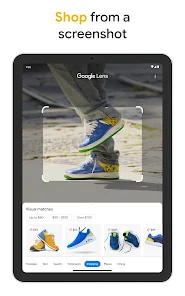
- Find exact or similar products
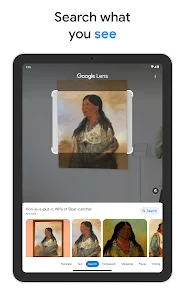
- Identify popular plants, animals, and landmarks
- Scan QR codes and barcodes
Theme 'reliable performance, stability, or smooth operation' identified in recent_reviews #5. Review #5 (recent_reviews, 4★) mentions reliable performance, stability, or smooth operation.
How this content was created
Content type: pattern_analysis_of_user_reviews_and_metadata
AI generated: Yes
- Google Play user reviews (12-20 preferred; may be smaller if source data is limited per app), February 21, 2026 to October 28, 2025
- Google Play ratings distribution
- App Store listing metadata
- Review samples are not statistically representative of all user sentiment
- High-engagement negative reviews can overrepresent complaints
- Claims labeled 'low confidence' are based on single-review observations only
- No real-world app testing was conducted
- Feature availability may vary by region, device, and app version
Pros & Cons
Based on analysis of Google Play user reviews
Pros
- Powerful search capabilities with AI Mode, Google Lens, and Hum to Search for versatile queries.
Theme 'Advanced search features' identified in app description
Evidence (1)
“Try AI Mode, AI Overviews, Google Lens, and more to find quick answers, explore your interests, and stay up-to-date. Use text, voice, photos, and your camera to get help in new ways.”Rating: 5★ N/A - Reliable and comprehensive search engine with safety features like alerting authorities for dangerous queries.
Theme 'Reliable and safe search' identified in recent_review #5
Evidence (1)
“Google is a good app. A good and reliable search engine with many websites to visit. ... if you search up how to make a bomb, it alerts an authority about it and gets you in trouble. This feature makes me feel more safe.”Rating: 4★ February 21, 2026 34 likes - Customizable search widget with shortcuts for quick access to translation, song search, and weather.
Theme 'Customizable widget' identified in app description and recent_review #3
Evidence (1)
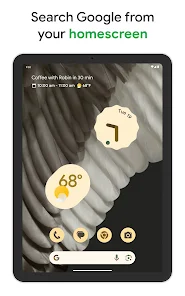
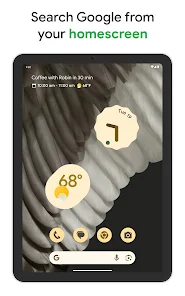
“Search from your home screen with the Google widget and customize your shortcuts to quickly translate text, search a song, check the weather, and more. You can also match it to your personal style by adjusting the colors and transparency.”Rating: 5★ N/A
Cons
- AI assistant is forced as default search, requiring extra clicks to access standard search bar.
Theme 'Forced AI default search' identified in recent_review #1 and #4
Evidence (2)
“when pulling up the Google Search bar, it goes straight to AI assistant. Leading me to have to click over to the standard 'ALL' tab for the normal search bar. it is irritating.”Rating: 3★ October 28, 2025 27,944 likes“i also really do not like that AI is the default i have to manoeuvre around. I do not need or want a machine to think for me.”Rating: 1★ April 21, 2026 13 likes - Search results have been dumbed down, requiring different wording to find previously easy results.
Theme 'Declining search result quality' identified in recent_review #2
Evidence (1)
“They seem to have dumbed down the search engine making you search with different wording to find what it used to pull up. ... Going over to Bing and type in Practiscore and it is the first result.”Rating: 1★ May 18, 2026 3 likes - Search bar frequently disappears from feed, requiring cache clearing to restore.
Theme 'Search bar disappearance bug' identified in recent_review #4
Evidence (1)
“two weeks ago, search bar disappeared from feed. every second-third time i use search bar it disappears again. i have to go in settings and clear storage/cache to have it back.”Rating: 1★ April 21, 2026 13 likes
Recent Reviews
The reality
3★The frustrating part is when pulling up the Google Search bar, it goes straight to AI assistant. Leading me to have to click over to the standard 'ALL' tab for the normal search bar. it is irritating. Im sure this can be adjusted in settings. Still, I just want the freaking search engine to default to the basic search bar. I will access AI assistant when I want to.
Robert Strange
1★They seem to have dumbed down the search engine making you search with different wording to find what it used to pull up. Practiscore is a shooting competitor app and website. That is all you had to put into the search bar and it would pull up the website. Not anymore though.... Going over to Bing and type in Practiscore and it is the first result. Google, I don't know why you did this but I am switching over my default browser on my phone to not your app. Someone needs to be fired immediately..
deletingaccount 4861
4★I actually really love the new gradient color shading for the Google logo! However, I'm noticing that there is a slight glitch with my Google search on my Moto G Stylus 2025 phone. I did a quick fix, but it still didn't work. Overall, Google itself is still working and my search bar. But the actual glitch is where the settings icon no longer shows up. So, I haven't been able to edit my Google search bar colors for the past few days lately. Hopefully, this can be fixed/solved. ⚒️🤞🏽💯
Zero Monsoon
1★two weeks ago, search bar disappeared from feed. every second-third time i use search bar it disappears again. i have to go in settings and clear storage/cache to have it back. no response from Google help. it's inconvenient and annoying after years of having it handily right where i need it. i also really do not like that AI is the default i have to manoeuvre around. I do not need or want a machine to think for me. I'm well equipped for the task. Make it an optional setting please.
Tom
4★Google is a good app. A good and reliable search engine with many websites to visit. However, there are some "interesting" images which children can access which I suggest should be only accessible to specific people or just block them. I do like the way that if you search up (I'll use searching up how to make a bomb as an example.) If you search up how to make a bomb, it alerts an authority about it and gets you in trouble. This feature makes me feel more safe. Overall, a good search engine!