By App Discoverer Editorial Team · Updated October 1, 2026

WalletPasses | Passbook Wallet



Overview
Travel & Local
Wallet Passes Alliance
Free
Apr 3, 2016
2.7.1
5.0
$0.99 - $99.99 per item
No
Jun 8, 2025
Features
WalletPasses: Passbook Digital Wallets
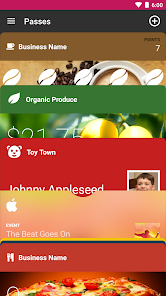
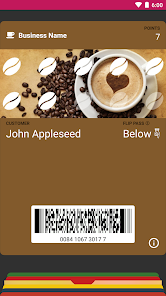
WalletPasses: Passbook Digital Wallets makes it possible for you to go paperle...
WalletPasses: Passbook Digital Wallets
Download WalletPasses | Passbook Wallet
Get the official app from the trusted app stores. You will be redirected to the download page.
When you purchase through links on our site, we may earn an affiliate commission. Learn more
Ratings breakdown
173,000 reviewsDeveloper contact
Name
Quantumtech Ltd.
Address
Leshem 26 Mevaseret Zion, 9077520 Israel
Phone
+1 231-800-8469
Support
support.walletpasses@walletpasses.me
Privacy
View policyFrequently Asked Questions
Does WalletPasses work with Apple Wallet (.pkpass) files? high
Yes. The app description states it is compatible with standard Passbook (.pkpass) files, including those for flight check-ins, loyalty stamps, movie passes, and other pass types. However, user reviews caution that the import feature often fails: one reviewer reported that pressing 'import passes' only imported an old bus pass, and another found the import method (a '+’ sign) only opened a QR reader with no clear alternative.
Source: app_metadata, user_reviews
Is WalletPasses free? high
Yes, the app is free to download. It contains in-app purchases ranging from $0.99 to $99.99 per item. One user review from October 2025 complained about a full-screen ad appearing every time the app is opened, which may affect the free experience.
Source: app_metadata, user_reviews
Does WalletPasses have automatic updates for passes? medium
The app description claims to offer automatic updates for passes, but a review from May 2024 reports that automatic updates do not work: the toggle appears enabled but passes are not actually updated. This feature may not function reliably.
Source: app_metadata, user_reviews
Can WalletPasses scan email and documents for passes? medium
The app claims to search through emails and documents to extract pass codes automatically, but a review from September 2019 states this feature 'has worked for me maybe once or twice,' suggesting poor reliability. Another review from 2022 reports that manually importing passes often fails.
Source: app_metadata, user_reviews
How to Use
WalletPasses helps you manage boarding passes, tickets, coupons, and loyalty cards by storing them digitally as .pkpass files. (app_description)
Getting Started
Source: app_description_and_user_feedback_noted
- Step 1: Download and open WalletPasses from the Google Play Store.
- Step 2: Use the built-in scanner to import passes — tap the '+' icon to start scanning QR codes or barcode on physical or digital passes.
- Step 3: If importing from an email or PDF, note that the automated search feature may not work reliably (based on user feedback); try manually saving the file and selecting it from your device.
- Step 4: Allow location and notification permissions if you want location-based alerts for your passes.
Key Features (from app listing)
Source: app_description
- Cloud sync for real-time digital pass updates
- Smart sorting and location-based alerts
- Support for coupons, tickets, loyalty cards, and .pkpass files
- Battery-friendly operation with no background processes
The tip responds to user review #5, which reports the '+' button only opens a QR reader with no alternative import method, and user review #3, which says manual import (through the same interface) fails to find newer passes. The workaround is suggested to address this reported limitation.
How this content was created
Content type: pattern_analysis_of_user_reviews_and_metadata
AI generated: Yes
- Google Play user reviews (5 reviews available (all from recent_reviews bucket) per app), September 3, 2019 to October 4, 2025
- Google Play ratings distribution
- App Store listing metadata
- Review samples are not statistically representative of all user sentiment
- Only one bucket (recent_reviews) was available, limiting cross-bucket validation
- Claims labeled 'low confidence' are based on single-review observations only
- No real-world app testing was conducted
- Feature availability may vary by region, device, and app version
- Ratings distribution was not provided, so overall sentiment context is limited
Pros & Cons
Based on analysis of Google Play user reviews
Pros
- Useful for storing digital passes like boarding passes and loyalty cards in one place.
Theme 'Pass storage' identified in recent_review #1 and #2
Evidence (2)
“It was nice to have a spot to put any Apple Wallet passes that were awkward to take screenshots of or something.”Rating: 1★ October 04, 2025 25 likes“This app works really well for an app that hasn't been updated in 3 years.”Rating: 4★ September 28, 2019 159 likes - Works well for one-time use passes from specific vendors.
Theme 'One-time use' identified in recent_review #4
Evidence (1)
“I would not recommend this app for anything more than a one time use item and if you have a vendor that sends annual passes through it, ask for another method.”Rating: 1★ May 21, 2024 13 likes - Can import passes by sharing documents to the app.
Theme 'Manual import' identified in recent_review #2
Evidence (1)
“What you actually do is go to the document that has the code and share it to the application. It then pulls the code out of the document and you click a button that adds it to the app.”Rating: 4★ September 28, 2019 159 likes
Cons
- Full-screen ads appear every time the app is opened, making it frustrating to use.
Theme 'Intrusive ads' identified in recent_review #1
Evidence (1)
“But now, every time you open the app, there's a full-screen add you have to sit through (even though when you need to use a pass, you need to use it then)”Rating: 1★ October 04, 2025 25 likes - Automatic pass import from emails and documents rarely works as advertised.
Theme 'Broken import' identified in recent_review #2 and #3
Evidence (2)
“Supposedly it can search through emails, documents, etc and it will pull the codes out for you. That has worked for me maybe once or twice.”Rating: 4★ September 28, 2019 159 likes“Every time I hit 'import passes' the only pass that would import would be an old bus pass from a year and a half ago, none of the 12-15 boarding passes that I had downloaded for this upcoming trip were imported.”Rating: 1★ October 10, 2022 26 likes - Automatic pass updates are broken, even when the setting is enabled.
Theme 'Broken updates' identified in recent_review #4
Evidence (1)
“Automatic updates are disabled even though the switch is flipped on. It claims to have updated the pass but it clearly hasn't because automatic updates are disabled.”Rating: 1★ May 21, 2024 13 likes
Recent Reviews
Jeremy Watson
1★This used to be an app I used rarely but that was useful when I did. It was nice to have a spot to put any Apple Wallet passes that were awkward to take screenshots of or something. But now, every time you open the app, there's a full-screen add you have to sit through (even though when you need to use a pass, you need to use it then), and to top it off, the add is incredibly scummy, saying something like "Activate your account" with a "click here" button and no other text. Ridiculous.
A Google user
4★This app works really well for an app that hasn't been updated in 3 years. The biggest problem I see is that it doesn't work as advertised. Supposedly it can search through emails, documents, etc and it will pull the codes out for you. That has worked for me maybe once or twice. What you actually do is go to the document that has the code and share it to the application. It then pulls the code out of the document and you click a button that adds it to the app. Fix the instructions please.
Bo Weymouth
1★I thought I would use this app to store all my train, plane, and bus boarding passes for an upcoming trip to Europe instead of searching through pictures and PDFs for them. Nope! I thought wrong. Every time I hit 'import passes' the only pass that would import would be an old bus pass from a year and a half ago, none of the 12-15 boarding passes that I had downloaded for this upcoming trip were imported. There needs to be another way to import things manually.
Amanda Martinez
1★Automatic updates are disabled even though the switch is flipped on. It claims to have updated the pass but it clearly hasn't because automatic updates are disabled. There are A LOT of suspect reviews for this app now too. I would not recommend this app for anything more than a one time use item and if you have a vendor that sends annual passes through it, ask for another method.
A Google user
2★Initially I was very happy with this app after giving it my first "pass". later when I tried to add more, there seemed no method available to add them (the "+" sign turned on a QR reader), and I could find nothing else. I wrote the vendor a week ago, but have not heard back. A few days after my first experience, I tried the product on a different smart phone, loading my second set of passes onto it successfully. But, it would then load the first set on my first device. Same problem as before, two different devices. Both devices were different generations of Moto products. I don't know whether that's relevant. But I'm presuming from the number of positive reviews I see, it must be doing a good job for many people. Not hearing back from support, and finding an alternative that works for all my passes (except PDF versions), was enough to break the deal. Uninstalled recently.