By App Discoverer Editorial Team · Updated October 1, 2026

AirSync: iTunes Sync & AirPlay

Overview
Apple
Free
Nov 30, 2010
2.4.2
2.2
No
Apr 1, 2014
Features
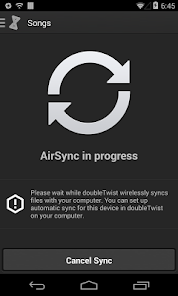
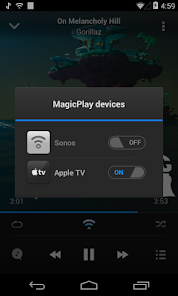
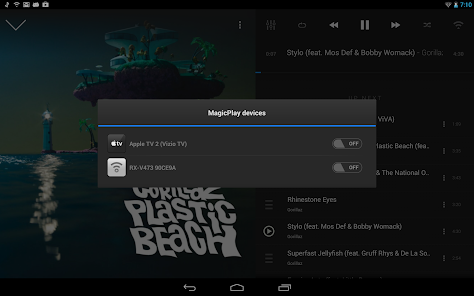
AirSync iTunes music to Android and sync playlists, albums and artists from your iTunes library on your PC to your phone or tablet. Sync iTunes over WiFi and AirPlay your music to Apple TV and AirPlay-compatible speakers. Described as the "iTunes for Android", AirSync has been recommended by New York Times, Wall Street Journal and BBC. The most user friendly way to sync iTunes and AirPlay on Android, trusted by millions.★★★★★ "The Cure for iTunes withdrawal"
AirSync iTunes music to Android and sync playlists, albums and artists from your iTunes library on your PC to your phone or tablet. Sync iTunes over WiFi and AirPlay your music to Apple TV and AirPlay-compatible speakers. Described as the "iTunes for Android", AirSync has been recommended by New York Times, Wall Street Journal and BBC. The most user friendly way to sync iTunes and AirPlay on Android, trusted by millions.★★★★★ "The Cure for iTunes withdrawal"
Official Links
When you purchase through links on our site, we may earn an affiliate commission. Learn more
Ratings breakdown
9,060 reviewsDeveloper contact
Name
DOUBLETWIST CORP
Address
1606 Headway Cir Ste 9796 Austin, TX 78754-5123 United States
Website
http://www.doubletwist.comPhone
+1 415-738-9975
Support
play-support@doubletwist.com
Privacy
View policyFrequently Asked Questions
Is AirSync: iTunes Sync & AirPlay free to download? high
Yes. The app metadata lists AirSync: iTunes Sync & AirPlay as free.
Source: app_metadata
What do sampled users complain about in AirSync: iTunes Sync & AirPlay? high
AirSync: iTunes Sync & AirPlay has sampled reports of connection, sync, backup, or device pairing problems. 3 sampled reviews support this theme.
Source: user_reviews
How to Use
AirSync iTunes music to Android and sync playlists, albums and artists from your iTunes library on your PC to your phone or tablet. (app_description)
Getting Started
Source: app_description_and_user_feedback_noted
- Install AirSync: iTunes Sync & AirPlay from the appropriate app store.
- Open the app and start with the free experience.
- Review the main features described in the app listing.
- Check settings or support resources if you run into sampled issue patterns such as airsync: itunes sync & airplay has sampled reports of connection, sync, backup, or device pairing problems.
Key Features (from app listing)
Source: app_description
- Apple app experience
- Free download
- Developer-listed features
- 500K+ downloads listed
How this content was created
Content type: pattern_analysis_of_user_reviews_and_metadata
AI generated: Yes
- Google Play user reviews (12-20 preferred; may be smaller if source data is limited per app), October 01, 2020 to August 06, 2019
- Google Play ratings distribution
- App Store listing metadata
- Review samples are not statistically representative of all user sentiment
- High-engagement negative reviews can overrepresent complaints
- Claims labeled 'low confidence' are based on single-review observations only
- No real-world app testing was conducted
- Feature availability may vary by region, device, and app version
Pros & Cons
Based on analysis of Google Play user reviews
Pros
- Available on Google Play with broad device compatibility low
Based on app availability data
Cons
- Some users report issues: "I thought with this app I could transfer all my music and playlists from iTunes to my new Huawei. After waiting a day for my whole library to sync, I " low
Identified from 3 low-rated user review(s)
Evidence (3)
“I thought with this app I could transfer all my music and playlists from iTunes to my new Huawei. After waiting a day for my whole library to sync, I noticed that the playlists l weren't synced and th”Rating: 1★ August 06, 2019 31 likes“I have a 2nd gen apple airport express, works wonderfully with airsync. Thought this would work with my existing media players like BubbleuPnP which I often use to stream my music as I dont store musi”Rating: 1★ May 19, 2019 33 likes“While this is a nice way to have new songs instantly transfer to your phone, it is too slow to use with an entire library and will freeze if you try to sync over ~400 songs. Also, it is unable to sync”Rating: 2★ January 20, 2019 52 likes
Recent Reviews
A Google user
1★I thought with this app I could transfer all my music and playlists from iTunes to my new Huawei. After waiting a day for my whole library to sync, I noticed that the playlists l weren't synced and that the songs I already had on my phone were duplicated. I should have read the ratings and comments better before wasting my money.
A Google user
1★I have a 2nd gen apple airport express, works wonderfully with airsync. Thought this would work with my existing media players like BubbleuPnP which I often use to stream my music as I dont store music files locally in my device. Problems with this app: 1. It forces you to use free doubletwist player which I don't enjoy using. 2. Doesn't play extended mp3 files (I have 1 hour music podcast mixes that i download for use in my gym sessions).
A Google user
2★While this is a nice way to have new songs instantly transfer to your phone, it is too slow to use with an entire library and will freeze if you try to sync over ~400 songs. Also, it is unable to sync playlists from your iTunes library--you will have to remake playlists on your phone.
A Google user
2★Works fine, I heard this work with a PS3 but I have no idea how to sync it with my PS3. It looks diffrent from images I see from online tutorials so I'm guessing this is a newer version. So unless I'm missing somthing or if someone can help me figure this out, my rating stays at 2 stars.
Enrique De La Riva
1★Such a pity that this app seemingly could have helped me with the issues of going from iTunes on my laptop to my cellphone but this was such an utter disaster that even after supposedly uploading some music it stopped on its own & erased those songs. I hope in keeping my $5 dollars you don't get anyone else's.... And shame on Google for not enforcing their refund policy with these people for offering a faulty service that clearly doesn't work