By App Discoverer Editorial Team · Updated October 1, 2026

ReadEra – book reader pdf epub
Overview
Books & Reference
READERA LLC
Free
Mar 31, 2017
26.02.02+2250
4.1
No
Feb 3, 2026
Features
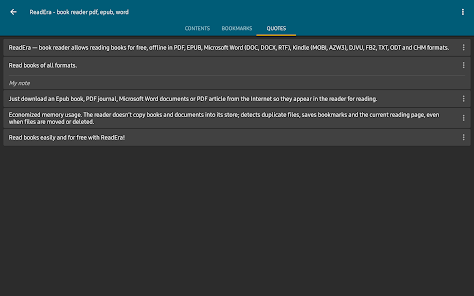
ReadEra — book reader allows reading books for free, offline in PDF, EPUB, Microsoft Word (DOC, DOCX, RTF), Kindle (MOBI, AZW3), DJVU, FB2, TXT, ODT and CHM formats.
No ads Read books without ads. The ReadEra program for reading books and viewing PDF documents neither contains ads nor imposes internal purchases.
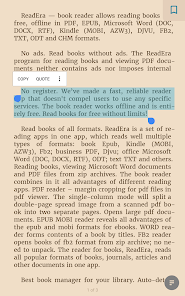
No register We’ve made a fast, reliable reader app that doesn't compel users to use any specific services. The book reader works offline and is entirely free. Read books for free witho...
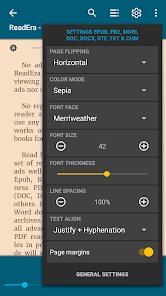
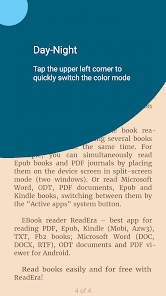
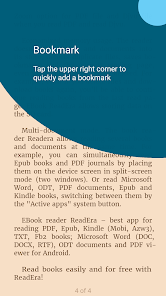
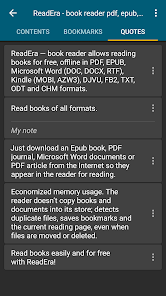
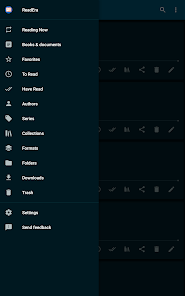
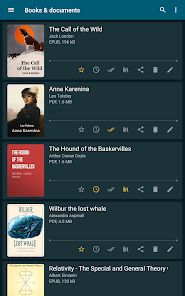
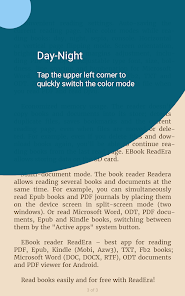
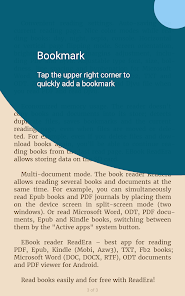
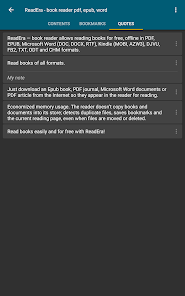
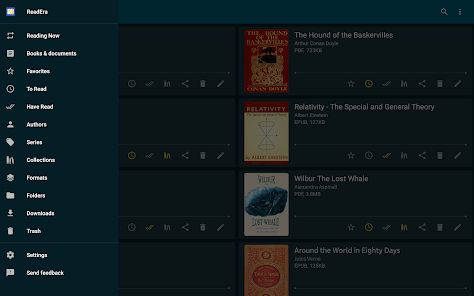
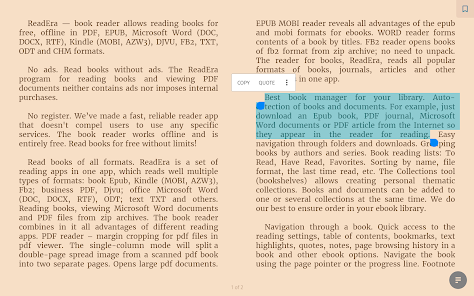
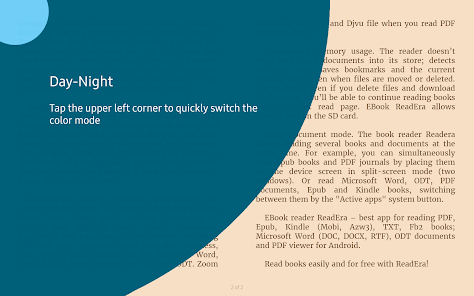
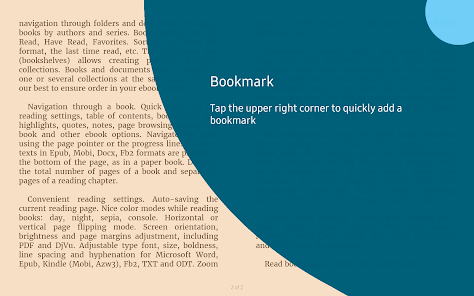
ReadEra — book reader allows reading books for free, offline in PDF, EPUB, Microsoft Word (DOC, DOCX, RTF), Kindle (MOBI, AZW3), DJVU, FB2, TXT, ODT and CHM formats. No adsRead books without ads. The ReadEra program for reading books and viewing PDF documents neither contains ads nor imposes internal purchases. No registerWe’ve made a fast, reliable reader app that doesn't compel users to use any specific services. The book reader works offline and is entirely free. Read books for free without limits! Read books of all formatsReadEra is a set of reading apps in one app, which reads well multiple types of formats: book Epub, Kindle (MOBI, AZW3), Fb2; business PDF, Djvu; office Microsoft Word (DOC, DOCX, RTF), ODT; text TXT and others. Reading books, viewing Microsoft Word documents and PDF files from zip archives. The book reader combines in it all advantages of different reading apps. PDF reader – margin cropping for pdf files in pdf viewer. The single-column mode will split a double-page spread image from a scanned pdf book into two separate pages. Opens large pdf documents. EPUB reader & MOBI reader reveals all advantages of the EPUB and MOBI formats for eBooks. WORD reader forms contents of a book by titles. FB2 reader opens books of fb2 format from zip archive; no need to unpack. The reader for books, ReadEra, reads all popular formats of books, journals, articles and other documents in one app. Best book manager for your libraryAuto-detection of books and documents. Just download an Epub book, PDF journal, Microsoft Word documents or PDF article from the Internet so they appear in the reader for reading. Easy navigation through folders and downloads. Grouping books by authors and series. Book reading lists: To Read, Have Read, Favorites. The Collections tool (bookshelves) allows creating personal thematic collections. Books and documents can be added to one or several collections at the same time. We do our best to ensure order in your eBook library. Navigation through a bookQuick access to the reading settings, table of contents, bookmarks, text highlights, quotes, notes, page browsing history in a book and other eBook options. Navigate the book using the page pointer or the progress line. Footnote texts in Epub, Mobi, Docx, Fb2 formats are printed at the bottom of the page, as in a paper book. Displays the total number of pages of a book and separately pages of a reading chapter. Convenient reading settingsAuto-saving the current reading page. Nice color modes while reading books: day, night, sepia, console. Horizontal or vertical page flipping mode. Screen orientation, brightness and page margins adjustment, including PDF and DjVu. Adjustable type font, size, boldness, line spacing and hyphenation for Microsoft Word, Epub, Kindle (Mobi, Azw3), Fb2, TXT and ODT. Zoom option for PDF file and Djvu file when you read PDF and read Djvu. Economized memory usageThe reader doesn’t copy books and documents into its store; detects duplicate files, saves bookmarks and the current reading page, even when files are moved or deleted. For example, even if you delete files and download books again, you’ll be able to continue reading books from the last read page. EBook ReadEra allows storing data on the SD card. Multi-document modeThe book reader Readera allows reading several books and documents at the same time. For example, you can simultaneously read Epub books and PDF journals by placing them on the device screen in split-screen mode (two windows). Or read Microsoft Word, ODT, PDF documents, Epub/Mobi and Kindle books, switching between them by the "Active apps" system button. EBook reader ReadEra – best app for reading PDF, Epub, Kindle (Mobi, Azw3), TXT, Fb2 books; Microsoft Word (DOC, DOCX, RTF), ODT documents and PDF viewer for Android. Read books easily and for free with ReadEra!
Download ReadEra – book reader pdf epub
Get the official app from the trusted app stores. You will be redirected to the download page.
When you purchase through links on our site, we may earn an affiliate commission. Learn more
Ratings breakdown
1,500,000 reviewsDeveloper contact
Name
READERA EOOD
Address
5 Chataldzha str. 9002 Varna Bulgaria
Website
https://readera.orgPhone
+359 88 230 7888
Support
support@readera.org
Privacy
View policyFrequently Asked Questions
Is ReadEra completely free to use without ads? high
Yes, the app is free to download and use. According to the app description, it contains no ads and no registration is required. The basic features, including reading many file formats and managing your library, are free. There is a premium version ($15 one-time, as noted by one user) that adds features like background audio playback.
Source: app_metadata, user_reviews
Does ReadEra support audiobooks or text-to-speech? high
Yes, ReadEra includes an AI-powered text-to-speech feature that reads books aloud. Multiple recent user reviews praise this feature and mention using it to listen when they cannot read visually. The premium version allows background audio playback so you can listen while using other apps.
Source: user_reviews
What file formats does ReadEra support? high
According to the app description, ReadEra supports PDF, EPUB, Microsoft Word (DOC, DOCX, RTF), Kindle (MOBI, AZW3), DJVU, FB2, TXT, ODT, and CHM formats. Users confirm it handles major file formats reliably. It can also read books and documents from zip archives.
Source: app_metadata, user_reviews
Is ReadEra safe and does it require account registration? high
Yes, the app is safe with an 'Everyone' content rating and is developed by READERA LLC. The app description states that it does not require any registration or compel users to use specific services. It works offline and doesn't copy files into its own storage.
Source: app_metadata
Does ReadEra have a premium version, and what does it cost? high
Yes, ReadEra offers a premium version. Based on multiple user reviews, the premium upgrade costs under $15 and is a one-time purchase (not a subscription). It unlocks features like background audio playback (listening while using other apps) and possibly additional AI voice options.
Source: user_reviews
How to Use
ReadEra is a free, ad-free book reader app for Android that supports a wide variety of e-book and document formats and allows you to organize and read your files offline. (app_description)
Getting Started
Source: app_description_and_user_feedback
- Step 1: Download and open the app. No registration or account is needed.
- Step 2: Download books or documents (PDF, EPUB, MOBI, etc.) from the internet or transfer them to your device.
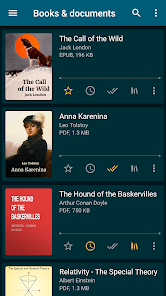
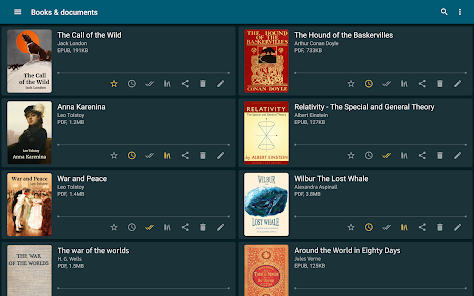
- Step 3: Open the app. It automatically detects books and documents on your device and adds them to your library, often with thumbnail covers and organized by author or series, based on user reports.
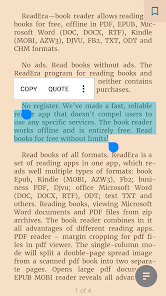
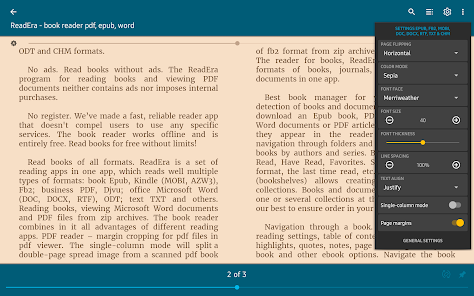
- Step 4: Tap a book or document to open it. Use the reading settings (day/night/sepia modes, font size, margins, etc.) to customize your experience.
- Step 5: To use the audio reader, look for the speaker or sound icon while reading (as noted by users). For background playback, you'll need the premium version.
Key Features (from app listing)
Source: app_description
- Supports reading PDF, EPUB, MOBI, AZW3, DOC, DOCX, RTF, DJVU, FB2, TXT, ODT, and CHM formats
- No ads and no mandatory registration
- Free offline reading without limits
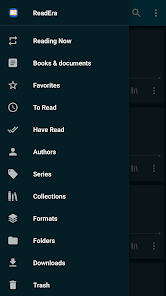
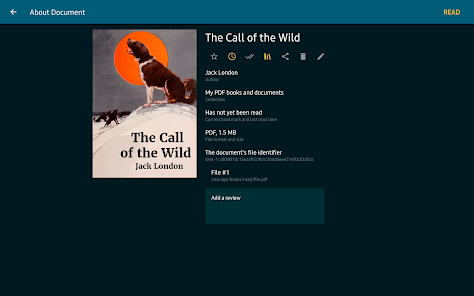
- Auto-detection and organization of books and documents by author and series
- Reading lists: To Read, Favorites, and Have Read
- Custom collections (bookshelves) for personalized organization
- AI-powered text-to-speech audio reader (premium for background playback)
- Adjustable reading settings: day, night, sepia, console modes; font, margins, brightness, orientation
- PDF-specific features: margin cropping, single-column mode for scanned double-page spreads
- Multi-document mode (split-screen support)
- Economical memory usage: does not copy files, detects duplicates, retains bookmarks and reading position even if files are moved or deleted
Based on user reviews: reviewer #1 explicitly states they switched to premium for background listening ('I switched to premium because I wanted to be able to do other things with my phone while listening'). This is a direct user-reported feature that distinguishes the free and paid tiers.
How this content was created
Content type: pattern_analysis_of_user_reviews_and_metadata
AI generated: Yes
- Google Play user reviews (12-20 preferred; may be smaller if source data is limited per app), April 2025 to February 2026
- Google Play ratings distribution
- App Store listing metadata
- Review samples are not statistically representative of all user sentiment. Only 5 recent reviews were available, limiting the scope of analysis.
- High-engagement negative reviews were not available, so common complaints could not be identified from user feedback.
- Claims labeled 'low confidence' are based on single-review observations only.
- No real-world app testing was conducted.
- Feature availability may vary by region, device, and app version.
Pros & Cons
Based on analysis of Google Play user reviews
Pros
- Excellent AI text-to-speech reader with multiple voice options, great for listening to books.
Theme 'AI audio reader' identified in recent_review #0, #1, and #4
Evidence (3)
“I switched to premium because I wanted to be able to do other things with my phone while listening and though they're AI voices doing the reading, they're frankly doing a better job than many narrators out there, lol.”Rating: 5★ August 15, 2025 524 likes“I really enjoy this AI Audio reader. I like to read and listen to my books but I can't always afford the audible. This is an awesome Plan B.”Rating: 5★ April 24, 2025 566 likes“I like the feature next to 'read'. I think it's a speaker or sound icon. that is a great resource in its self, when you don't wanna read.”Rating: 5★ January 08, 2026 19 likes - No ads and a non-intrusive, affordable premium tier with a one-time payment.
Theme 'no ads and fair pricing' identified in recent_review #2, #1, and #0
Evidence (3)
“Currently one of the least annoying apps on the store. No ads (as of 19-02-2026), easily ignorable premium tier, decent free features.”Rating: 5★ February 20, 2026 6 likes“I immediately purchased the premium option without question. Premium is a one-time charge and it's under $15.”Rating: 5★ April 24, 2025 566 likes“I switched to premium because I wanted to be able to do other things with my phone while listening and though they're AI voices doing the reading, they're frankly doing a better job than many narrators out there, lol.”Rating: 5★ August 15, 2025 524 likes - Fast and elegant library management with automatic sorting and easy collection creation.
Theme 'library management' identified in recent_review #3 and #2
Evidence (2)
“In merely seconds I've got my own library and it is sorted and arranged in a very elegant way, the thumbnail of the book and its title, and a few option below it. I can make my collections quite easily.”Rating: 5★ December 13, 2025 16 likes“Currently one of the least annoying apps on the store. No ads (as of 19-02-2026), easily ignorable premium tier, decent free features, and can handle plenty of the major file formats.”Rating: 5★ February 20, 2026 6 likes
Cons
- Lacks control over default file location, making it hard to find newly added books.
Theme 'file location control' identified in recent_review #2
Evidence (1)
“I would like to have more control over where the app defaults to. I'll sometimes be looking for a new book I've bought and downloaded and it obviously isn't in the "reading now" section.”Rating: 5★ February 20, 2026 6 likes - Background color change feature does not work with older books.
Theme 'background color issue' identified in recent_review #4
Evidence (1)
“also I love having the ability to change the background color. doesn't work with older books.”Rating: 5★ January 08, 2026 19 likes - No significant cons reported; users are overwhelmingly satisfied with the app.
Theme 'overall satisfaction' identified across all recent_reviews
Evidence (2)
“The app is just perfect. It makes reading books very convenient and joyful.”Rating: 5★ December 13, 2025 16 likes“so far so good. love being able to get so much use of this app.”Rating: 5★ January 08, 2026 19 likes
Recent Reviews
Irene “Soulpretty” Olusegun
5★I really enjoyed using this app and have moved to the premium version. I enjoy reading but whenever I wanted to get busy, I'd just switch to listening until I could go back to reading. I switched to premium because I wanted to be able to do other things with my phone while listening and though they're AI voices doing the reading, they're frankly doing a better job than many narrators out there, lol. So, yes, I recommend and am happy with my premium purchase too.
Donna McGee-Mosley
5★I really enjoy this AI Audio reader. I like to read and listen to my books but I can't always afford the audible. This is an awesome Plan B. I immediately purchased the premium option without question. Premium is a one-time charge and it's under $15. You have lots of AI voices that you can choose from. Including Australian, United Kingdom, English and more. I highly recommend this app for people that like things read to them; for whatever reason!
Popeye Sailor
5★Currently one of the least annoying apps on the store. No ads (as of 19-02-2026), easily ignorable premium tier, decent free features, and can handle plenty of the major file formats. It's not the only Reader around but it works great for me. I would like to have more control over where the app defaults to. I'll sometimes be looking for a new book I've bought and downloaded and it obviously isn't in the "reading now" section.
Sahaj_us Isam_us
5★The app is just perfect. It makes reading books very convenient and joyful. Right Way I put my books in a folder and loaded to the app. In merely seconds I've got my own library and it is sorted and arranged in a very elegant way, the thumbnail of the book and its title, and a few option below it. I can make my collections quite easily. I can translate words in a second, I can use dictionary as well, add quotes, bookmarks, and many other feature. I have totally not a single complaint. thanks alo
Wes
5★so far so good. love being able to get so much use of this app. I like the feature next to 'read'. I think it's a speaker or sound icon. that is a great resource in its self, when you don't wanna read. I hope this is helpful. no stress premium. these guys are dope, support them. also I love having the ability to change the background color. doesn't work with older books. it holds your place too! I could continue...