By App Discoverer Editorial Team · Updated October 1, 2026
ReadEra Premium – ebook reader






Overview
Books & Reference
READERA LLC
Free
Dec 21, 2019
26.04.27+2280
4.1
No
Apr 27, 2026
Features
ReadEra Premium — a unique tool for searching, reading, and managing books and documents.
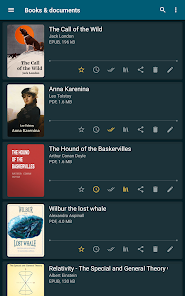
The app allows you to automatically locate all supported books and documents on your device, search for books by title and author, read and listen to books, make bookmarks, notes and quotes, manage book and document files, sort and group books and documents by authors, series, and formats, add them to collections, find duplicate book files, view, rename, and move files across external folders, manage folde...
ReadEra Premium — a unique tool for searching, reading, and managing books and documents. The app allows you to automatically locate all supported books and documents on your device, search for books by title and author, read and listen to books, make bookmarks, notes and quotes, manage book and document files, sort and group books and documents by authors, series, and formats, add them to collections, find duplicate book files, view, rename, and move files across external folders, manage folders — create your own unique library of books and documents.
Download ReadEra Premium – ebook reader
Get the official app from the trusted app stores. You will be redirected to the download page.
When you purchase through links on our site, we may earn an affiliate commission. Learn more
Ratings breakdown
62,600 reviewsDeveloper contact
Name
READERA EOOD
Address
5 Chataldzha str. 9002 Varna Bulgaria
Website
https://readera.orgPhone
+359 88 230 7888
Support
support@readera.org
Privacy
View policyFrequently Asked Questions
Is ReadEra Premium – ebook reader free to download? high
Yes. The app metadata lists ReadEra Premium – ebook reader as free.
Source: app_metadata
What do sampled users complain about in ReadEra Premium – ebook reader? low
ReadEra Premium – ebook reader has sampled reports of connection, sync, backup, or device pairing problems. Only 1 sampled review supports this theme, so confidence is low.
Source: user_reviews
What do sampled users like about ReadEra Premium – ebook reader? low
ReadEra Premium – ebook reader is praised by sampled reviewers as easy, useful, or convenient. Only 1 sampled review supports this theme, so confidence is low.
Source: user_reviews
How to Use
ReadEra Premium — a unique tool for searching, reading, and managing books and documents.The app allows you to automatically locate all supported books and documents on your device (app_description)
Getting Started
Source: app_description_and_user_feedback_noted
- Install ReadEra Premium – ebook reader from the appropriate app store.
- Open the app and start with the free experience.
- Review the main features described in the app listing.
- Check settings or support resources if you run into sampled issue patterns such as readera premium – ebook reader has sampled reports of connection, sync, backup, or device pairing problems.
Key Features (from app listing)
Source: app_description
- 30-day money-back guarantee!
- Books & Reference app experience
- Free download
- From READERA LLC
- 100,000+ downloads listed
Theme 'easy, useful, or convenient to use' identified in recent_reviews #1. Review #1 praises easy, useful, or convenient to use.
How this content was created
Content type: pattern_analysis_of_user_reviews_and_metadata
AI generated: Yes
- Google Play user reviews (12-20 preferred; may be smaller if source data is limited per app), March 30, 2026 to February 07, 2025
- Google Play ratings distribution
- App Store listing metadata
- Review samples are not statistically representative of all user sentiment
- High-engagement negative reviews can overrepresent complaints
- Claims labeled 'low confidence' are based on single-review observations only
- No real-world app testing was conducted
- Feature availability may vary by region, device, and app version
Pros & Cons
Based on analysis of Google Play user reviews
Pros
- Users appreciate the app: "This is one of the most useful tools I've had the good fortune to install. I used the free version for only a few days b" high
Extracted from 3 high-rated user review(s)
Evidence (3)
“This is one of the most useful tools I've had the good fortune to install. I used the free version for only a few days before purchasing the paid version. While I do have a huge Kindle library, they d”Rating: 5★ February 07, 2025 376 likes“I really enjoy this AI Audio reader. I like to read and listen to my books but I can't always afford the audible. This is an awesome Plan B. I immediately purchased the premium option without question”Rating: 5★ April 24, 2025 206 likes“Best reading app I've found and it has a one time payment method instead of the monthly "subscription fee" other apps want to make people sign up with. THAT was the main point that made me choose it b”Rating: 5★ April 12, 2026 8 likes - 30-day money-back guarantee! medium
Extracted from app description
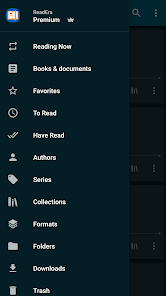
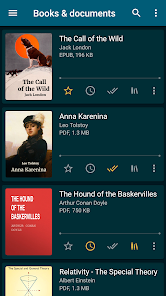
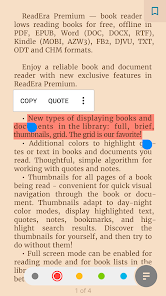
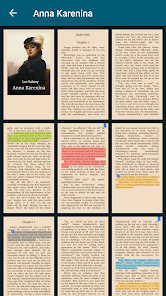
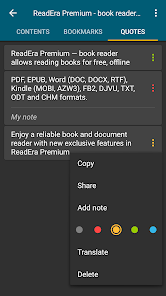
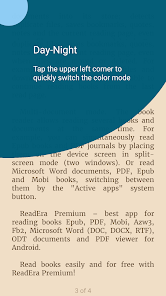
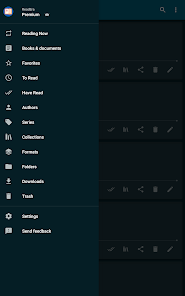
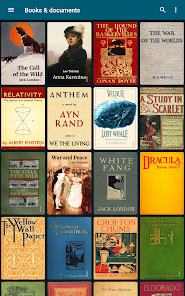
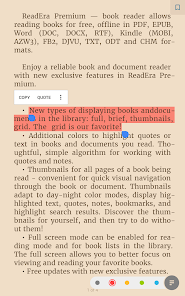
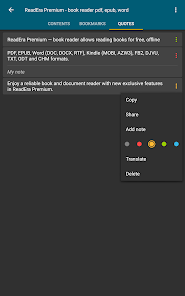
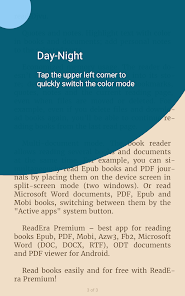
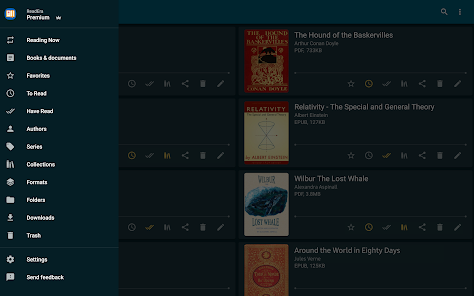
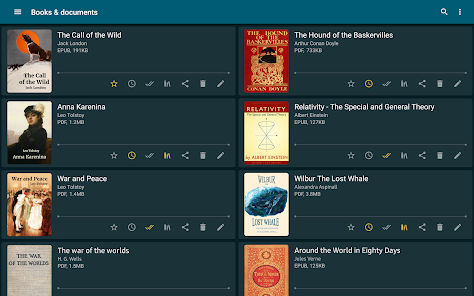
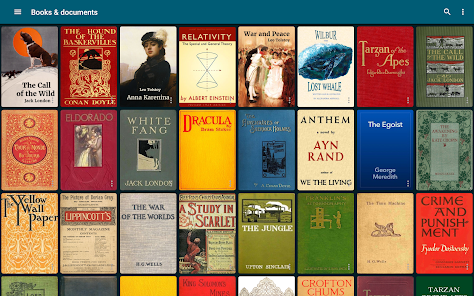
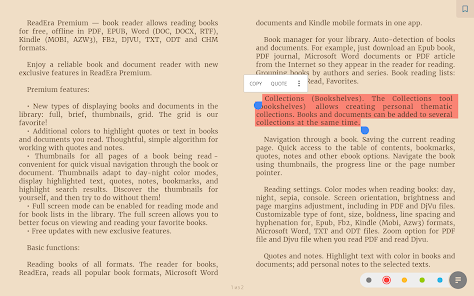
- You can search for books across your device, read books for free and manage files in PDF, EPUB, Microsoft Word (DOC, DOCX, RTF), Kindle (MOBI, AZW3), Comic (CBZ, CBR), DJVU, FB2, TXT, ODT, and CHM formats. Premium features: Synchronization. Synchronize books, documents, reading progress, bookmarks, and quotes with Google Drive on all your devices. Read aloud in the background TTS. You can listen to books and documents in the background and even with the screen locked. Section: Quotes, Notes ... All quotes, notes, bookmarks and reviews from all books and documents are collected in one place. Section: Dictionary. One section for all your words from all books and documents. My fonts. You can upload your fonts and use them for reading books and documents. Library view. Customize the view of displaying books and documents in the library: full, brief, thumbnails, grid. Colors for quotes. Additional colors to highlight quotes or text in books and documents you read. Page thumbnails. Thumbnails for all pages of a book being read - quick visual navigation through the book or document. Basic, core features: Search for books and documentsAutomatic detection of all books and documents on your device. The search function allows you to quickly find the desired book or document by title, author, series, format, or language. Quick navigation through book files found on the deviceThe Books & Documents section displays all supported books and documents found on the device, with options to sort them by title, filename, file format, file size, modification date, and reading date. The Authors section displays all authors of books found on the device. The Series section lists all book series detected on the device. The Collections section allows you to create your own personal collections and add bookmarks to the files of found books and documents. The Downloads section displays all books found in the downloads folder on the device. Managing folders on the deviceThe "Folders" section allows you to navigate through external folders, displaying the number of supported books and documents in each folder. This section provides tools for managing folders on the device, including viewing, creating, copying, deleting, and moving folders. Managing book and document files on the deviceThe "About Document" section provides tools for managing compatible books and documents. The section contains detailed information about the exact file location, enables quick access to the folder where the file is stored, helps identify duplicate files for a book or document. You can copy, rename, delete, move, and share the document file. Also, you can edit the title, author, and series of a document, view and edit the annotation of a book, open a document for reading, enable text-to-speech, create and edit bookmarks, quotes, and notes in a book or document. Reading SettingsColor themes when reading books: day, night, sepia, console. Setting the orientation, screen brightness and page margins, adjusting the font size, type, boldness, line spacing and hyphenation. When reading PDF and Djvu files, zooming is supported. Read and manage books easily and for free with ReadEra Premium! medium
Extracted from app description
Cons
- Some users report issues: "Nice features but doesn't sync well between devices and can take a very long time to load a book due to syncing problems perhaps. I raised the issue w" low
Identified from 1 low-rated user review(s)
Evidence (1)
“Nice features but doesn't sync well between devices and can take a very long time to load a book due to syncing problems perhaps. I raised the issue with developers and the answer I got was that they ”Rating: 2★ March 30, 2026 3 likes
Recent Reviews
Gwen Patton
5★This is one of the most useful tools I've had the good fortune to install. I used the free version for only a few days before purchasing the paid version. While I do have a huge Kindle library, they don't trust their customers with the full version of the books they buy, so they should not be surprised that I value those who do. Project Gutenberg, Humble Bundle, the Von Mises Library, and a mort of others make an app like ReadEra outright essential. Combined with Calibre, it's a treasure!
Donna McGee-Mosley
5★I really enjoy this AI Audio reader. I like to read and listen to my books but I can't always afford the audible. This is an awesome Plan B. I immediately purchased the premium option without question. Premium is a one-time charge and it's under $15. You have lots of AI voices that you can choose from. Including Australian, United Kingdom, English and more. I highly recommend this app for people that like things read to them; for whatever reason!
Beth Almeida
5★Best reading app I've found and it has a one time payment method instead of the monthly "subscription fee" other apps want to make people sign up with. THAT was the main point that made me choose it because I'm sick to death of all the subscription fees. Read Era Premium allows you to find all the file types it can read from inside the app and lists them for you, you can read to yourself or use read in the background. The voices could be more human sounding but they're still good. try it.
Chris Carreras
5★App works great, supports a lot of formats and has Text to Speech options which are nice. It syncs progress between devices, and can maintain a large library and update service. Cons are that it tracks books you don't have on your device, so if you have a library of thousands, it can frequently list books you no longer own/have on the device, even outside of the "without files" category. I also find it uses a lot more battery than expected for text compared to comics, rivalling some games.
Luis Gonzalez
2★Nice features but doesn't sync well between devices and can take a very long time to load a book due to syncing problems perhaps. I raised the issue with developers and the answer I got was that they didn't have an answer and maybe in an unspecified future update, maybe, the problem would go away. I switched to Google books. that one works well