By App Discoverer Editorial Team · Updated October 1, 2026

Video Player All Format




Overview
Video Players & Editors
InShot Inc.
Free
Feb 10, 2017
2.5.0.1
7.0
$0.99 - $9.99 per item
No
In-App Purchases
Feb 9, 2026
Features
Video Player All Format is a professional video playback tool.
XPlayer supports setting passwords for your private album, protects your private videos from being deleted or seen by other people.
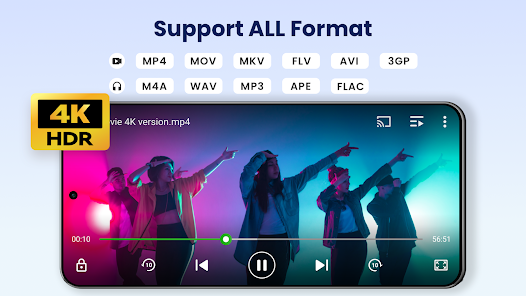
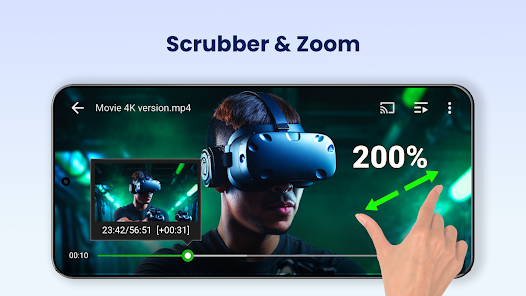
Video Player All Format supports ALL video formats, 4K/ultra HD video files, and plays them with high-definition. It is one of the best HD video players for android tablets and android phones.
KEY FEATURES:
Video Player All Format is a professional video playback tool. XPlayer supports setting passwords for your private album, protects your private videos from being deleted or seen by other people. Video Player All Format supports ALL video formats, 4K/ultra HD video files, and plays them with high-definition. It is one of the best HD video players for android tablets and android phones. KEY FEATURES:
Download Video Player All Format
Get the official app from the trusted app stores. You will be redirected to the download page.
When you purchase through links on our site, we may earn an affiliate commission. Learn more
Ratings breakdown
1,860,000 reviewsData Safety
- No data shared with third parties Learn more about how developers declare sharing
- This app may collect these data types App info and performance and Device or other IDs
- Data is encrypted in transit
- You can request that data be deleted
Permissions
- read the contents of your USB storage
- modify or delete the contents of your USB storage
- read the contents of your USB storage
- modify or delete the contents of your USB storage
- view Wi-Fi connections
- view network connections
- allow Wi-Fi Multicast reception
- full network access
- draw over other apps
Developer contact
Name
Five Stars Apps Inc.
Address
8 The Grn Ste R Dover, DE 19901-3618 United States
Website
http://xplayer.info/Phone
+1 315-218-9991
Support
xplayer.support@inshot.com
Privacy
View policyFrequently Asked Questions
Is Video Player All Format free to use? high
Yes, the app is free to download and use. It contains full-screen ads in the free version, with in-app purchases ranging from $0.99 to $9.99 per item to remove ads or unlock features.
Source: app_metadata, user_reviews
Does this video player support all video formats like MKV and MP4? high
Yes, the app description states it supports MKV, MP4, M4V, AVI, MOV, 3GP, FLV, WMV, RMVB, TS, and more. A 5-star recent review confirms it plays 'every video format I know of'.
Source: app_metadata, user_reviews
Can I remove ads in the video player? medium
Yes, there is an option to pay to remove all ads. One recent reviewer noted they 'would have paid anyway to remove all ads,' suggesting an ad-free version is available via in-app purchase.
Source: user_reviews, app_metadata
Does the app have a built-in video downloader? low
The app features a video download function. However, one recent 3-star review reports that downloads often have no sound or only capture the first few seconds, suggesting the feature may be unreliable.
Source: user_reviews, app_metadata
How to Use
Video Player All Format is a professional video playback tool that supports all video formats, 4K playback, private folder protection, and additional features like Chromecast casting, subtitle download, and a built-in video downloader. (app_description)
Getting Started
Source: app_description_and_user_feedback_noted
- Step 1: Download and open Video Player All Format from Google Play.
- Step 2: Grant storage permissions to allow the app to scan your device and SD card for all video files.
- Step 3: Browse your video library or use the file manager to locate a video and tap to play.
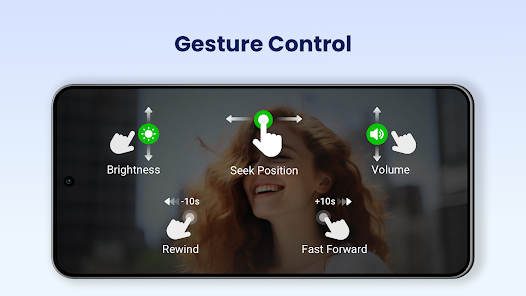
- Step 4: Use on-screen gestures to control volume, brightness, and playback progress during video playback.
Key Features (from app listing)
Source: app_description
- Supports all video formats: MKV, MP4, AVI, MOV, 3GP, FLV, WMV, RMVB, TS, and more.
- Ultra HD and 4K video playback with hardware acceleration.
- Private folder with password protection to secure personal videos.
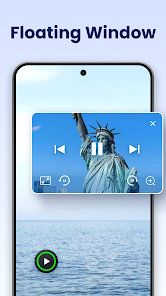
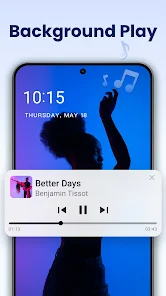
- Floating video player (pop-up) and background audio playback for multitasking.
- Cast videos to TV using Chromecast.
- Built-in subtitle downloader and playback speed control (0.5x to 2.0x).
- Night Mode, Quick Mute, and automatic video file detection.
Derived from user complaints about ads in reviews #1 and #2, and the app's metadata indicating in-app purchases from $0.99 to $9.99 per item.
How this content was created
Content type: pattern_analysis_of_user_reviews_and_metadata
AI generated: Yes
- Google Play user reviews (12-20 preferred; may be smaller if source data is limited per app), November 2024 to January 2026
- Google Play ratings distribution
- App Store listing metadata
- Review samples are not statistically representative of all user sentiment.
- Claims labeled 'low confidence' are based on single-review observations only.
- No real-world app testing was conducted.
- Feature availability may vary by region, device, and app version.
- This analysis is based on a limited sample of 5 reviews; cross-bucket patterns could not be assessed due to missing data from liked_negative, liked_positive, and mixed buckets.
Pros & Cons
Based on analysis of Google Play user reviews
Pros
- Excellent video format support, playing almost any video file without issues.
Theme 'Excellent format support' identified in recent_review #3
Evidence (2)
“it is excellent at playing every video format I know of.”Rating: 5★ October 24, 2025 341 likes“Video stuff is organized and easy to see whatever's on phone. Music player works well too.”Rating: 5★ October 16, 2025 453 likes - Useful features like saving playback position and a built-in video downloader.
Theme 'Useful features' identified in recent_review #1
Evidence (2)
“This video player does everything that I want including saving the position.”Rating: 3★ November 03, 2025 1,918 likes“I recently discovered that it is also very good at downloading videos. I never tried using it for that before, but it works really really well.”Rating: 5★ October 24, 2025 341 likes - Works well as both a video and music player with organized media management.
Theme 'Works as music player' identified in recent_review #3
Evidence (1)
“Music player works well too.”Rating: 5★ October 16, 2025 453 likes
Cons
- Intrusive full-screen ads that are difficult to close, requiring force quit.
Theme 'Intrusive full-screen ads' identified in recent_review #1
Evidence (1)
“the free version does full screen ads which are hard to get out of. I had to force quit to get out of the ads.”Rating: 3★ November 03, 2025 1,918 likes - Ads appear between videos, disrupting the viewing experience.
Theme 'Ads between videos' identified in recent_review #2
Evidence (1)
“Using ads in-between videos doesn't make your ratings any better! But it truly destroys them quickly.”Rating: 3★ January 27, 2026 61 likes - Video downloader often fails, downloading only the first few seconds or with no sound.
Theme 'Downloader failures' identified in recent_review #5
Evidence (1)
“The downloaded videos have no sound, and there's not even a "find" option available on the browser. Oh, and most of the time, it only downloads the firts 5-6 seconds of a video and then stops.”Rating: 3★ November 16, 2024 186 likes
Recent Reviews
Maurice Caler
3★This video player does everything that I want including saving the position. I give it only 3 stars because the free version does full screen ads which are hard to get out of. I would have paid anyway to remove all ads. But they need to make the full screen ads easier to get out of. I had to force quit to get out of the ads. So the way some ads are shown is worth removing 2 stars. Once I paid for the app, all is good.
Lawrence King
3★Using ads in-between videos doesn't make your ratings any better! But it truly destroys them quickly. How would you like to be inturped in anything that you do? The truth is that you wouldn't like it. And guess what your new viewers might go down the list to see if a friend was once using the app until they found something better than a Dead video player that is having interuptions ads or maybe something else.
Geocentric
5★Update to 5 after using this a while. It works well enough. Auto download album covers would be nice option. Have to manually add if missing. Equalizer not usable to me and that's ok as I use other dedicated ones. It takes out low end bass just for turning it on, even at "flat" and can't really add it back and it's only 5 bands but no big deal, I use others. On android 15. Video stuff is organized and easy to see whatever's on phone. Music player works well too.
Fred Ford
5★I love this video player. I have used to for years, it is excellent at playing every video format I know of. I recently discovered that it is also very good at downloading videos. I never tried using it for that before, but it works really really well. I stopped using all the other downloaders I had used, mainly because it just works in the same program. There was no need for the others. The others also cost more. Well worth the upgrade to upgrade this video player, free works great too.
Joh
3★I feel like the player tries to do way too much and ends up doing a mediocre job at everything. The downloaded videos have no sound, and there's not even a "find" option available on the browser. Oh, and most of the time, it only downloads the firts 5-6 seconds of a video and then stops. The local video manager is good, but the video player itself crashes when adding subtitles and won't play the video afterwards. Nice concept, but definitely needs to be polished.