By App Discoverer Editorial Team · Updated October 1, 2026

Kahoot! Play & Create Quizzes









Overview
Education
Kahoot!
Free
Nov 1, 2012
6.6.0.1
8.0
$2.99 - $474.99 per item
No
Feb 17, 2026
Features
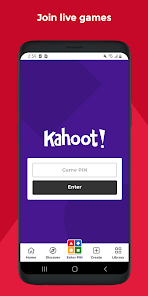
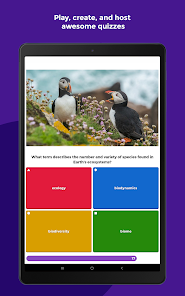
Play engaging quiz-based games (kahoots) at school, at home and at work, create your own kahoots and learn something new! Kahoot! brings the magic of learning for students, teachers, office superheroes, trivia fans and lifelong learners.
Here’s what you can do with the Kahoot! app, now available in English, Spanish, French, German, Italian, Brazilian Portuguese and Norwegian:
Students
Play engaging quiz-based games (kahoots) at school, at home and at work, create your own kahoots and learn something new! Kahoot! brings the magic of learning for students, teachers, office superheroes, trivia fans and lifelong learners. Here’s what you can do with the Kahoot! app, now available in English, Spanish, French, German, Italian, Brazilian Portuguese and Norwegian: Students
Download Kahoot! Play & Create Quizzes
Get the official app from the trusted app stores. You will be redirected to the download page.
When you purchase through links on our site, we may earn an affiliate commission. Learn more
Ratings breakdown
849,000 reviewsDeveloper contact
Name
Kahoot! AS
Address
Kronprinsesse Märthas plass 1 0160 OSLO Norway
Website
https://kahoot.comPhone
+47 97 73 26 02
Support
hello@kahoot.com
Privacy
View policyFrequently Asked Questions
Is Kahoot! free to use? high
Kahoot! is free for teachers and their students. However, the free version has limitations: users report that quiz creation is limited to 10 students (based on one recent review), and a paid subscription may be needed for larger groups, advanced question types, or business use. Optional upgrades range from $2.99 to $474.99 per item according to app metadata.
Source: app_metadata, user_reviews
Can I create and host quizzes for my team at work? medium
Yes, the app supports quizzes for work contexts, as described in the app listing. However, according to recent user feedback, hosting quizzes for a larger group (e.g., 17 people) may require a monthly subscription, as the free version might limit the number of participants or require payment for advanced features. Business users will need a paid subscription per the app description.
Source: app_metadata, user_reviews
Can I get student performance reports from the app? medium
The app description indicates that teachers can assess learning outcomes with reports. However, one recent review (May 2025) reports difficulty obtaining results and feedback on student performance, which the user says is important for making improvements. This suggests the feature may not work as expected for all users, based on a single review.
Source: app_metadata, user_reviews
Is Kahoot! appropriate for kids? high
Yes, Kahoot! has a content rating of 'Everyone' on Google Play. The app description mentions it is suitable for families and friends, and emphasizes learning for students and lifelong learners. However, the app does contain in-app purchases and requires internet access for live games.
Source: app_metadata
Can I use Kahoot! without an internet connection? low
The app is primarily designed for online use (live games, challenges, flashcards). The app description mentions studying 'at home or on the go with flashcards and other study modes,' which might suggest some offline capabilities, but the app listing does not explicitly confirm offline mode. Recent reviews do not mention offline functionality. It's best to assume an internet connection is required for full functionality.
Source: app_metadata
How to Use
Kahoot! Play & Create Quizzes lets you play, create, and host quiz-based learning games for school, work, or fun, with features for students, teachers, families, and business teams. (app_description)
Getting Started
Source: app_description_and_user_feedback_noted
- Download the Kahoot! app from Google Play and sign up for a free account.
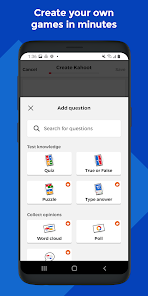
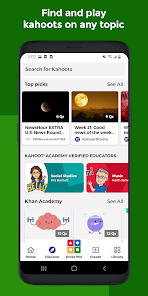
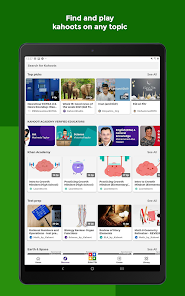
- Browse millions of ready-made kahoots on any topic, or tap 'Create' to build your own quiz with questions, images, and videos.
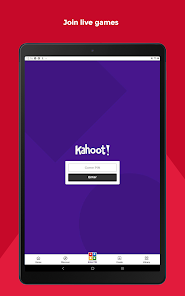
- To play live, host a kahoot by casting your screen to a larger display or screen sharing via video conferencing apps.
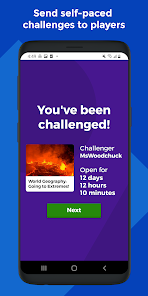
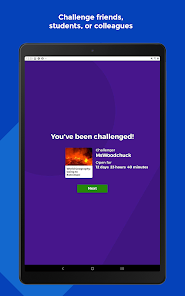
- For self-paced learning, assign a challenge that students or team members can complete on their own time.
Key Features (from app listing)
Source: app_description
- Create and host live quiz games for classrooms, virtual meetings, or family gatherings
- Access millions of ready-to-play kahoots on any topic
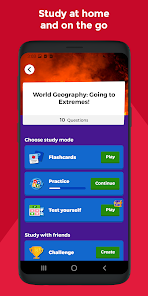
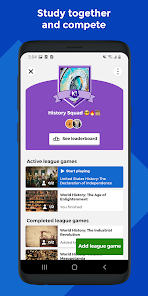
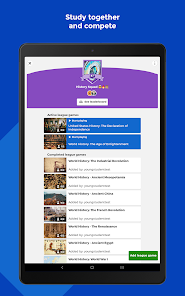
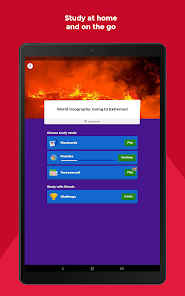
- Use study modes like flashcards, self-paced challenges, and study leagues for students
- Assess learning outcomes with reports for teachers and business teams
Based on a recent user review (review #5) that states the free version only allows quizzes for 10 students and implies a subscription is required for more; also from app metadata indicating in-app purchases from $2.99 to $474.99 for premium features.
How this content was created
Content type: pattern_analysis_of_user_reviews_and_metadata
AI generated: Yes
- Google Play user reviews (12-20 preferred; may be smaller if source data is limited per app), May 22, 2025 to February 20, 2026
- Google Play ratings distribution
- App Store listing metadata
- Review samples are not statistically representative of all user sentiment
- High-engagement negative reviews can overrepresent complaints
- Claims labeled 'low confidence' are based on single-review observations only
- No real-world app testing was conducted
- Feature availability may vary by region, device, and app version
Pros & Cons
Based on analysis of Google Play user reviews
Pros
- Easy to create quizzes and use for educational purposes
Theme 'Ease of quiz creation' identified in recent_review #3 and #5
- Fun and engaging quiz game for students and casual users
Theme 'Fun and engaging' identified in recent_review #3 and #5
- Good for live classroom or group activities
Theme 'Group activity use' identified in recent_review #2
Cons
- Free version severely limits number of players, requiring subscription for groups
Theme 'Free version limitations' identified in recent_review #2 and #5
- Difficult to obtain detailed results and feedback on student performance
Theme 'Result retrieval issues' identified in recent_review #1
- Unskippable timers on tasks slow down gameplay
Theme 'Unskippable timers' identified in recent_review #1
Recent Reviews
Кульбану
3★It's difficult to obtain results. The most important thing for me is the overall feedback on how students play my games, as I would like to use it to inform improvements. Secondly, we cannot play the game as quickly as possible because every task cannot be skipped with a button — there is no button to skip them (they last 5 or 10 seconds and we can't turn them off)!
Lael Holland
2★Horrible for Casual Users. I lead a section of 17 Sailors who I wanted to have some casual fun type training on occasion, like once a month. I would have to pay a monthly subscription to accommodate this.
Jas Sureda
5★Kahoot is ONE of the best quiz games, since I am a kid, I prefer blooket, sad blooket don't have a app )= anyway Kahoot is basicly Just as good as Blooket. it is very easy to make kahoots with Kahoot. Five stars, 2nd best Quiz game
Jacqueline Tucker
1★It looks like I'm not the only one who has had a difficult time with the payment system being faulty. Additionally, there is no way to speak with an actual person to resolve any concerns. The system is unreliable. I highly recommend avoiding this product.
Vani Vora
2★i am professor of homoeopathic college.. as doctors are not very sound with apps & related technology, i downloaded this app due to frequent advertisement.. but i could prepare quiz only for 10 students in free version.. that means any how you have to take subscription.. otherwise very easy to use