By AppHub Editorial Team · Updated August 3, 2026
Amazon Kindle
Overview
Books & Reference
Amazon Mobile LLC
Free
Jun 28, 2010
$1.99 - $11.99 per item
No
Users Interact
Feb 26, 2026
Features
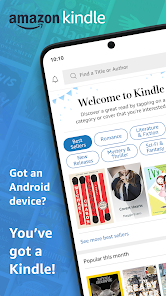
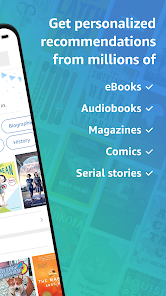
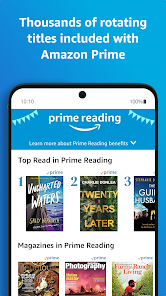
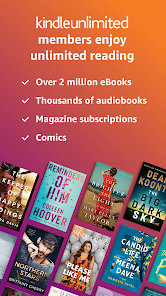
READ ANYTIME, ANYWHERE On the bus, on your break, in your bed—never be without something to read. The Kindle app puts millions of books, magazines, newspapers, comics, and manga at your fingertips.
FIND YOUR NEXT GREAT READ
READ ANYTIME, ANYWHEREOn the bus, on your break, in your bed—never be without something to read. The Kindle app puts millions of books, magazines, newspapers, comics, and manga at your fingertips. FIND YOUR NEXT GREAT READ
Download Amazon Kindle
Get the official app from the trusted app stores. You will be redirected to the download page.
When you purchase through links on our site, we may earn an affiliate commission. Learn more
Ratings breakdown
4,570,000 reviewsData Safety
- This app may share these data types with third parties Location, Personal info and 3 others
- This app may collect these data types Location, Personal info and 7 others
- Data is encrypted in transit
- You can request that data be deleted
Permissions
- retrieve running apps
- add or remove accounts
- approximate location (network-based)
- precise location (GPS and network-based)
- read phone status and identity
- read the contents of your USB storage
- modify or delete the contents of your USB storage
- read the contents of your USB storage
- modify or delete the contents of your USB storage
- view Wi-Fi connections
- read phone status and identity
- view network connections
- create accounts and set passwords
- pair with Bluetooth devices
- access Bluetooth settings
Developer contact
Name
Amazon.com, Inc.
Address
410 Terry Ave N Seattle, WA 98109-5210 United States
Website
http://www.amazon.com/kindleappsPhone
+1 206-266-1000
Support
kindle-cs-support@amazon.com
Privacy
View policyFrequently Asked Questions
Is the Amazon Kindle app free? high
Yes, the Amazon Kindle app is free to download. It offers in-app purchases for Kindle books, magazines, and other content, with prices ranging from $1.99 to $11.99 per item.
Source: app_metadata
Are there any common problems with the Kindle app? high
Based on recent user reviews, some users report stability issues like the app stopping, downloads disappearing, and problems with syncing audiobooks via WhisperSync. These issues often require closing and reopening the app or clearing the cache. Additionally, one reviewer mentioned a policy change that prevents downloading digital content.
Source: user_reviews
Does the Kindle app work with my Android device? medium
The app description does not specify a required Android version, but as a widely-used app on Google Play with over 100 million downloads, it is designed to work on most modern Android devices. You can download it from the Google Play Store.
Source: app_metadata, app_description
Can I read Amazon Kindle books offline? medium
Yes, the Kindle app allows you to download books to your device for offline reading. However, one recent reviewer expressed concern about a policy change that may affect future ability to download digital content. The app description promotes reading 'anytime, anywhere' which implies offline capability.
Source: user_reviews, app_description
Does the Kindle app support audiobooks? high
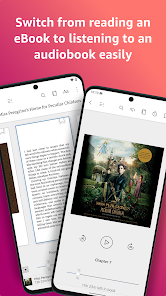
Yes, the Kindle app supports audiobooks, including Audible narration. The description states you can switch seamlessly from reading to listening. However, some recent user reviews report glitches with the audiobook sync feature, requiring restarts to load correctly.
Source: app_description, user_reviews
How to Use
The Amazon Kindle app lets you read millions of books, magazines, and comics on your Android device, with features for customizing your reading experience, syncing progress across devices, and accessing audiobooks. (app_description)
Getting Started
Source: app_description_and_user_feedback_noted
- Download the Amazon Kindle app from the Google Play Store.
- Sign in with your Amazon account to access your purchased books, magazines, and other content.
- Browse the Kindle store to find your next read, or open a book from your library to start reading.
- If you experience stability issues like unexpected stops, try closing and reopening the app, or clearing the app cache in your device settings.
Key Features (from app listing)
Source: app_description
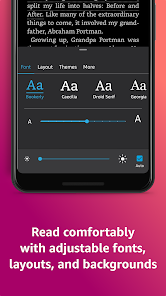
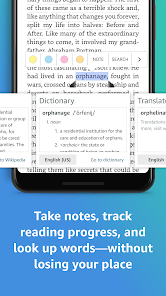
- Customize reading with adjustable font size, background colors, and orientation.
- Look up words with the built-in dictionary, X-Ray, Wikipedia, and instant translations.
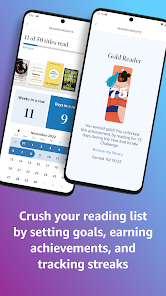
- Track reading progress with percentage, page numbers, and estimated time left.
- Sync bookmarks, notes, and highlights across all your devices.
This tip is derived from review #4, which mentions that clicking the 'tap to download audible' link doesn't work and the audible option is missing, requiring to 'close it out and restart and clear cache and all that' to resolve the issue.
How this content was created
Content type: pattern_analysis_of_user_reviews_and_metadata
AI generated: Yes
- Google Play user reviews (12-20 preferred; may be smaller if source data is limited per app), November 18, 2024 to February 20, 2026
- Google Play ratings distribution
- App Store listing metadata
- Review samples are not statistically representative of all user sentiment
- High-engagement negative reviews can overrepresent complaints
- Claims labeled 'low confidence' are based on single-review observations only
- No real-world app testing was conducted
- Feature availability may vary by region, device, and app version
- The sample for this analysis was limited to 5 recent reviews; no other buckets were available. This may skew findings toward recent issues and away from long-term user satisfaction.
Pros & Cons
Based on analysis of Google Play user reviews
Pros
- Excellent reading experience with customizable fonts, highlighting, and note-taking.
Theme 'Great reading features' identified in recent_review #1
Evidence (1)
“I absolutely enjoy being able to highlight passages in multiple colors, attach notes on pages, bookmark as many pages as I want. LOVE Kindle!”Rating: 5★ February 20, 2026 15 likes - Whisper sync for audiobooks frequently glitches, requiring multiple restarts and re-downloads.
Theme 'Audiobook sync issues' identified in recent_review #3, #4
Evidence (2)
“Now, it constantly glitches. I have to restart several times to get audio book to load. When it does, it's often back at the beginning of the book”Rating: 3★ December 15, 2024 387 likes“when you open the app the audible option doesn't always appear. You have to close it out and restart and clear cache”Rating: 3★ November 18, 2024 205 likes - Amazon's new policy blocking digital content downloads is a major disappointment.
Theme 'No digital downloads' identified in recent_review #5
Evidence (1)
“Amazon is now refusing to allow digital content downloads. ... When we pay for a product, even a digital one, we should have the right to read in whatever format we choose.”Rating: 1★ March 24, 2025 680 likes
Cons
- Whisper sync for audiobooks frequently glitches, requiring multiple restarts and re-downloads.
Theme 'Audiobook sync issues' identified in recent_review #3, #4
Evidence (2)
“Now, it constantly glitches. I have to restart several times to get audio book to load. When it does, it's often back at the beginning of the book”Rating: 3★ December 15, 2024 387 likes“when you open the app the audible option doesn't always appear. You have to close it out and restart and clear cache”Rating: 3★ November 18, 2024 205 likes - Amazon's new policy blocking digital content downloads is a major disappointment.
Theme 'No digital downloads' identified in recent_review #5
Evidence (1)
“Amazon is now refusing to allow digital content downloads. ... When we pay for a product, even a digital one, we should have the right to read in whatever format we choose.”Rating: 1★ March 24, 2025 680 likes - App frequently stops and requires re-downloading books, with all downloads disappearing recently.
Theme 'App crashes and lost downloads' identified in recent_review #2
Evidence (1)
“my Kindle app has been stopping frequently and I have to close out and open again. I always have to re-download the book and a couple weeks ago, all my downloads disappeared.”Rating: 3★ September 16, 2025 420 likes
Recent Reviews
Angie H
5★I love Kindle! I never thought I would enjoy reading a book from an electronic device. It took me about a year after I first installed Kindle and bought my first ebook before I really got into electronic reading. Now I would much rather read a book through Kindle than a physical book. As a kid, I was taught not to write in my books, so I absolutely enjoy being able to highlight passages in multiple colors, attach notes on pages, bookmark as many pages as I want. LOVE Kindle!
Amy Trumblee
3★I love to read and I love Kindle but since the book ordering format has changed, its less convenient. Also, my Kindle app has been stopping frequently and I have to close out and open again. I always have to re-download the book and a couple weeks ago, all my downloads disappeared. I had to uninstall and reinstall just for it to work. I'm not sure what happened but there seems to be an increase in "issues" so I cant gove it the 5 stars I want to.
Sujan Bryan
3★This app used to be amazing with whisper sync. Now, it constantly glitches. I have to restart several times to get audio book to load. When it does, it's often back at the beginning of the book, and I have to hunt for where I left off. When it works, it's awesome & autostarts w the car. Mostly, it doesn't work. I have to stop the car, close the app, reopen the app at least 2x (it says book needs to be downloaded again), then find my spot. Generally, I can't stop, so can't listen. Frustrating!!!
Stella Tuten
3★I love the app but for some reason it just will not let you click on the "tap to download audible" link. It's basically just text. When you can sometimes get it to work, when you open the app the audible option doesn't always appear. You have to close it out and restart and clear cache and all that stuff. The integration with the audiobook could be better.
Amanda Fowler
1★This seems the only way to show how disappointing it is that Amazon is now refusing to allow digital content downloads. I know I'm only a drop in the bucket, but I will no longer purchase any book for Kindle again and my hope, is to avoid with all possibility, purchasing anything through Amazon. When we pay for a product, even a digital one, we should have the right to read in whatever format we choose. This is greed, plain and simple. And it's wrong.