By AppHub Editorial Team · Updated August 3, 2026

Amazon Music: Songs & Podcasts








Overview
Music & Audio
Amazon Mobile LLC
Free
No
Features
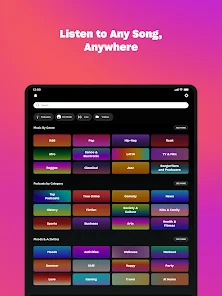
We're changing the way you discover and play the music you love. Listen free to music and podcasts with ads—no credit card required. Prime members can enjoy all the music + top podcasts ad-free. Want more benefits? Get 100 million songs on-demand, ad-free top podcasts, and audiobooks with Amazon Music Unlimited.
Included with your Prime membership at no additional cost:
We're changing the way you discover and play the music you love. Listen free to music and podcasts with ads—no credit card required. Prime members can enjoy all the music + top podcasts ad-free. Want more benefits? Get 100 million songs on-demand, ad-free top podcasts, and audiobooks with Amazon Music Unlimited. Included with your Prime membership at no additional cost:
Download Amazon Music: Songs & Podcasts
Get the official app from the trusted app stores. You will be redirected to the download page.
When you purchase through links on our site, we may earn an affiliate commission. Learn more
Ratings breakdown
3,320,000 reviewsDeveloper contact
Name
Amazon.com, Inc.
Address
410 Terry Ave N Seattle, WA 98109-5210 United States
Phone
+1 206-266-1000
Support
digital-music-android-feedback@amazon.com
Privacy
View policyFrequently Asked Questions
Is Amazon Music free to use? high
Yes, there is a free tier that allows streaming music and podcasts with ads. No credit card is required for the free tier. Prime members get ad-free music and top podcasts at no additional cost. Amazon Music Unlimited, a paid upgrade, offers 100 million songs, ad-free podcasts, and audiobooks.
Source: app_metadata, app_description
Does Amazon Music have a good shuffle feature? low
According to recent user reviews, shuffle has been problematic for some users. One reviewer with over 400 songs on a playlist reported that shuffle only plays the same group of songs repeatedly. Another reviewer mentioned the app crashing when shuffling. However, one reviewer noted it shuffles better than Spotify.
Source: user_reviews
Can I listen to podcasts on Amazon Music? medium
Yes, Amazon Music supports podcasts. Free users can listen with ads, and Prime/Unlimited subscribers can listen ad-free. However, one user reported issues with podcast playback, such as episodes skipping around or not playing in order, and the app freezing.
Source: app_description, user_reviews
Does Amazon Music work offline? high
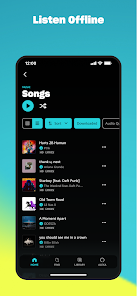
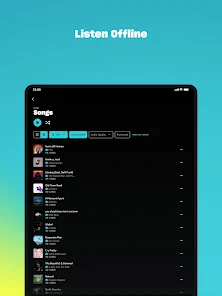
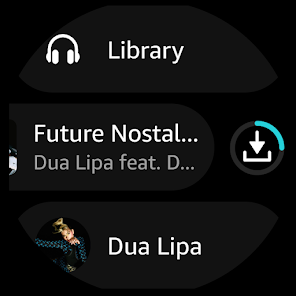
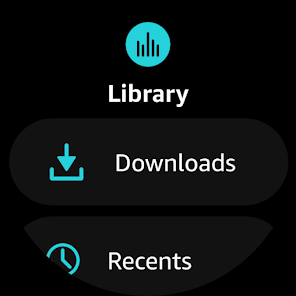
Amazon Music Unlimited and Prime members can download music and playlists for offline listening. The app also supports offline mode on Wear OS devices. This is mentioned in the app's description.
Source: app_description
What happens to my subscription if I cancel Amazon Music Unlimited early? low
According to one user review, if you cancel your subscription before the billing period ends, Amazon may cut off service immediately and keep the payment for the remaining time. The reviewer advises canceling at the end of the subscription period.
Source: user_reviews
How to Use
Amazon Music allows users to stream music and podcasts for free with ads, or ad-free with a Prime or Unlimited subscription, and includes features like playlist import, offline listening, and Wear OS support. (app_description)
Getting Started
Source: app_description_and_user_feedback_noted
- Download the Amazon Music app from the Google Play Store.
- Sign in with your Amazon account. If you do not have one, create a free account.
- Choose a listening tier: Free (with ads, no credit card needed), Prime (ad-free music and podcasts included with Prime membership), or Amazon Music Unlimited (unlimited access to 100 million songs, ad-free, plus audiobooks).
- Browse or search for music or podcasts. Use the 'My Music' section to find any music previously purchased from Amazon.
- Optionally import playlists from other music services via the playlist import tool at www.amazon.com/playlistimport.
Key Features (from app listing)
Source: app_description
- Free music and podcasts with ads, no credit card required
- Ad-free music and top podcasts for Prime members
- 100 million songs on-demand, ad-free podcasts, and audiobooks with Amazon Music Unlimited
- Shuffle play any artist, album, or playlist on Prime
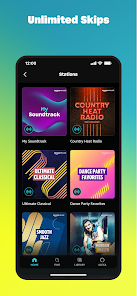
- Unlimited skips and offline listening on Unlimited
- Spatial audio support
- Playlist import from other music services
- Listen to purchased Amazon MP3s and AutoRip CD/Vinyl purchases stored in the cloud
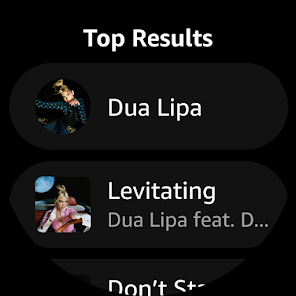
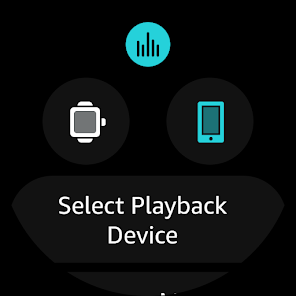
- Wear OS support: download playlists/albums for offline mode, cast to compatible devices
This tip is based on a user complaint in recent_reviews #4 which described the cancellation policy as cutting off service and keeping payment for the remainder of the subscription period.
How this content was created
Content type: pattern_analysis_of_user_reviews_and_metadata
AI generated: Yes
- Google Play user reviews (12-20 preferred; may be smaller if source data is limited per app), Date range of available reviews
- Google Play ratings distribution
- App Store listing metadata
- Review samples are not statistically representative of all user sentiment
- High-engagement negative reviews can overrepresent complaints
- Claims labeled 'low confidence' are based on single-review observations only
- No real-world app testing was conducted
- Feature availability may vary by region, device, and app version
Pros & Cons
Based on analysis of Google Play user reviews
Pros
- Shuffle algorithm plays a wider variety of songs compared to competitors like Spotify.
Theme 'Shuffle quality' identified in recent_review #1
- Prime membership includes ad-free music and top podcasts at no extra cost.
Theme 'Prime benefits' identified in app description
- Ability to import playlists from other music platforms easily.
Theme 'Playlist import' identified in app description
Cons
- Shuffle mode repeatedly plays the same songs, ignoring most of the playlist.
Theme 'Shuffle not random' identified in recent_review #3
- App frequently crashes and stops music playback, requiring force close.
Theme 'App crashes' identified in recent_review #2
- No sorting options for music library, making it hard to find specific songs.
Theme 'No sorting' identified in recent_review #1
Recent Reviews
Alex Taylor
3★I feel like this definitely shuffles my music better than Spotify would, but the reason I haven't rated this higher is because of two things: 1) There's no sorting option for your music. Since I like to shuffle my songs, that's not too bad, but it's still a bad exclusion. Sometimes I want to hear a specific song. 2) I already paid well over $100 to get Prime for a year, but now I have to pay a monthly sub on top of that to have premium song access?? That's dumb. I might switch to something else.
Curtis Wilkinson
2★updated review from 3 star ro 2, music just randomly stops because app crashed...app being laggy, app being kind of slow and bogged down sometimes, isn't as annoying to me as music just stopping and the app crashing, having to force close and reopen the app, and go all the way back to the music you were listening to because this app can't save your spot for some reason. I have an unlimited account, in which Amazon has raised the price. I'm giving them 1 more update to fix this before I cancel.
Jennifer Beeber
2★I have Amazon Music Unlimited and it does not shuffle the songs. I have over 400 songs on just one playlist, and have never heard half of them. I use the app a lot, on my echo, phone, and in the car. I always use shuffle mode, but it doesn't work, it plays the same group of songs over and over. My 1st playlist doesn't show up for me to add songs to it anymore. These problems needs to be fixed or I'll have to think about changing to a different app.
Earthymoon
2★The app itself functions well. If you cancel your service, make sure you do it at the end of the subscription period. Otherwise, Amazon will cut it off and keep your payment. This is the only subscription service I've had that still does this. Hadn't had this occur in quite some time. Not surprised though, Amazon is not an ethical company.
Tamaira Rettie
2★I switched to Spotify. I was listening to my podcasts on here to keep my music and podcasts separate. Amazon would skip around on episodes, so if I was listening to a multiple part episode, it might not go in order. Then, it would frequently freeze on a screen where I couldn't go to the specific podcast to find the episode I wanted. It would just repeatedly start the wrong episode.