By App Discoverer Editorial Team · Updated October 1, 2026

Google Fit: Activity Tracking
Overview
Health & Fitness
Google LLC
Free
Oct 28, 2014
No
Feb 19, 2026
Features
Get to a healthier and more active life with the new Google Fit!
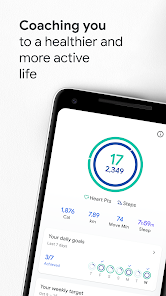
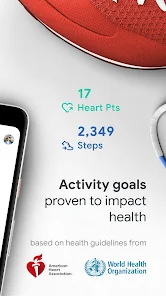
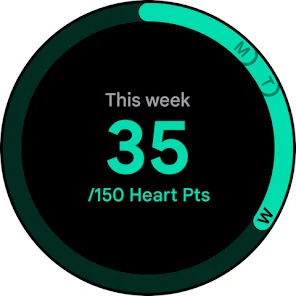
It's hard to know how much or what kind of activity you need to stay healthy. That's why Google Fit collaborated with the World Health Organization (WHO) and the American Heart Association (AHA) to bring you Heart Points, an activity goal that can help improve your health.
Activities that get your heart pumping harder have tremendous health benefits for your heart and mind. You'll earn one Heart Point for each minute of moderate ...
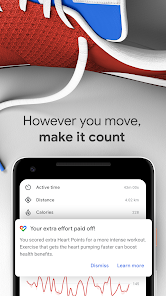
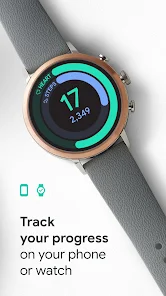
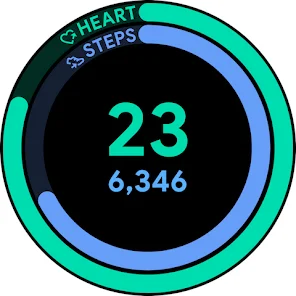
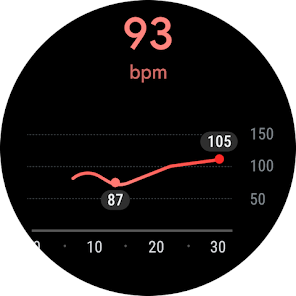
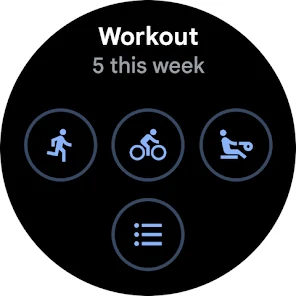
Get to a healthier and more active life with the new Google Fit! It's hard to know how much or what kind of activity you need to stay healthy. That's why Google Fit collaborated with the World Health Organization (WHO) and the American Heart Association (AHA) to bring you Heart Points, an activity goal that can help improve your health. Activities that get your heart pumping harder have tremendous health benefits for your heart and mind. You'll earn one Heart Point for each minute of moderate activity like picking up the pace when walking your dog, and double points for more intense activities like running. It takes just 30-minutes of brisk walking five days a week to reach the AHA and WHO's recommended amount of physical activity shown to reduce the risk of heart disease, improve sleep, and increase overall mental wellbeing. Google Fit will also help you: TRACK YOUR WORKOUTS FROM YOUR PHONE OR WATCHGet instant insights when you exercise and see real-time stats for your runs, walks, and bike rides. Fit will use your Android phone's sensors or Wear OS by Google smartwatch's heart rate sensors to record your speed, pace, route, and more. MONITOR YOUR GOALSSee your daily progress on your Heart Points and Steps goal. Meeting your goals all the time? Easily adjust your goals to keep challenging yourself to achieve a healthy heart and mind. MAKE ALL YOUR MOVEMENT COUNTIf you walk, run, or bike throughout the day, your Android phone or Wear OS by Google smartwatch will automatically detect and add your activities to your Google Fit journal to ensure you get credit for every move. Want extra credit? Turn up the tempo on your walks by starting a paced walking workout and stepping to the beat. Enjoy a different type of workout? Select it from a list of activities like pilates, rowing, or spinning, and Google Fit will track all the Heart Points you earn. CONNECT WITH YOUR FAVORITE APPS AND DEVICESFit can show you info from many of your favorite apps and devices to give you a holistic view of your health, so you'll never lose track of your progress. These include Lifesum, Wear OS by Google, Nike+, Runkeeper, Strava, MyFitnessPal, Basis, Sleep as Android, Withings, Xiaomi Mi bands, and more. CHECK IN AT ANYTIME, FROM ANYWHERESee a snapshot of your activity history across Fit and your integrated apps in the redesigned journal. Or, get the full picture in browse, where you can find all of your health and wellness data. KEEP A FINGER ON THE PULSE OF YOUR HEALTHBreathing is one of the simplest ways to reduce tension and relieve stress. With Fit, checking in with your breath is easy—all you need is your phone camera. As well as your respiratory rate, you can measure your heart rate to get a better understanding of your body’s wellbeing. VIEW YOUR DAY'S STATS AT A GLANCEAdd a widget to the home screen of your Android phone or set up a tile and complication on your Wear OS by Google smartwatch. Learn more about Google Fit and see a list of supported apps at: www. google. com/fit
Download Google Fit: Activity Tracking
Get the official app from the trusted app stores. You will be redirected to the download page.
When you purchase through links on our site, we may earn an affiliate commission. Learn more
Ratings breakdown
675,000 reviewsDeveloper contact
Name
Google LLC
Address
1600 Amphitheatre Pkwy Mountain View, CA 94043 United States
Website
http://www.android.com/Phone
+1 650-253-0000
Support
apps-help@google.com
Privacy
View policyFrequently Asked Questions
Is Google Fit being discontinued? medium
Yes, according to user reports from recent reviews (September 2025), Google Fit is being discontinued. The app's functionality has become unstable, and users report sync issues as a result. This is not confirmed by the app description, which still promotes features, but the latest user feedback indicates it is being phased out.
Source: user_reviews
Does Google Fit sync with other fitness apps and devices? medium
Google Fit previously synced with many apps and devices like MyFitnessPal, Strava, Wear OS, and Xiaomi Mi bands, as stated in the app description. However, recent user reviews (June 2025) report that sync functionality is broken, with the app blocking previously connected apps and resulting in inaccurate data.
Source: user_reviews, app_metadata
Is Google Fit free to use? high
Yes, Google Fit is completely free. It has no in-app purchases listed and does not contain ads, based on the app metadata.
Source: app_metadata
Can I track workouts like running or biking with Google Fit? high
According to the app description, Google Fit can track runs, walks, bike rides, and many other activities (e.g., pilates, rowing, spinning) using your phone's sensors or a Wear OS smartwatch. It automatically detects movement throughout the day and records Heart Points and steps.
Source: app_metadata
How to Use
Google Fit helps you stay active by tracking steps, Heart Points, and various workouts, syncing with compatible apps and devices for a holistic view of your health. (app_description)
Getting Started
Source: app_description_and_user_feedback_noted
- Download and install Google Fit from the Google Play Store.
- Open the app and grant necessary permissions (e.g., location, activity recognition) to enable sensor-based tracking.
- Set your daily Heart Points and steps goals on the main dashboard.
- Connect your compatible fitness apps or devices (e.g., Wear OS watches, Strava, MyFitnessPal) via the app's settings to centralize your data.
Key Features (from app listing)
Source: app_description
- Heart Points: Earn points for moderate-to-intense activities based on WHO and AHA guidelines.
- Automatic activity detection: Phone or smartwatch tracks walks, runs, and bike rides without manual input.
- Workout tracking: Real-time stats (speed, pace, route) for runs, walks, and bike rides.
- Camera-based breathing and heart rate measurements: Check respiratory rate and heart rate using your phone's camera.
- Widget and Wear OS support: Add a widget to your home screen or use tiles/complications on a Wear OS watch for quick stats.
Derived from a user complaint (recent_reviews #1) about the phone widget not updating in real time, paired with the app description mentioning Wear OS support for tiles and complications.
How this content was created
Content type: pattern_analysis_of_user_reviews_and_metadata
AI generated: Yes
- Google Play user reviews (12-20 preferred; current sample is 5 reviews. per app), Date range: August 23, 2024 to February 17, 2026 (noted as recent_reviews).
- Google Play ratings distribution
- App Store listing metadata
- Review samples are not statistically representative of all user sentiment.
- Only recent_reviews bucket was available; no high-engagement negative/positive or mixed reviews to balance extremes.
- Claims labeled 'low confidence' are based on single-review observations only.
- No real-world app testing was conducted.
- Feature availability may vary by region, device, and app version.
Pros & Cons
Based on analysis of Google Play user reviews
Pros
- Free and reliable fitness tracking app that syncs well with other apps.
Theme 'Reliable and free' identified in recent_review #4
- Easy to use with accurate tracking of steps, heart points, and workouts.
Theme 'Easy to use' identified in recent_review #5
- Works well with third-party apps like Fitbit and Fitdoc for data management.
Theme 'Third-party syncing' identified in recent_review #4
Cons
- Step counter widget does not update in real time, causing delays and frustration.
Theme 'Delayed updates' identified in recent_review #1
- App is being discontinued, leading to declining functionality and support.
Theme 'Discontinued app' identified in recent_review #2
- Syncing with third-party apps is broken, with connections being denied or failing.
Theme 'Syncing issues' identified in recent_review #3
Recent Reviews
John Weidner
1★Wish there was a way for the step counter widget to update in real time. Especially at the end of the day when I'm trying to reach my target goal. And most of the time when I open the app it still takes 30 seconds or more for it to update the count. And sometime it won't update at all. Frustratingly, sometimes the app will decrease the amount of steps or heart points that you have earned. If you are trying to maintain a streak of days where you've made your target this can be very demotivating.
Lauren Sohre
3★I seriously loved this app. It was a great catch-all for me because I hike, cycle, and horseback ride. But now that they're discontinuing it, the whole thing is going downhill. I have no idea why they decided to kill this thing; it was reliable, easy to use, and would sync nicely will other apps. Super disappointed because all of the other fitness apps look like buggy, expensive messes. PLEASE Google I BEG YOU to keep this app alive.
Kiri Burlingame
1★It doesn't sync to anything anymore. Google Fit is now blocking apps I want to connect to and have previously connected to. Data is inaccurate because of the lack of syncing, even when shown as connectedness. If you try disconnecting and reconnecting the applications, Google Fit will deny the connection, and there is no way to override. Google Fit is Junk!
Jamie Roberts
5★I just want to say, so far, outstanding. I have seen Fitbit charge a crazy price for their "premium" services when it's mostly the same as this app! I can manage my Fitbit data through here with the fit to fit app, though that app still needs help. This app only needs the ability to sync data between third party apps possible! Add that, and possibly a mental health section as well, since you have meditation and whatnot, why don't we add an actual journal? Or a health journal? Just an idea.
CycoDragon 24
5★so far I'm enjoying the app, it's easy to use, tracks everything perfectly, and for those curious it works well with fitdoc. However one thing I wish it could do was tell you the amount of calories you're about to consume if you take a photo of the food you're about to eat by using the camera in the phone a nice alternative for those who don't have a smartwatch.