By App Discoverer Editorial Team · Updated October 1, 2026
Google News - Daily Headlines



Overview
News & Magazines
Google LLC
Free
Jun 27, 2012
No
In-App Purchases
Feb 26, 2026
Features
Google News is a personalized news aggregator that organizes and highlights what’s happening in the world so you can discover more about the stories that matter to you.
With Google News, you’ll find:
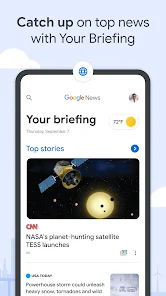
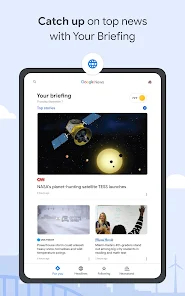
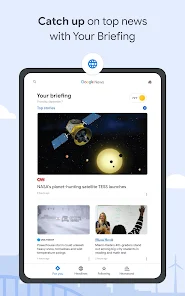
YOUR BRIEFING: It can be nearly impossible to keep up with every story you care about, Your Briefing makes it easy to stay in the know about what’s important and relevant in your world. It updates throughout the day to bring you the top local, national, and world headlines, plus personalized news ...
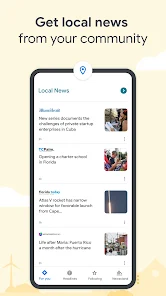
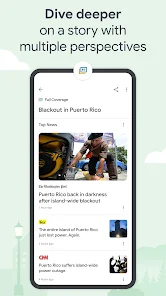
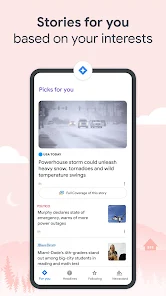
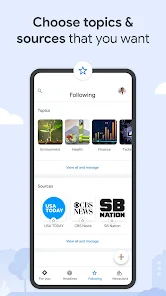
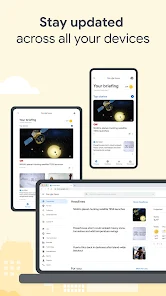
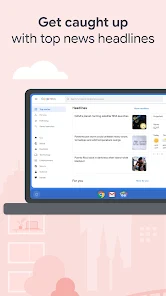
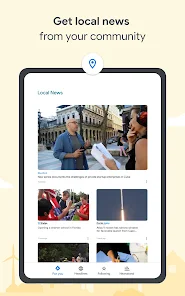
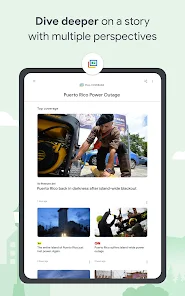
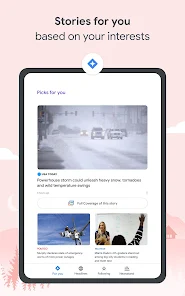
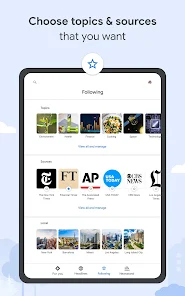
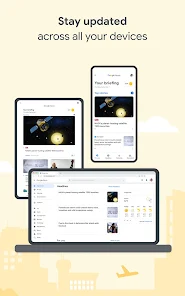
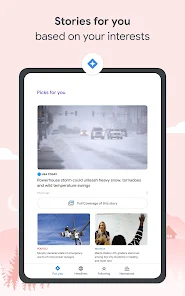
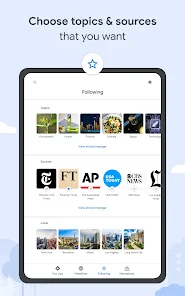
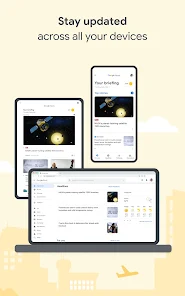
Google News is a personalized news aggregator that organizes and highlights what’s happening in the world so you can discover more about the stories that matter to you. With Google News, you’ll find: YOUR BRIEFING: It can be nearly impossible to keep up with every story you care about, Your Briefing makes it easy to stay in the know about what’s important and relevant in your world. It updates throughout the day to bring you the top local, national, and world headlines, plus personalized news tailored to your interests. LOCAL NEWS: Explore your community through stories and articles from news outlets in your local area. Customize and choose multiple locations so you can know what’s happening near you or wherever home is. FULL COVERAGE: Dive deeper into a story with multiple perspectives. The Full Coverage feature organizes everything online about a story, surfacing and highlighting coverage from different outlets and mediums. With just a tap, you’ll uncover how the story is unfolding and how everyone is reporting on it. STORIES FOR YOU: The For You section delivers personalized news related to your interests. Take control and customize the articles you see by following the topics and sources you care about. ACCESS FROM ANY DEVICE: Google News is designed to meet the needs of users with different phones and levels of connection. When your connection isn’t strong or you need to save data, Google News will continue to work smoothly by slimming down the size of images and downloading less data. Articles can be downloaded over Wi-Fi to save for later when you are offline. Do you prefer to access your news on your Laptop or Desktop? Pair the Google News mobile app with our Desktop website, news. google. com, so you can stay up to date and access the news no matter what device you’re on.
Download Google News - Daily Headlines
Get the official app from the trusted app stores. You will be redirected to the download page.
When you purchase through links on our site, we may earn an affiliate commission. Learn more
Ratings breakdown
1,950,000 reviewsData Safety
- No data shared with third parties Learn more about how developers declare sharing
- This app may collect these data types Location, Personal info and 9 others
- Data is encrypted in transit
- You can request that data be deleted
- Independent security review
Permissions
- find accounts on the device
- add or remove accounts
- find accounts on the device
- approximate location (network-based)
- precise location (GPS and network-based)
- view network connections
- measure app storage space
- full network access
- read sync settings
Developer contact
Name
Google LLC
Address
1600 Amphitheatre Pkwy Mountain View, CA 94043 United States
Website
https://news.google.com/aboutPhone
+1 650-253-0000
Support
apps-help@google.com
Privacy
View policyFrequently Asked Questions
Is Google News free to use? high
Yes, Google News is a free app developed by Google LLC. The app listing does not mention any in-app purchases or subscription fees for the app itself.
Source: app_metadata
What is the app's content rating? high
Google News has a 'Teen' content rating, meaning it may contain content suitable for users aged 13 and older.
Source: app_metadata
Does Google News allow me to customize which topics I see? low
Based on user reviews from 2018, some users reported frustration with the level of customization, stating they could not choose specific topics or remove categories like sports. The current app's description says you can 'follow the topics and sources you care about' in the 'For You' section.
Source: user_reviews, app_metadata
Can I access Google News on my computer as well? high
Yes, the app description states you can pair the mobile app with the Google News website at news.google.com to stay updated on any device.
Source: app_metadata
Does the app support offline reading? high
Yes, according to the app description, articles can be downloaded over Wi-Fi to read later when you are offline.
Source: app_metadata
How to Use
Google News is a personalized news aggregator that organizes headlines from local, national, and world sources, offering features like a daily briefing, full coverage of stories, and customization of topics. (app_description)
Getting Started
Source: app_description_and_user_feedback_noted
- Step 1: Download and install the Google News app from the Google Play Store.
- Step 2: Open the app. The 'Your Briefing' tab will automatically show top local, national, and world headlines, which updates throughout the day.
- Step 3: To see news tailored to your interests, tap the 'For You' section. You can customize this by following specific topics and sources.
- Step 4: To read offline, download articles over Wi-Fi by tapping the download icon on articles you want to save for later.
Key Features (from app listing)
Source: app_description
- Your Briefing: A daily roundup of top stories that updates throughout the day, personalized to your interests.
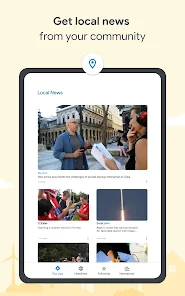
- Local News: Stories and articles from news outlets in your local area, with the ability to add multiple locations.
- Full Coverage: Organizes articles from different outlets and mediums about a single story, allowing you to see different perspectives.
- Stories for You: A personalized news feed based on topics and sources you choose to follow.
This tip is responsive to a user complaint in the recent_reviews sample (Review #3) who stated they did not want video links dominating the news. The app description notes the 'For You' section allows you to 'follow the topics and sources you care about' as a way to control your feed.
How this content was created
Content type: pattern_analysis_of_user_reviews_and_metadata
AI generated: Yes
- Google Play user reviews (5 per app), September 17, 2018 to December 17, 2018
- Google Play ratings distribution
- App Store listing metadata
- Review samples are not statistically representative of all user sentiment.
- Only the 'recent_reviews' bucket was available, limiting the ability to identify cross-bucket patterns.
- Claims labeled 'low confidence' are based on single-review observations only.
- No real-world app testing was conducted.
- Feature availability may vary by region, device, and app version.
- The reviews are from 2018, so they may not reflect the current state of the app.
Pros & Cons
Based on analysis of Google Play user reviews
Pros
- Personalized news based on user interests.
Theme 'Personalization' from app description
- Full Coverage feature shows multiple perspectives.
Theme 'Full Coverage' from app description
- Works smoothly on weak connections.
Theme 'Offline/low connectivity' from app description
Cons
- Buggy login for newspaper subscriptions.
Theme 'Subscription login bugs' identified in recent_review #1
Evidence (2)
“I could no longer login to my current Washington Post subscription due to bugs”Rating: 2★ October 17, 2018 138 likes“It also wouldn't remember that I was logged in to my local paper subscription”Rating: 2★ October 17, 2018 138 likes - Poor embedded browser and simplified view.
Theme 'Embedded browser issues' identified in recent_review #2, #3
Evidence (2)
“it forces a small font that's difficult to read, and when you zoom, you can't drag”Rating: 2★ December 01, 2018 53 likes“The embedded browser is obnoxious and behaves awfully”Rating: 1★ December 17, 2018 70 likes - Cannot customize headlines or remove unwanted topics.
Theme 'No customization' identified in recent_review #4, #5
Evidence (2)
“Can no longer customize the Headlines section, you are forced to depends Google's "For You" algorithm”Rating: 2★ September 19, 2018 48 likes“I can't choose my topics, I can't remove things like sports”Rating: 2★ October 19, 2018 48 likes
Recent Reviews
A Google user
2★Unlike the older version, I could no longer login to my current Washington Post subscription due to bugs, so I couldn't read more than a few stories a month in my subscribed newspaper. It also wouldn't remember that I was logged in to my local paper subscription, so I had to login again any time I saw a headline that I wanted to check out. When I contacted customer service (about the first issue, which seemed most pressing), I received no reply. Another annoyance is that the only available widget is the large one. The old version had a smaller widget that didn't include large pictures, and it fit my screen better. It would be nice if they had kept that as an option.
A Google user
2★Incredibly buggy. Feels like it's still in alpha, not even beta yet. Google's "simplified view" for web pages is NOT user friendly -- it forces a small font that's difficult to read, and when you zoom, you can't drag, so you have to zoom out and back till you can focus on what you actually want to see. Most embedded videos don't even work -- however the ads do :-\ . This app is not ready for prime time.
A Google user
1★I can't stand this app. I don't want video links dominating the news. Almost 100% of the notifications don't work (by the time I click on them, it takes me an empty list of "recent notifications", and provides no way to get to the story). The embedded browser is obnoxious and behaves awfully; I just had one instance where I clicked on a story, and it just brought me to list of other articles by the same publisher. Where is the story whose headline I actually clicked on?
A Google user
2★Really poor upgrade from the old News and Weather app. Can no longer customize the Headlines section, you are forced to depends Google's "For You" algorithm. No settings are transferred from the old app, including subscription information. You'll have to fill that out again, and it didn't even work for me when I did. Weather takes a click to see now. All in all a remarkably lazy effort. Will be using News as long as I can.
A Google user
2★So much less than the old news and weather app. I can't choose my topics, I can't remove things like sports, I cant add interest features, even mini cards take up a good portion of the screen, I can't add local sections for more than my current location, the local weather is less useful and doesn't give same granularity of detail. I guess data harvesting is easier for Google. Very disappointed I'm stuck with this for news and I'm actively looking for alternatives.