By App Discoverer Editorial Team · Updated October 1, 2026
Google Maps Go
Overview
Travel & Local
Google LLC
Free
Feb 6, 2018
No
Shares Location
Oct 24, 2023
Features
Google Maps Go is the lightweight Progressive Web App variation of the original Google Maps app.
This version requires Chrome (if you do not wish to install Chrome, please use www. google. com/maps in your browser instead).
Taking up 100 times less space on your device than the full Google Maps app, Google Maps Go is designed to run smoothly on devices with limited memory and on unreliable networks without compromising speed to provide your location, real-time traffic updates, directions, and tr...
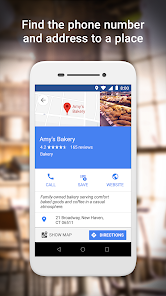
Google Maps Go is the lightweight Progressive Web App variation of the original Google Maps app. This version requires Chrome (if you do not wish to install Chrome, please use www. google. com/maps in your browser instead). Taking up 100 times less space on your device than the full Google Maps app, Google Maps Go is designed to run smoothly on devices with limited memory and on unreliable networks without compromising speed to provide your location, real-time traffic updates, directions, and train, bus, and city transit information. You can even search and find information about millions of places, such as phone numbers and addresses.
Download Google Maps Go
Get the official app from the trusted app stores. You will be redirected to the download page.
When you purchase through links on our site, we may earn an affiliate commission. Learn more
Ratings breakdown
349,000 reviewsData Safety
- No data shared with third parties Learn more about how developers declare sharing
- This app may collect these data types Location, Personal info and 5 others
- Data is encrypted in transit
- You can request that data be deleted
Permissions
- approximate location (network-based)
- precise location (GPS and network-based)
Developer contact
Name
Google LLC
Address
1600 Amphitheatre Pkwy Mountain View, CA 94043 United States
Website
https://maps.google.com/about/Phone
+1 650-253-0000
Support
apps-help@google.com
Privacy
View policyFrequently Asked Questions
Is Google Maps Go free? high
Yes, Google Maps Go is free to download and use. There are no in-app purchases listed on its Google Play store page.
Source: app_metadata
Does Google Maps Go require a lot of storage space? high
According to the official description, Google Maps Go takes up 100 times less space on your device than the full Google Maps app. It is a lightweight Progressive Web App designed for devices with limited memory.
Source: app_metadata
How do I find my saved places in Google Maps Go? medium
Based on user feedback, accessing saved places is not straightforward. You generally have to navigate the main menu. Several users have reported this as a poor user experience, expressing a preference for a dropdown menu in the destination search bar.
Source: user_reviews
Why does Google Maps Go give me bad routes? low
Some users report that the app suggests illogical and longer routes, sometimes doubling expected travel time. This appears to be a complaint from some users, but it is not a universal experience.
Source: user_reviews
How to Use
Google Maps Go is a lightweight navigation app that provides directions, real-time traffic, and location info for devices with limited memory and slower networks. (app_description)
Getting Started
Source: app_description_and_user_feedback_noted
- Ensure you have Chrome installed, as Google Maps Go is a Progressive Web App that requires it.
- Open the app and allow location permissions for accurate directions and traffic updates.
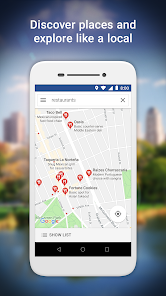
- To find a place, use the search bar at the top to enter an address, business name, or category.
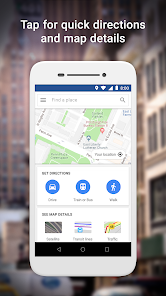
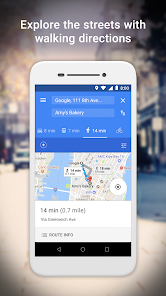
- For directions, tap the 'Directions' button and enter your destination to see routes combining walking, driving, and public transport.
- To save a place, you will need to navigate the main menu (as noted in user feedback), as there is no simple button on the map screen.
Key Features (from app listing)
Source: app_description
- Find the fastest route combining two-wheelers, metro, buses, taxi, walking and ferries.
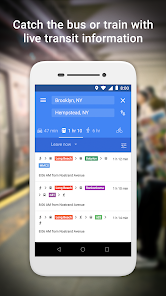
- Access live city public transport schedules for metro, bus, and train.
- Receive step-by-step directions with route preview.
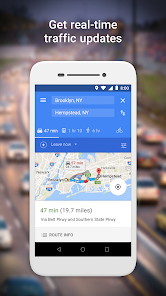
- View real-time traffic information and traffic maps.
Derived from a user complaint in recent_reviews #3, who noted the map becomes 'practically can't see anything at all, only stars' due to saved place icons.
How this content was created
Content type: pattern_analysis_of_user_reviews_and_metadata
AI generated: Yes
- Google Play user reviews (5 per app), June 29, 2019 to August 16, 2025
- Google Play ratings distribution
- App Store listing metadata
- Review samples are not statistically representative of all user sentiment
- High-engagement negative reviews can overrepresent complaints in the sample
- Claims labeled 'low confidence' are based on single-review observations only
- No real-world app testing was conducted
- Feature availability may vary by region, device, and app version
- Only recent_reviews bucket was available, limiting the breadth of the analysis
Pros & Cons
Based on analysis of Google Play user reviews
Pros
- Accurate speed trap and crash notifications are a praised feature. low
Theme 'app accuracy for safety alerts' identified in recent_reviews #1. One reviewer praises accuracy of speed traps and crash notifications.
Evidence (1)
“I love this app. The speed traps are pretty accurate and crash notification is too. ...”Rating: 5★ June 29, 2019 9,762 likes - The app is visually easier on the eyes than the standard Google Maps app, with a useful pinch-to-zoom text feature. low
Theme 'visual design preference' identified in recent_reviews #2. One reviewer specifically finds the color scheme easier on the eyes and praises the text zoom behavior.
Evidence (1)
“Much better than the regular Google maps app. I find the color easier on the eyes than the regular app, and I love that the text actually gets larger when you 'pinch zoom'. ...”Rating: 4★ August 16, 2025 536 likes
Cons
- A UI bug or poor design prevents sharing location so it works on another phone. low
Theme 'location sharing issue' identified in recent_reviews #2. One reviewer reports a feature request for this, implying it is currently non-functional.
Evidence (1)
“... feature request: I cannot share my location and have it work on someone else's phone. if this could be ironed out, that would b”Rating: 4★ August 16, 2025 536 likes - User interface issues: saved places are hard to access, and saving new places lacks a simple button. medium
Theme 'UI navigation for saved places' identified in recent_reviews #3 and #5. Reviewer #3 cannot see the map due to visual clutter from stars/favorites. Reviewer #5 has trouble accessing saved places and finds no simple save button, relying on a complex main menu.
Evidence (2)
“Stars, want to go, favorites, labels - these are good features in Google maps and i use them extensively. But I wish i could share a picture of what my map looks like in this app - practically can't see anything at all, only stars. I need to be able to hide the lists. ...”Rating: 1★ January 18, 2022 4,761 likes“The worst thing is getting to your saved places, I should be able to click on destination where you type, and have a drop down menu that opens saved places, instead I have to navigate the main menu. Then if you want to save a place you can't figure out how, because there's no simple button for it li”Rating: 1★ January 18, 2024 2,755 likes - Navigation routing can be illogical and significantly increase travel time. low
Theme 'unreliable routing' identified in recent_reviews #4. One reviewer describes a drive taking double the expected time due to a roundabout route.
Evidence (1)
“Insane, unnecessary, long crazy routes. Took me in such a roundabout manner, added 30 minutes for a typically 30 minute drive, so took over an hour. Tried to do same for another straight-forward trip, takes 10-15 min trip. Maps wanted me to go all the way up the freeway, turn around, come back this ”Rating: 1★ March 08, 2023 1,266 likes
Recent Reviews
A Google user
5★I love this app. The speed traps are pretty accurate and crash notification is too. I would like some features easier to use like the parking spot finder. (unless I'm not seeing the right way) The speed feature is cool too. I cant wait for it to get more accurate. for example, showing exact lane your in and what lane to be in, showing more stores on the map, maybe saying "turn now" when you are right on the turn instead of "in 1/4 mile turn".
Michael Novak
4★Much better than the regular Google maps app. I find the color easier on the eyes than the regular app, and I love that the text actually gets larger when you 'pinch zoom'. feature request: I cannot share my location and have it work on someone else's phone. if this could be ironed out, that would be great. I still need to have the regular app enabled for location sharing to work.
Eniko Nagy
1★Stars, want to go, favorites, labels - these are good features in Google maps and i use them extensively. But I wish i could share a picture of what my map looks like in this app - practically can't see anything at all, only stars. I need to be able to hide the lists. At least in the regular Map app all lists (but not the private Labeled places) can be hidden. I need to be able to hide those too.
Christi Rich
1★Insane, unnecessary, long crazy routes. Took me in such a roundabout manner, added 30 minutes for a typically 30 minute drive, so took over an hour. Tried to do same for another straight-forward trip, takes 10-15 min trip. Maps wanted me to go all the way up the freeway, turn around, come back this way, that way, for a ride usually straight from the grocery store. Very undependable, won't use again!
Derick
1★The worst thing is getting to your saved places, I should be able to click on destination where you type, and have a drop down menu that opens saved places, instead I have to navigate the main menu. Then if you want to save a place you can't figure out how, because there's no simple button for it like there should be. I recommend transit app over this