By App Discoverer Editorial Team · Updated October 1, 2026

YouTube Studio
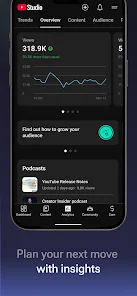
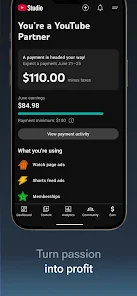
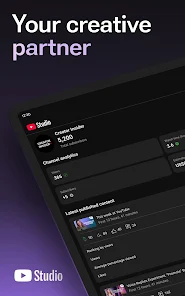

Overview
Video Players & Editors
Google LLC
Free
Jun 26, 2014
No
Feb 26, 2026
Features
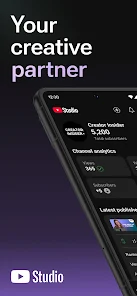
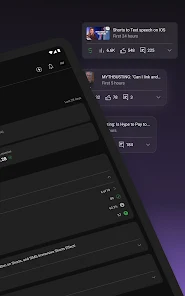
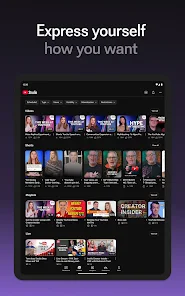
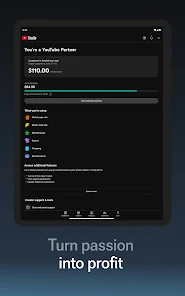
The official YouTube Studio app is the best way for you to understand and connect with the people in your community using the device you always have with you. Use the app to:
The official YouTube Studio app is the best way for you to understand and connect with the people in your community using the device you always have with you. Use the app to:
Download YouTube Studio
Get the official app from the trusted app stores. You will be redirected to the download page.
When you purchase through links on our site, we may earn an affiliate commission. Learn more
Ratings breakdown
2,280,000 reviewsDeveloper contact
Name
Google LLC
Address
1600 Amphitheatre Pkwy Mountain View, CA 94043 United States
Website
http://www.youtube.com/Phone
+1 650-253-0000
Support
apps-help@google.com
Privacy
View policyFrequently Asked Questions
Can I edit video thumbnails for YouTube Shorts in the YouTube Studio app? low
No, according to a recent user review (October 2024), you cannot choose thumbnails for Shorts within the YouTube Studio app. This feature is only available in the regular YouTube mobile app or on desktop.
Source: user_reviews
Does the YouTube Studio app have the same analytics as the desktop version? low
Based on user reviews, the app's analytics graphs are described as 'minimal' and less detailed than those on the desktop Studio. A 2018 review specifically notes that the graphs are not as detailed as the desktop version.
Source: user_reviews
Why do my YouTube Studio numbers look different from my desktop dashboard? low
A user review from 2018 reports that subscriber counts, viewer numbers, and income figures can differ substantially between the YouTube Studio app and the desktop Dashboard, and sometimes even within the app itself. This appears to be a known data syncing issue.
Source: user_reviews
Is the YouTube Studio app free to use? high
Yes, the YouTube Studio app is completely free to download and use. It is developed by Google LLC and contains no ads or in-app purchases.
Source: app_metadata
Who is the YouTube Studio app for? high
The app is designed for YouTube content creators. It allows you to manage your channel, view performance analytics, respond to comments, and edit video details on the go. It is rated 'Teen' and has over 100 million downloads.
Source: app_metadata
How to Use
The YouTube Studio app is the official mobile tool for YouTube creators to manage their channels, analyze performance, interact with their community, and edit content on the go. (app_description)
Getting Started
Source: app_description_and_user_feedback_noted
- Download the YouTube Studio app from the Google Play Store and sign in with your YouTube/Google account.
- Use the new Channel Dashboard to get a quick overview of your channel's performance, including recent videos, comments, and key metrics.
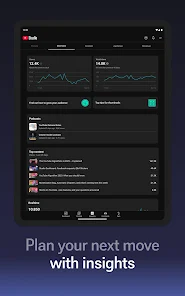
- Navigate to the Analytics tab to dive deeper into detailed performance data for your channel and individual content types.
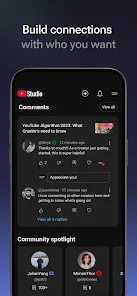
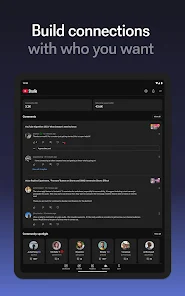
- Use the Comments section to sort, filter, and reply to your community's conversations.
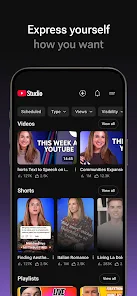
- Edit your content by tapping on any video, Short, or livestream to update its information, thumbnail, and visibility settings.
Key Features (from app listing)
Source: app_description
- Channel Dashboard for a quick performance overview.
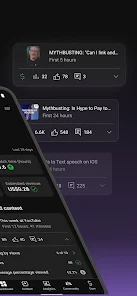
- Detailed Analytics for content and channel performance.
- Comment management with sorting and filtering.
- Channel and content editing (thumbnails, titles, descriptions).
- Apply for the YouTube Partner Program for monetization.
This tip is derived directly from multiple user reviews that specifically identify these features as missing from the YouTube Studio app (e.g., 'no way I can chose the thumbnail of a short' and 'I'd like to add captions... without having to use a computer').
How this content was created
Content type: pattern_analysis_of_user_reviews_and_metadata
AI generated: Yes
- Google Play user reviews (12-20 preferred; may be smaller if source data is limited per app), September 2018 to October 2024
- Google Play ratings distribution
- App Store listing metadata
- Review samples are not statistically representative of all user sentiment
- High-engagement negative reviews can overrepresent complaints
- Claims labeled 'low confidence' are based on single-review observations only
- No real-world app testing was conducted
- Feature availability may vary by region, device, and app version
- The most recent review in the sample is from 2024, while the rest are from 2018-2022; the data may not reflect the current app state.
Pros & Cons
Based on analysis of Google Play user reviews
Pros
- The app provides useful on-the-go channel analytics, including video progress and comment analysis, which is a recurring positive theme in recent reviews. medium
Theme 'useful on-the-go analytics' identified in recent_reviews #2 and #4. Both reviewers independently mention the app's utility for monitoring channel performance from a mobile device.
Evidence (2)
“Being able to see channel analytics on the go is awesome.”Rating: 3★ October 05, 2018 840 likes“I like the idea of the app, especially for analyzing video progress, comments, etc.”Rating: 4★ October 12, 2024 1,533 likes - The app is easy to use and supports a dark theme, which is positively noted in a recent review. low
Theme 'ease of use and dark theme' identified in recent_reviews #3. The reviewer specifically praises both aspects in a single statement.
Evidence (1)
“YouTube Studio is pretty easy to use and I'm glad dark themes are becoming common!”Rating: 4★ September 18, 2021 700 likes
Cons
- Data discrepancies between the YouTube Studio app and the desktop Dashboard are a recurring concern in recent reviews, with mismatches in subscriber counts, viewers, and income. low
Theme 'data discrepancy' identified in recent_reviews #1. The reviewer provides specific examples of mismatches between the app and the desktop site, and even within the app itself for the subscriber count.
Evidence (1)
“Bizarrely, the numbers shown in the studio app are different from those shown on the Dashboard website, sometimes by a substantial margin (subscribers, viewers, income, etc.). In fact, they're different from those *within the same app*, as the subscriber count shown in the left hand account selectio”Rating: 3★ September 17, 2018 305 likes - The app lacks advanced features compared to the desktop version, such as detailed graphs, caption editing, and thumbnail selection for Shorts, leading to a feeling of being incomplete. high
Theme 'missing desktop features' appears in recent_reviews #2, #3, and #4. Each reviewer identifies a different missing feature: detailed graphs (review #2), caption editing (#3), and Shorts thumbnail selection (#4), all explicitly contrasted with the desktop or regular YouTube app.
Evidence (3)
“My 2 complaints: 1. The graphs are pretty minimal; it would be nice if we could have more detailed graphs like we do on the computer Studio.”Rating: 3★ October 05, 2018 840 likes“I'd like to add captions to my videos without having to use a computer. I can't even add captions on my phone's browser, because it just opens up the app, instead of sending me ”Rating: 4★ September 18, 2021 700 likes“I would use it exclusively for managing and uploading videos, but for some reason there's no way I can chose the thumbnail of a short on this app. I can only do that it the regular YouTube app,”Rating: 4★ October 12, 2024 1,533 likes - The removal of playlist search functionality within the app is a recent change that has caused significant inconvenience for users with many playlists. low
Theme 'playlist search removal' identified in recent_reviews #5. The reviewer explicitly states this feature was removed in a recent update and describes its negative impact on their workflow.
Evidence (1)
“They took away the ability to search for a playlist on your channel. I so many playlists, that search ability was vital. Now I can only search for videos, but no search r”Rating: 3★ August 16, 2022 3,461 likes
Recent Reviews
A Google user
3★Bizarrely, the numbers shown in the studio app are different from those shown on the Dashboard website, sometimes by a substantial margin (subscribers, viewers, income, etc.). In fact, they're different from those *within the same app*, as the subscriber count shown in the left hand account selection menu is different from that on the main page. It's still useful for community interaction, but not for any number management.
A Google user
3★Being able to see channel analytics on the go is awesome. However, the app feels incomplete. My 2 complaints: 1. The graphs are pretty minimal; it would be nice if we could have more detailed graphs like we do on the computer Studio. 2. Navigating the graphs as they are is difficult and frustrating. Right now, if you want info on a specific date or time, you have to tap on it. The problem is that the graphs are tiny and it's extremely easy to tap on the wrong date or time. It would be nice if there was some kind of tap-and-scroll feature to enable precise selection.
wowza
4★YouTube Studio is pretty easy to use and I'm glad dark themes are becoming common! I have one issue with the apo, however: I'd like to add captions to my videos without having to use a computer. I can't even add captions on my phone's browser, because it just opens up the app, instead of sending me to a page to manage my videos. It's frustrating, to be honest, and as someone that relys on captions to know what's going on, we should be able to add, edit, and publish captions on this app.
Jacob
4★I like the idea of the app, especially for analyzing video progress, comments, etc. I would use it exclusively for managing and uploading videos, but for some reason there's no way I can chose the thumbnail of a short on this app. I can only do that it the regular YouTube app, so at that rate I might as well just upload right off YouTube. I still use studio for video management, but it's pretty useless for no reason when it comes to uploading. It's an easy fix!
Callie Jacobson
3★This app was fantastic, used it for years, it was so helpful. Now recently there was a change that makes it very inconvenient 😥. They took away the ability to search for a playlist on your channel. I so many playlists, that search ability was vital. Now I can only search for videos, but no search results come back for playlists I search for. 😡You have no idea how inconvenient that is for me