By App Discoverer Editorial Team · Updated October 1, 2026
Magisto - Video Editor & Music










Overview
Video Players & Editors
Magisto by Vimeo
Free
Aug 13, 2012
6.27.1.21200
6.0
$0.99 - $200.00 per item
No
Apr 30, 2025
Features
Get Magisto Video Editor
🏆 Google Play Editor’s Choice 🏆 Gartner ‘Cool Vendor’ 2018 🏆 Consumer Reports’ #1 Video Editing app 2017
★★★★★ “Magisto movie-maker can help you create a mini-movie in just a few minutes.”
★★★★★ "Magisto turns idle video into something share worthy witho...
Get Magisto Video Editor
Download Magisto - Video Editor & Music
Get the official app from the trusted app stores. You will be redirected to the download page.
When you purchase through links on our site, we may earn an affiliate commission. Learn more
Ratings breakdown
1,150,000 reviewsDeveloper contact
Name
Vimeo.com, Inc.
Address
330 W 34TH St FL 10 New York, NY 10001-2420 United States
Website
http://www.magisto.comPhone
+1 845-653-3746
Support
support@magisto.com
Privacy
View policyFrequently Asked Questions
Is Magisto a free video editor on Android? high
While Magisto is free to download from the Google Play Store, the user reviews indicate that the app's core functionality is now tied to a subscription. One recent review mentions a $4.99/month fee with a required annual plan. The app listing mentions 'Magisto Premium monthly plan' and 'Magisto Professional monthly plan', and includes in-app purchases from $0.99 - $200.00 per item.
Source: user_reviews, app_metadata
Does Magisto let me manually edit my videos like cutting and trimming with full control? high
Several recent user reviews indicate that Magisto's primary feature is automatic video creation. You select your media and a theme, and the app's AI edits it for you. The app description does mention you can 'cut, trim, merge and reorder', but recent feedback suggests the main workflow is highly automated and not like a traditional video editor. Two out of 5 recent reviewers explicitly state they were disappointed by the lack of manual control.
Source: app_metadata, user_reviews
Is the subscription for Magisto an annual plan? low
Based on one highly-liked user review from February 2019, the $4.99/month fee is 'with a REQUIRED annual plan'. This suggests users cannot pay month-to-month. The app's Google Play listing does not explicitly state this requirement in its description.
Source: user_reviews
How does Google Photos integration work in the Magisto mobile app? low
According to a recent user review from May 2022, after linking your Google Photos account, the app lacks features to select photos from specific albums or search for them. The user found this user experience 'pretty awful'.
Source: user_reviews
How to Use
Magisto is an AI-powered video editor that automatically creates movies and slideshows from your photos and video clips by selecting a theme and music. (app_description)
Getting Started
Source: app_description_and_user_feedback_noted
- Step 1: Download and install Magisto from the Google Play Store.
- Step 2: Open the app and grant permissions to access your device's photos and videos.
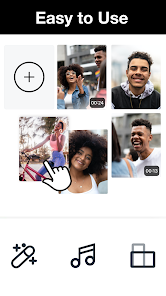
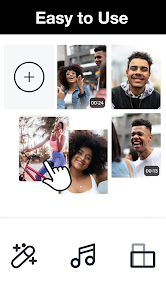
- Step 3: To create a new video, tap the '+' button and select media (photos and clips) from your gallery, Google Photos (note: user reports poor album integration), or the iStock library.
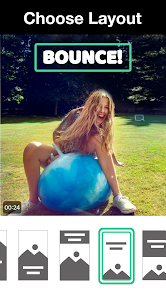
- Step 4: Choose a 'Style' or theme from the available options (e.g., Trailer, Travel, Memories). The app will automatically edit your media according to this theme.
- Step 5: Pick music from the app's licensed song library.
- Step 6: The AI will process your media. User reviews note this can take up to 20 minutes. After processing, you can review, make minor customizations, and share the final video.
Key Features (from app listing)
Source: app_description
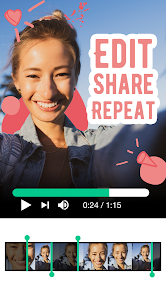
- AI-Powered Smart Editor: Automatically edits media, adds effects, filters, and music.
- Create Video from Photos: Make moving slideshows without video clips.
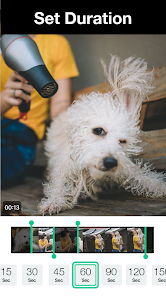
- Basic Editing Tools: Cut, trim, merge, and reorder clips.
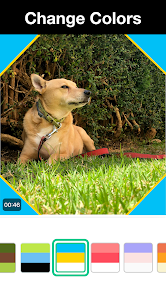
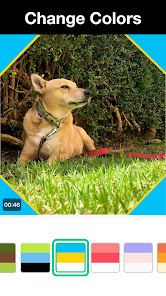
- Customization: Add text, stickers, choose fonts, and change colors.
- Premium Content: Offers premium styles, removes watermark, extends movie length to 10 min (Premium) or more (Professional).
- iStock Library: Professional plan includes access to millions of HD video clips and photos.
- Vimeo Pro Integration: Professional plan includes free access to Vimeo Pro for hosting and sharing.
This tip is derived from multiple user reports stating the app automates editing and requires a subscription for full features.
How this content was created
Content type: pattern_analysis_of_user_reviews_and_metadata
AI generated: Yes
- Google Play user reviews (5 per app), Reviews from July 23, 2019 to May 27, 2022.
- Google Play ratings distribution
- App Store listing metadata
- Review sample is not statistically representative of all user sentiment (n=5, single bucket).
- Claims labeled 'low confidence' are based on single-review observations only.
- No real-world app testing was conducted.
- Feature availability may vary by region, device, and app version.
- The 'liked_negative_reviews', 'liked_positive_reviews', and 'mixed_reviews' buckets were unavailable, limiting the ability to identify high-engagement patterns or balanced feedback.
Pros & Cons
Based on analysis of Google Play user reviews
Pros
- Easy and fun to use for creating quick, shareable videos.
Theme 'Ease of use and fun' identified in recent_review #1
- AI-powered editing quickly turns media into professional-looking videos.
Theme 'AI-powered editing' identified in app description and recent_review #0
- Good for creating videos on the go with a computer version that works great.
Theme 'Desktop version works well' identified in recent_review #3
Cons
- No manual editing control; app auto-edits media with templates, often producing poor results.
Theme 'Lack of manual editing control' identified in recent_review #0 and #2
- Expensive subscription required for basic features, with mandatory annual plans.
Theme 'Expensive subscription' identified in recent_review #1 and #3
- Mobile app is buggy with errors during editing and poor Google Photos integration.
Theme 'Buggy mobile app' identified in recent_review #3 and #4
Recent Reviews
A Google user
1★The app's trash. You don't get to edit your movie, they do it for you by you picking a template and then waiting like twenty minutes for it to come out. I made a series of videos I planned to combine into one massive vlog, and I picked the template "No Filter." So after waiting a long time I watched the video and it cut off at the worst times, messed up the order of the videos...it was just so unbelievably bad. Just find another app, don't use this one. There's plenty of better ones.
A Google user
3★Was a great app when it was free. Might have used it every other month or so and it is fun and very easy. However, a $4.99/ month fee with a REQUIRED annual plan takes the fun away. Since they've already changed what I can do with the app three times, there is no way I will commit to an annual contract when I don't trust that they will keep it the same anymore.
A Google user
2★It's nothing I thought it was going to be. I was under the impression that you had full control to customize it anyway you like but that is not the case. You select which video/pictures you would like then you select something similar to a "theme" and then it makes the video for you. The only customizations that you can apply are subtitles (but you can't choose color, where they are placed, font & size) and a title. (I was doing the professional trial) this is just my experience.
A Google user
3★The premium account is nice HOWEVER the app feels worse. Anytime I try and edit after the initial upload I receive an error message and am forced to delete the entire video and start over. As someone who creates content on the go I find this SO INCREDIBLY FRUSTRATING & RIDICULOUSLY TIME CONSUMING after spending over $400/yr on the service. If you have the time and ability to sit at the computer, it works great. PLEASE FIX THE APP!! More editing options would be appreciated!
Joana Hasty
2★Not a fan of the Google Photos integration on the mobile app. Outside of linking the account, the user experience in picking photos is pretty awful. There's no choice to pick from specific albums and there's no search integrated either. So instead, if I wanted to create a video from my phone, I'd have to scroll through tens of thousands of photos to do so. Why is this so?