By AppHub Editorial Team · Updated August 5, 2026

Vault - Hide Pics, App Lock


Overview
Business
Wafer Co.
Free
Dec 16, 2011
6.9.13.09.22
6.0
$0.99 - $30.99 per item
No
Jan 23, 2026
Features
Vault is a mobile app designed to hide private photos, videos on your phone. Currently there are more than 100 million users worldwide using Vault to protect their mobile privacy while enjoying App Lock, Private Bookmark, Incognito Browser, Cloud Backup and many other helpful features for completely free! Join them now!
Top Features
☆ Hide and Protect Photos & videos: Photos and videos imported into phone can only be viewed or played after the correct password is entered. These photos and vid...
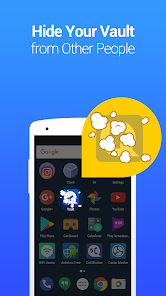
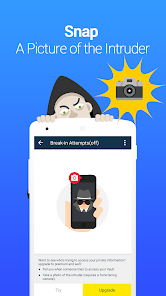
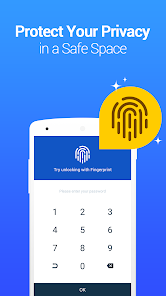
Vault is a mobile app designed to hide private photos, videos on your phone. Currently there are more than 100 million users worldwide using Vault to protect their mobile privacy while enjoying App Lock, Private Bookmark, Incognito Browser, Cloud Backup and many other helpful features for completely free! Join them now! Top Features☆ Hide and Protect Photos & videos: Photos and videos imported into phone can only be viewed or played after the correct password is entered. These photos and videos can also be backed up to Cloud Space for better protection.☆ App Lock (Privacy Protection): Use App Lock to protect your social, photo, call logs and telephone apps to prevent privacy leak.☆ Private Browser: With Private browser, your internet surf will leave no traces behind. There is also Private Bookmark feature.☆ Cloud Backup: Back up your photos and videos to Cloud so they never get lost.☆ Data Transfer: With Cloud Backup feature, you could easily transfer your data to a new phone by cross-device synchronization.☆ Password recovery: Worried about forgetting your password? Set a security email in Vault so you can retrieve it. Advanced Features► Multiple Vault & Fake VaultCreate multiple vaults with different passwords for storing photos, videos respectively. And one of them can be a fake vault.► Stealth ModeMake Vault icon disappear from your home screen and it can only be found again with the correct password, so no one knows it exists.► Break-in AlertsSecretly snaps a picture of any one who attempts to access with a wrong password. Vault captures a photo, the time stamp and PIN code entered by all intruders. Support:► Q&A: 1. What if I forgot my password? If you have a security Email set up before, you should be able to see a "Forgot Password" en-trance once you input the wrong password. Tap on the entrance and follow the instructions to reset your password. If you do not have a security Email but you had backed up your data to cloud space, then the data can be recovered from the cloud by reinstalling Vault app.
Download Vault - Hide Pics, App Lock
Get the official app from the trusted app stores. You will be redirected to the download page.
When you purchase through links on our site, we may earn an affiliate commission. Learn more
Ratings breakdown
1,300,000 reviewsDeveloper contact
Name
MOUTRENB SCIENCE & TECHNOLOGY LIMITED
Address
Rm 1003 10/F LIPPO CTR TWR 1 89 QUEENSWAY 金鐘 Hong Kong
Website
https://lexing.tech/Phone
+852 4417 0950
Support
wafer.may.co+support@gmail.com
Privacy
View policyFrequently Asked Questions
Is Vault safe to use? Will it delete my photos or videos? medium
According to 2 of 5 sampled recent reviews, users have experienced irreversible data loss where the app auto-deleted saved videos or made photos/videos inaccessible. One reviewer lost approximately 100 videos saved over two years. The app's own description warns that some cleaning apps may delete Vault's data folder, which could explain some cases, but the user reports in the sample do not cite cleaning apps as the cause.
Source: user_reviews, app_metadata
Does Vault have ads? medium
Yes. Two of 5 sampled recent reviewers describe the app as having forced, intrusive ads that appear on nearly every screen (home screen, settings, within other apps) and are easily triggered by pressing the wrong button. One reviewer notes the paid version (ranging from $0.99 to $30.99 per item) removes ads but is considered too expensive.
Source: user_reviews, app_metadata
Can I recover my photos if I forgot my Vault password? high
According to the app description, you can reset your password if you set a security email beforehand. If you did not set a security email but backed up your data to the cloud, you can recover data by reinstalling the app and restoring from the cloud. The app also offers a 'Forgot Password' entrance after entering the wrong password.
Source: app_metadata
What is Stealth Mode in Vault? high
Stealth Mode makes the Vault icon disappear from your home screen. To access Vault again, you can add a Vault widget back to your home screen or download the companion app 'NQ Calculator' from Google Play and enter your password there. This feature is described in the app's official description.
Source: app_metadata
How to Use
Vault hides private photos, videos, and apps behind a password-protected vault, and also offers a private browser and cloud backup. (app_description)
Getting Started
Source: app_description_and_user_feedback_noted
- Download and install Vault from Google Play.
- Set a master password on first launch—this will be used to lock and unlock the vault.
- Set a security email for password recovery (recommended by the app description).
- Import photos or videos into the vault by selecting them from your gallery. They can only be viewed after entering the correct password.
- Optional: Enable Stealth Mode to hide the app icon from your home screen for added privacy.
Key Features (from app listing)
Source: app_description
- Hide and protect photos & videos behind a password
- App Lock to protect social media, call logs, and other apps
- Private Browser and Private Bookmark for untracked browsing
- Cloud Backup to prevent data loss and sync across devices
Tip is responsive to verified user complaints in recent_reviews #1 and #5 about data loss. The cloud backup suggestion and folder warning come from the app's own Q&A section in the description.
How this content was created
Content type: pattern_analysis_of_user_reviews_and_metadata
AI generated: Yes
- Google Play user reviews (5 (recent_reviews only) per app), November 2018 to June 2023
- Google Play ratings distribution
- App Store listing metadata
- Review samples are not statistically representative of all user sentiment
- Only 5 recent_reviews were available—no other sample buckets were provided
- Claims labeled 'low confidence' are based on single-review observations only
- No real-world app testing was conducted
- Feature availability may vary by region, device, and app version
Pros & Cons
Based on analysis of Google Play user reviews
Pros
- Effectively hides private photos and videos behind a password-protected vault.
Theme 'Effective media hiding' identified in recent_review #3
Evidence (2)
“This was my go to app”Rating: 3★ November 27, 2018 278 likes“It does the job well”Rating: 2★ March 09, 2021 571 likes - Offers app lock, private browser, and cloud backup features for comprehensive privacy.
Theme 'Comprehensive privacy features' identified in app description
Evidence (1)
“Use App Lock to protect your social, photo, call logs and telephone apps to prevent privacy leak. With Private browser, your internet surf will leave no traces behind.”Rating: 5★ N/A - Customer support is responsive and helpful for transferring paid licenses to new phones.
Theme 'Responsive support' identified in recent_review #4
Evidence (1)
“They responded quickly and explained how to activate the premium version on my new phone.”Rating: 3★ July 23, 2019 8 likes
Cons
- App can auto-delete all saved videos without warning or customer service recourse.
Theme 'Data loss' identified in recent_review #1
Evidence (2)
“This app auto deleted all my videos that I saved over the course of two years, approximately 100 videos...just gone! There is no customer service option to even try to troubleshoot the issue.”Rating: 1★ June 07, 2023 193 likes“All of a sudden I can't get to any of my photos or videos. I also can't import new ones.”Rating: 2★ May 06, 2021 18 likes - Aggressive and intrusive ads that appear even in the app's home screen and settings.
Theme 'Excessive ads' identified in recent_review #3
Evidence (2)
“It's a minefield of ads. I don't mean a few ads, I mean if you press the wrong button (which is easy to do), you've opened an ad up.”Rating: 2★ March 09, 2021 571 likes“they forced a feature where I would swipe from one of the bottom corners that had shortcuts for quick settings and was forced to show ads. So there was an ad no matter where I was, home screen, settings, any app.”Rating: 3★ November 27, 2018 278 likes - Latest update causes the app to crash on opening, making it unusable.
Theme 'App crashing after update' identified in recent_review #1
Evidence (1)
“PS Latest update doesn't eve open app. It just crashes.”Rating: 1★ June 07, 2023 193 likes
Recent Reviews
Marjan Šapkarovski
1★This app auto deleted all my videos that I saved over the course of two years, approximately 100 videos...just gone! There is no customer service option to even try to troubleshoot the issue. These were irreplaceable videos! I am just left with nothing, all the memories lost. I would not recommend this app at all. PS Latest update doesn't eve open app. It just crashes.
A Google user
3★This was my go to app until they forced a feature where I would swipe from one of the bottom corners that had shortcuts for quick settings and was forced to show ads. So there was an ad no matter where I was, home screen, settings, any app. I couldn't find an option to turn it off in the vault settings. I hope you guys stop trying to expand on where you are not needed. I downloaded this for a secure media vault, nothing else.
David P
2★It does the job well but it's a minefield of ads. I don't mean a few ads, I mean if you press the wrong button (which is easy to do), you've opened an ad up. The pay version is too expensive to purchase so you're left with this nightmare of ads to navigate. I would try another app but this one does work the best. You say you removed the ads from my account. How? I just opened the app and it's an avalanche of ads! I understand that you need to generate money but this is ridiculous
A Google user
3★I had an issue when I got a new phone and tried to transfer my paid application over. They responded quickly and explained how to activate the premium version on my new phone. ** Update** I wish I could press and hold on messages or call log items to select, then select multiple items to delete all at once. Currently I have to delete one at a time which is a PIA. The SMS also does not seem to be able to import my side of the conversation, it only imports the hidden contacts side which is also a PIA. I cant even select my messages to import. Its still a decent app though.
Sharetta Lee
2★Not loading or importing.... All of a sudden I can't get to any of my photos or videos. I also can't import new ones. Please fix this issue without me losing all my pics/videos. I have pics/videos of lost loved ones that were too painful to see on a daily basis. Please help! I've had this app for over 5 years and am even a upgraded paid "member." I've never had a problem before now.