By App Discoverer Editorial Team · Updated October 1, 2026
Snapseed
Overview
Photography
Google LLC
Free
Dec 6, 2012
No
May 22, 2024
Features
Snapseed is a complete and professional photo editor developed by Google.
== KEY FEATURES==
== TOOLS, FILTERS AND FACE ==
Snapseed is a complete and professional photo editor developed by Google.== KEY FEATURES==
Download Snapseed
Get the official app from the trusted app stores. You will be redirected to the download page.
When you purchase through links on our site, we may earn an affiliate commission. Learn more
Ratings breakdown
1,740,000 reviewsDeveloper contact
Name
Google LLC
Address
1600 Amphitheatre Pkwy Mountain View, CA 94043 United States
Phone
+1 650-253-0000
Support
apps-help@google.com
Privacy
View policyFrequently Asked Questions
Is Snapseed free and ad-free? high
Yes, Snapseed is a completely free photo editor with no ads. The app's description confirms it has no ads, and recent reviews from users highlight 'NO ADS' as a major positive feature.
Source: app_metadata, user_reviews
Is Snapseed still being updated? medium
Based on recent user reviews, Snapseed is perceived by some users to have not received significant feature updates in years. One July 2025 review states it 'has not improved or kept up with the times' for a decade, and other recent complaints suggest basic features like the crop tool feel outdated.
Source: user_reviews
Can I edit RAW photos with Snapseed? high
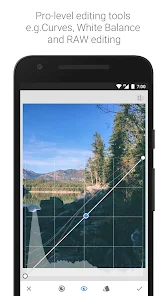
Yes, according to the app's official description on Google Play, Snapseed can open and edit RAW DNG files, allowing for non-destructive editing and export to JPG.
Source: app_metadata
Does Snapseed have a healing tool? high
Yes, the app description lists a 'Healing' tool. A 2025 user review explicitly requested a 'significant improvement' to this tool, confirming its presence and indicating it may be a point of dissatisfaction for some users.
Source: app_metadata, user_reviews
How to Use
Snapseed is a compact, professional-grade photo editing app from Google that allows you to edit, filter, and retouch both JPG and RAW photos. (app_description)
Getting Started
Source: app_description_and_user_feedback_noted
- Download and install Snapseed from the Google Play Store.
- Open the app and tap anywhere to import a photo from your device's gallery.
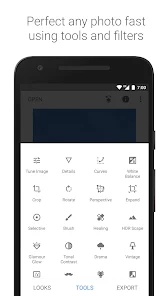
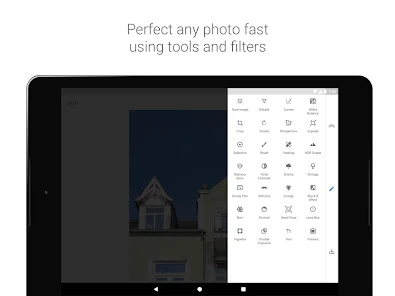
- Explore the 29 available tools and filters by tapping the 'Tools' or 'Filters' tab at the bottom of the screen.
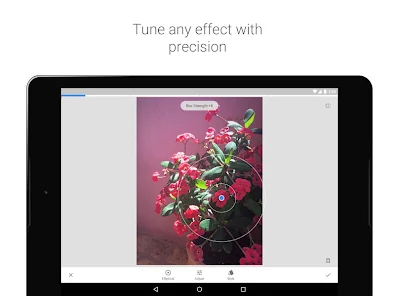
- Select a tool (e.g., 'Tune Image', 'Crop', 'Healing') and adjust its settings using the sliders and on-screen controls.
- To save your edited photo, tap the 'Export' button at the bottom right. You can save a copy, share it, or export as a JPG or RAW DNG file.
Key Features (from app listing)
Source: app_description
- 29 professional tools and filters, including Healing, Brush, HDR, and Perspective.
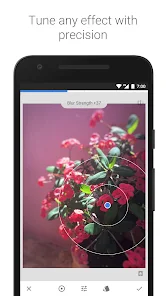
- Selective filter brush and Control Point technology for precise, area-specific edits.
- Ability to open and edit standard JPG and RAW DNG files.
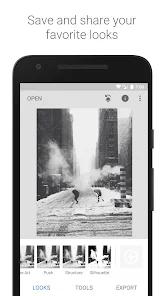
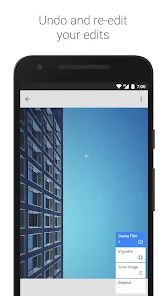
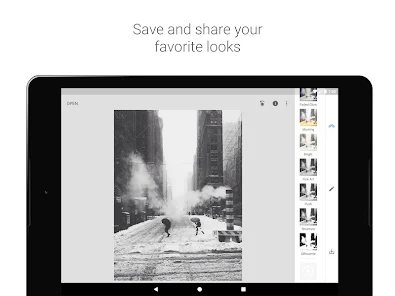
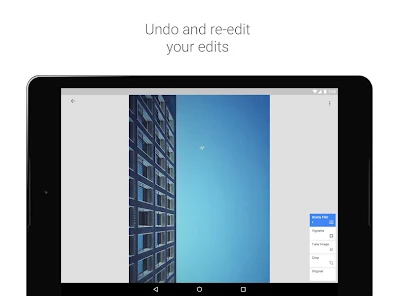
- Save custom 'Looks' (presets) to apply your personal style to new photos quickly.
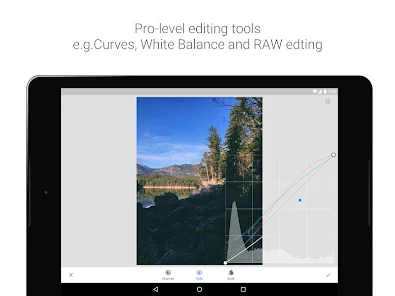
This tip is derived directly from the app description, which mentions the 'Curves' tool and its function: 'Curves - have precise control over the brightness levels in your photos.'
How this content was created
Content type: pattern_analysis_of_user_reviews_and_metadata
AI generated: Yes
- Google Play user reviews (12-20 preferred; may be smaller if source data is limited per app), Reviews are dated from January 24, 2020 to February 21, 2026.
- Google Play ratings distribution
- App Store listing metadata
- Review samples are not statistically representative of all user sentiment
- High-engagement negative reviews can overrepresent complaints
- Claims labeled 'low confidence' are based on single-review observations only
- No real-world app testing was conducted
- Feature availability may vary by region, device, and app version
- The sample for this analysis was very small (5 reviews), limiting the reliability of all findings.
Pros & Cons
Based on analysis of Google Play user reviews
Pros
- Completely free with no ads, providing a clean user experience
Theme 'No ads' identified in recent_review #5 and supported by other positive reviews
Evidence (2)
“NO ADS !!! 5 stars for that !”Rating: 5★ March 07, 2021 607 likes“It's been the same for the past decade.”Rating: 3★ July 30, 2025 116 likes - Offers a wide variety of essential photo editing tools without bloat
Theme 'Essential tools' identified in recent_review #3 and app description
Evidence (2)
“It does a great job and has a wide variety of tools to use as well as a few filters.”Rating: 5★ January 24, 2020 2,646 likes“29 Tools and Filters, including: Healing, Brush, Structure, HDR, Perspective”Rating: 5★ N/A - Lightweight app that doesn't consume much storage space
Theme 'Lightweight' identified in recent_review #5 and #3
Evidence (2)
“Lightweight too”Rating: 5★ March 07, 2021 607 likes“one smaller sized app with the "must have" tools rather than a ginormus app”Rating: 5★ January 24, 2020 2,646 likes
Cons
- Crop function is limited to a few aspect ratios, lacking custom options
Theme 'Limited crop options' identified in recent_review #1
Evidence (1)
“crop function is inexplicably limited to a small number of aspect ratios, and doesn't even include aspect ratios for Google's own devices.”Rating: 3★ February 21, 2026 6 likes - App has not received significant updates or improvements in years
Theme 'Lack of updates' identified in recent_review #2 and #1
Evidence (2)
“Snapseed has not improved or kept up with the times. It's been the same for the past decade.”Rating: 3★ July 30, 2025 116 likes“This would be an ideal app for making device wallpapers from photos except for how the crop function is inexplicably limited”Rating: 3★ February 21, 2026 6 likes - Export/save function is unreliable, frequently failing to save edited photos
Theme 'Export issues' identified in recent_review #4
Evidence (1)
“the app isn't able to consistently export/save my photos. I've uninstalled & reinstalled the app multiple times”Rating: 3★ December 09, 2024 157 likes
Recent Reviews
Eric
3★This would be an ideal app for making device wallpapers from photos except for how the crop function is inexplicably limited to a small number of aspect ratios, and doesn't even include aspect ratios for Google's own devices. Really strange omission and such an easy thing to add that it's baffling that the app is so limited in this way. At least provide a custom crop/resize where we can enter the desired resolution/aspect ratio. MS paint has been able to do this for decades, it's not hard.
Sydney Taylor
3★3 stars is harsh for a fairly good free photo editing app, but Snapseed has not improved or kept up with the times. It's been the same for the past decade. I would like to see a significant improvement to the healing tool. I would also like to see other editing options offered on other platforms. For example, Canva can edit the background and foreground separately, remove objects, expand the image, etc. Other than that, the tools the app offers are still some of the best out there for free.
A Google user
5★I love snap seed! It's a pretty nifty little photo editor. It does a great job and has a wide variety of tools to use as well as a few filters. It works well and is perfect for those who would rather have one smaller sized app with the "must have" tools rather than a ginormus app with thousands of tools, most of which you would never even consider to click on. You can't add, like, stickers or make collages--stuff like that... But it's the best app available if you just need a general editor.
Jocelyn K
3★I've been using this app for at least 2yrs and have loved it! But the past couple of months, the app isn't able to consistently export/save my photos. I've uninstalled & reinstalled the app multiple times, made sure I have the most recent version, & checked my permissions. Most of the time now it won't export or save my edited photo. Then randomly, it will saves/export a photo. But the next photo I work on, it won't save/ export. Not sure what's happened. Sadly now, looking for another editor.
Mashed Out
5★NO ADS !!! 5 stars for that ! I would offer this though...back in the day, when apps were called programs xD I had one that could filter out the patterns in a scanned image from a magazine, or newspaper. What we need now is a filter to get rid of the pattern imbedded in an image when taking a photo of a monitor. I used the grainy filter & that works...but the photo is obviously grainy. There maybe something better in the app already, I just haven't found it. Thanks, cool app. Lightweight too