By App Discoverer Editorial Team · Updated October 1, 2026

Plex: Stream Movies & TV









Overview
Entertainment
Plex, Inc.
Free
Feb 16, 2011
$0.99 - $324.99 per item
No
Feb 16, 2026
Features
Discover what to watch next with Plex.
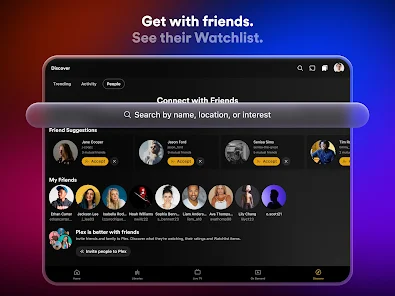
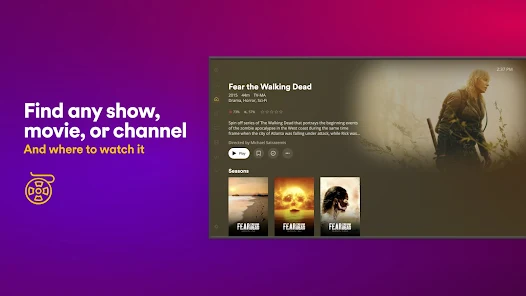
Find any TV show or movie and where it’s streaming, then add it to a universal Watchlist for easy access when you’re ready to press play. Plex is the only entertainment app that gives you every way to discover what you want to watch, easier than ever before. Stream movies and TV shows for free with the Plex personal media player. Connect with friends and fellow fans, and leave TV and movie reviews.
Plex offers a subscription-free streaming experience with...
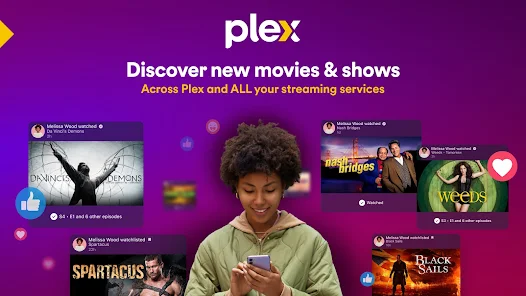
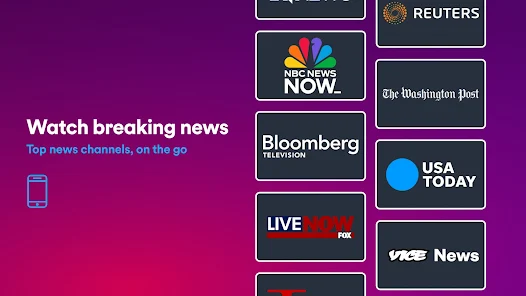
Discover what to watch next with Plex. Find any TV show or movie and where it’s streaming, then add it to a universal Watchlist for easy access when you’re ready to press play. Plex is the only entertainment app that gives you every way to discover what you want to watch, easier than ever before. Stream movies and TV shows for free with the Plex personal media player. Connect with friends and fellow fans, and leave TV and movie reviews. Plex offers a subscription-free streaming experience with access to 600+ channels and thousands of free movies and TV series. Connect all your streaming services to watch TV shows and movies, and see what’s trending across platforms. When you use Plex as a TV show tracker and movie finder, you can create a universal Watchlist to organize everything you want to watch, no matter where it’s streaming. Get free access to over 50,000 titles and 600+ TV channels, including Live TV with news, kids' shows, live sports, and more. Watch movies and your favorite TV series, all in one place. Media streaming, organization, and sharing made easy with Plex. Spend less time searching and get into movie night with Plex’s Discover Feature as your personal TV show and movie finder. Plus, enjoy access to popular movie and TV options from A24, Paramount, AMC, Magnolia, Relativity, Lionsgate, and more! Love Live TV? Watch free TV everywhere with Plex. Featuring an easy-to-use guide, Live TV on Plex includes over 600 free TV channels, including The Hallmark Channel, FOX Sports, FIFA, WNBA, NFL Channel, PBS Antiques Roadshow, and more. Start streaming and catch your favorites on Plex like The Walking Dead Universe, Ice Road Truckers, Game Show Central, and NBC News Now. Now with Plex Rentals, you can rent classic movies or new releases fresh from theaters. Simply sign in, browse the Plex rentals library, and rent your favorite movies or TV series. Download the app now to enjoy Plexanywhere. PLEX FEATURESDISCOVER MORE WITH PLEX
Download Plex: Stream Movies & TV
Get the official app from the trusted app stores. You will be redirected to the download page.
When you purchase through links on our site, we may earn an affiliate commission. Learn more
Ratings breakdown
473,000 reviewsDeveloper contact
Name
Plex, Inc.
Address
1999 South Bascom Avenue Ste 700 Pmb 735 Campbell, CA 95008 United States
Website
https://www.plex.tvPhone
+1 408-384-3197
Support
support@plex.tv
Privacy
View policyFrequently Asked Questions
Is Plex free to use? high
Plex is free to download and use for streaming its free ad-supported TV channels and movies. However, some features like personal media streaming to multiple devices require a Plex Media Server (free) and optionally a Plex Pass (lifetime or subscription) for advanced features like hardware transcoding. In-app purchases range from $0.99 to $324.99 per item.
Source: app_metadata, description
Can I use Plex only for my own movie files (personal media server)? medium
Yes, Plex is built around personal media servers. You need to install the free Plex Media Server software on a computer or NAS device, then you can stream your movies, TV shows, music, and photos to the Android app. However, multiple recent reviews indicate that the app's focus on free TV/On Demand content may feel intrusive, and some long-time users are frustrated by the lack of an option to disable those features.
Source: app_description, user_reviews
Does Plex have a good interface? low
In the small sample of 5 recent reviews, 1 reviewer (rating 3) said the app 'functions smoothly and has a nice UI.' However, the same reviewer noted that music and photos have been removed to separate apps, and the photo app is lacking. The other 4 reviewers did not comment positively on the interface; they focused on server access issues and the change in focus away from personal media. The overall app rating is 3.7 stars from 473,000 reviews, suggesting a generally positive but not exceptional user experience.
Source: user_reviews, ratings_data
Can I watch live sports on Plex? high
Yes, Plex offers over 600 free TV channels including live sports such as FOX Sports, FIFA, WNBA, and NFL Channel. The app also includes news and local TV channels.
Source: app_description
Why can't I access my Plex server from the Android app? low
Two recent reviews (December 2025 and January 2026) report being unable to access their personal media server from the Android app, receiving messages like 'this can't be accessed' or 'I don't have access to it.' One reviewer noted that the Web portal and Xbox app work fine, suggesting this is a bug specific to the Android app. These reports may indicate a recent regression in Android app connectivity.
Source: user_reviews
How to Use
Plex is a personal media server and free ad-supported streaming app that lets you organize, stream, and share your own movies, TV shows, and music, as well as discover free live TV channels and on-demand content. (app_description)
Getting Started with Your Personal Media Server
Source: app_description_and_user_feedback_noted
- Download and install Plex Media Server on a computer or NAS device from plex.tv/downloads (version 1.41.2 or higher).
- Add your movie, TV show, and music folders to the server's library.
- Install the Plex Android app and sign in with the same Plex account.
- Access your media from the app. If you see an access error, try the Web portal or a different device (like Xbox) to check if the issue is Android-specific.
Using Free TV and On Demand
Source: app_description
- Browse and watch over 50,000 free movies and TV shows with ads.
- Watch live TV with a guide featuring over 600 channels including news, sports, and kids shows.
- Create a universal Watchlist to save content from different streaming services.
- Discover what to watch with recommendations and see what friends are watching.
Based on user review #1 (May 2025) expressing frustration that Plex Pass users cannot disable the free streaming features, and review #3 who wishes the interface was still 'clean, easy' for personal libraries.
How this content was created
Content type: pattern_analysis_of_user_reviews_and_metadata
AI generated: Yes
- Google Play user reviews (5 per app), May 21, 2025 to February 17, 2026
- Google Play ratings distribution
- App Store listing metadata
- The sample of 5 recent reviews is extremely small and not representative of all user sentiment (473,000 total reviews, 3.7 rating).
- High-engagement complaints and praise (liked_negative and liked_positive buckets) were not available, so popular community opinions could not be assessed.
- Claims labeled 'low' or 'medium' confidence are based on very few observations and may not reflect common user experiences.
- No real-world app testing was conducted; all claims about bugs or features are derived solely from user reports.
- The app's focus on free streaming vs. personal media may vary by user preference, and the sample skews heavily toward long-time personal media users.
Pros & Cons
Based on analysis of Google Play user reviews
Pros
- Smooth app performance and a nice user interface for streaming personal media.
Theme 'Good UI/performance' identified in recent_review #4
Evidence (1)
“overall, the app functions smoothly and has a nice UI.”Rating: 3★ December 17, 2025 13 likes - Free access to a large library of movies, TV shows, and live TV channels.
Theme 'Free content' identified in app description
Evidence (1)
“Get free access to over 50,000 titles and 600+ TV channels, including Live TV with news, kids' shows, live sports, and more.”Rating: 5★ N/A - Universal Watchlist helps track content across multiple streaming services.
Theme 'Universal Watchlist' identified in app description
Evidence (1)
“create a universal Watchlist to organize everything you want to watch, no matter where it’s streaming.”Rating: 5★ N/A
Cons
- Cluttered interface with unwanted Live TV, On Demand, and Discover sections for personal media users.
Theme 'Unwanted features' identified in recent_review #1 and #3
Evidence (2)
“I use Plex ONLY to watch my personal movie and TV library. I paid for a lifetime Plex Pass... At the very least, Plex Pass users should be able to disable the Live TV, On Demand, and Discover buttons”Rating: 2★ May 21, 2025 800 likes“now it's all about revenue from streaming and the new interface proves it. so ugly, impossible to navigate smoothly and libraries are a mess.”Rating: 2★ February 17, 2026 6 likes - Frequent playback errors and inability to access personal media libraries.
Theme 'Playback/access issues' identified in recent_review #2 and #5
Evidence (2)
“I can't watch anything !! It keeps telling me this can't be accessed and I've downloaded like 7 TV series to watch.”Rating: 1★ December 19, 2025 145 likes“Now I simply can't access my home server, getting a message that I don't have access to it.”Rating: 1★ January 13, 2026 53 likes - Removal of music and photo features to separate apps, which are lacking in functionality.
Theme 'Removed features' identified in recent_review #4
Evidence (1)
“music and photos were removed for separate apps. would be fine but the separate apps, especially for photos, are substantially lacking and features this app used to have.”Rating: 3★ December 17, 2025 13 likes
Recent Reviews
Levi Combs
2★I do not care about Live TV, On Demand, or Discover. I use Plex ONLY to watch my personal movie and TV library. I paid for a lifetime Plex Pass so I could support Plex without all the extra garbage. At the very least, Plex Pass users should be able to disable the Live TV, On Demand, and Discover buttons on the navigation bar. Also give me the ability to separate my movies & TV shows! This new layout is horrific.
Chris
1★What's going on with your platform !! I can't watch anything !! It keeps telling me this can't be accessed and I've downloaded like 7 TV series to watch. I'm starting to get aggravated. I have a ROKU TV as well which is a clear cut streaming TV. I shouldn't be having these kinds of issues where the vast majority can't even be watched on the platform it literally says it's on (Plex).
Bryan Tobin
2★I have a life long pass and have for many many years before there was any "free" tv and streaming added. aka when it was good, clean, easy interface to stream your personal media library. They held out longer than I thought they would but now it's all about revenue from streaming and the new interface proves it. so ugly, impossible to navigate smoothly and libraries are a mess. it's all bubbly and fluffy. everything plex claimed they would never be. I don't want to but I hear jellyfin is nice
Nick Russo
3★overall, the app functions smoothly and has a nice UI. the issues come with the fact that music and photos were removed for separate apps. would be fine but the separate apps, especially for photos, are substantially lacking and features this app used to have. for example, in photos, you cannot delete a photo you do not want, you cannot download it to share it with somebody. you can't do anything with the photos but look at them. it's been a beta forever. The updated Roku tv app is atrocious.
Tom Maddox
1★This app used to be amazing. You could open it up and access your home media server in a heartbeat. Now I simply can't access my home server, getting a message that I don't have access to it. The Web portal works fine, as does the Xbox app so this is clearly an issue with the Android app. I've been to the forums, where multiple people are having the same issue.