By App Discoverer Editorial Team · Updated October 1, 2026
Drawing Pad Lite - Artbook






Overview
Art & Design
Cards
Free
Nov 30, 2021
2.5.8.3
6.0
$0.99 - $99.99 per item
No
Aug 19, 2025
Features
Sketchbook Lite
Say Hello to Sketchbook Lite
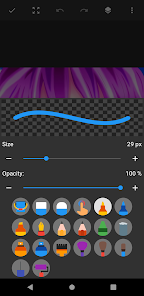
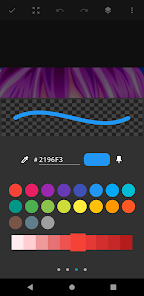
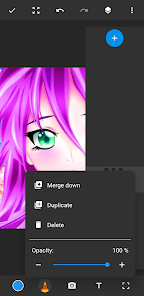
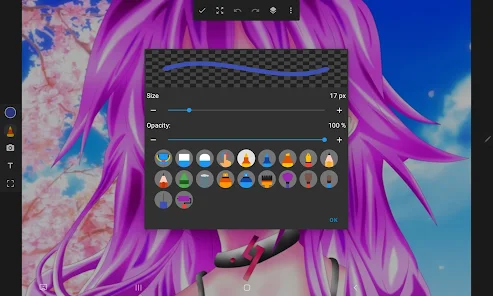
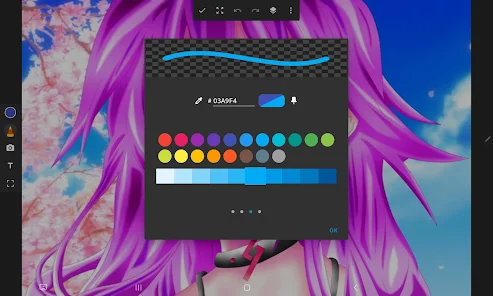
Great Sketchbook Brushstrokes!✏ At the heart of Sketchbook Lite is its powerful bru...
Sketchbook Lite
Download Drawing Pad Lite - Artbook
Get the official app from the trusted app stores. You will be redirected to the download page.
Official Links
When you purchase through links on our site, we may earn an affiliate commission. Learn more
Ratings breakdown
83,700 reviewsDeveloper contact
Name
NOVAMIND AI LTD
Address
1 Atirei Yeda KFAR SABA, 4464301 Israel
Website
https://cardsapp.com/sketchlitePhone
+1 620-390-2435
Support
support.sketchlite@cardsapp.com
Privacy
View policyFrequently Asked Questions
Is Drawing Pad Lite - Artbook free to download? high
Yes. The app metadata lists Drawing Pad Lite - Artbook as free, with in-app purchases listed as $0.99 - $99.99 per item.
Source: app_metadata
What do sampled users complain about in Drawing Pad Lite - Artbook? low
Drawing Pad Lite - Artbook has sampled reports of connection, sync, backup, or device pairing problems. Only 1 sampled review supports this theme, so confidence is low.
Source: user_reviews
What do sampled users like about Drawing Pad Lite - Artbook? medium
Drawing Pad Lite - Artbook is praised by sampled reviewers as easy, useful, or convenient. 2 sampled reviews or 1 sampling buckets support this theme.
Source: user_reviews
How to Use
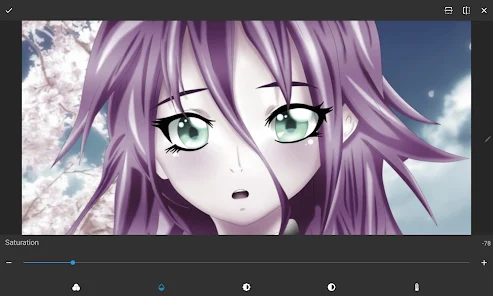
Sketchbook Lite - Artbook!Say Hello to Sketchbook Lite - Artbook - the ultimate sketch pad designed to ignite your creativity and provide the perfect place to start sketching independently. (app_description)
Getting Started
Source: app_description_and_user_feedback_noted
- Install Drawing Pad Lite - Artbook from the appropriate app store.
- Open the app and start with the free experience.
- Review the main features described in the app listing.
- Check settings or support resources if you run into sampled issue patterns such as drawing pad lite - artbook has sampled reports of connection, sync, backup, or device pairing problems.
Key Features (from app listing)
Source: app_description
- Art & Design app experience
- Free download
- From Cards
- 10,000,000+ downloads listed
Theme 'easy, useful, or convenient to use' identified in recent_reviews #2, recent_reviews #4. Review #2 praises easy, useful, or convenient to use. Review #4 praises easy, useful, or convenient to use.
How this content was created
Content type: pattern_analysis_of_user_reviews_and_metadata
AI generated: Yes
- Google Play user reviews (12-20 preferred; may be smaller if source data is limited per app), December 24, 2024 to July 18, 2025
- Google Play ratings distribution
- App Store listing metadata
- Review samples are not statistically representative of all user sentiment
- High-engagement negative reviews can overrepresent complaints
- Claims labeled 'low confidence' are based on single-review observations only
- No real-world app testing was conducted
- Feature availability may vary by region, device, and app version
Pros & Cons
Based on analysis of Google Play user reviews
Pros
- Free version is very usable and offers good features for casual drawing.
Theme 'Good free version' identified in recent_review #1 and #4
Evidence (2)
“The base app without buying premium is really good and very usable”Rating: 4★ July 18, 2025 82 likes“As a Lite sketch app, it's pretty useful. Obviously, as the name implies, I wouldn't use it for any profesional art.”Rating: 5★ February 14, 2024 377 likes - Simple and easy-to-use interface with a nice layout.
Theme 'Easy to use' identified in recent_review #2 and #3
Evidence (2)
“the layout is simple and easy to use.”Rating: 3★ February 04, 2026 8 likes“I honestly have nothing to complain about, the ads aren't very consistent because most of the time it's a little bar at the top of your screen”Rating: 5★ January 12, 2026 84 likes - Tracing feature is helpful for beginners to improve their drawing.
Theme 'Helpful tracing feature' identified in recent_review #1 and #3
Evidence (2)
“I love being able to trace, it helps a lot for someone who is not great at drawing!”Rating: 4★ July 18, 2025 82 likes“I like how you can add pictures if you need a reference right there in front of your face.”Rating: 5★ January 12, 2026 84 likes
Cons
- Ads have become more intrusive, appearing while drawing and opening tabs.
Theme 'Intrusive ads' identified in recent_review #2 and #5
Evidence (2)
“The ads are also pretty annoying, but you can bypass that by turning off your wifi.”Rating: 3★ February 04, 2026 8 likes“the ads for the app have gotten worse, where before it would only give ads in the menu, but now it gives ads when opening tabs while drawing.”Rating: 2★ December 24, 2024 34 likes - Artwork does not transfer between devices or sync to an account.
Theme 'No cloud sync' identified in recent_review #2
Evidence (1)
“I switched it over to my new phone, and realized unfortunately your art works do not transfer over. it doesn't connect to your Google account, so it doesn't save anywhere but in-app unless you download it.”Rating: 3★ February 04, 2026 8 likes - Blending tool is poor and tends to blend into the background.
Theme 'Poor blending tool' identified in recent_review #5
Evidence (1)
“The blending tool isn't good, and tends to blend into the background.”Rating: 2★ December 24, 2024 34 likes
Recent Reviews
Kelpy G
4★Honestly, it's a really good sketchbook. The base app without buying premium is really good and very usable, though I think the premium prices are pretty high (14.99$ per week). Still, I wouldn't know very well because this is one of the first drawing apps I've used. Also, I love being able to trace, it helps a lot for someone who is not great at drawing!
RabidSockPuppet
3★I really love the crayon brush in this app, and the layout is simple and easy to use.It's been my primary art app for a few months now, and I switched it over to my new phone, and realized unfortunately your art works do not transfer over. I didn't lose any art, but it doesn't connect to your Google account, so it doesn't save anywhere but in-app unless you download it. The ads are also pretty annoying, but you can bypass that by turning off your wifi.
Tyra Barton
5★I honestly have nothing to complain about, the ads aren't very consistent because most of the time it's a little bar at the top of your screen (away from where you draw at, like most other apps). I like how you can add pictures if you need a reference right there in front of your face. I've been looking for an app like that for a while and this one is great, trust me guys if the reviews are negative it might be there device just give it a try, it's Been great for me and I've made great art❤✨
Tyler Baker
5★As a Lite sketch app, it's pretty useful. Obviously, as the name implies, I wouldn't use it for any profesional art. But small touch ups can be done for a lot of things. It has a paid or a free version. The few times I've used it, I've uses the free version. Watch an ad and that's it. So I can't comment if the paid version is worth it, but over all a pretty handy app.
Rain The Dreamer
2★The app is easy to use, but is missing functions you would expect from a drawing app. The blending tool isn't good, and tends to blend into the background. The ads for the app have gotten worse, where before it would only give ads in the menu, but now it gives ads when opening tabs while drawing. There's no way to know when you're going to get an ad, and this has caused several times where I have accidentally clicked an ad and have been forced off the app to a website I don't trust.