By App Discoverer Editorial Team · Updated October 1, 2026

HD Video Player All Formats





Overview
Video Players & Editors
ASD Dev Video Player for All Format
Free
Aug 1, 2016
v12.1.412
6.0
$0.49 - $35.99 per item
No
Feb 26, 2026
Features
Video player (MP3 player) for all formats like mp3, mp4, MOV, etc. It gives a list of features to play videos and songs.
This player supports all video formats like HD, Full HD, 4K, and Ultra HD video files. It is one of the best Powerful HD video player for Android.
Enjoy this Christmas and New Year with smooth HD playback for all your favorite videos.
Perfect Video player to play videos, manage your files, folders with file manager, scan duplicate files, hider and cleaner.
KEY FEATURES:...
Video player (MP3 player) for all formats like mp3, mp4, MOV, etc. It gives a list of features to play videos and songs. This player supports all video formats like HD, Full HD, 4K, and Ultra HD video files. It is one of the best Powerful HD video player for Android. Enjoy this Christmas and New Year with smooth HD playback for all your favorite videos. Perfect Video player to play videos, manage your files, folders with file manager, scan duplicate files, hider and cleaner. KEY FEATURES:
Download HD Video Player All Formats
Get the official app from the trusted app stores. You will be redirected to the download page.
Official Links
When you purchase through links on our site, we may earn an affiliate commission. Learn more
Ratings breakdown
333,000 reviewsDeveloper contact
Name
RAREPROB SOLUTIONS PRIVATE LIMITED
Address
1305, Second Floor, Doon Express Business Park, Saharanpur Road Transport Nagar, Subhash Nagar Dehradun, Uttarakhand 248002 India
Phone
+91 99713 00429
Support
ashishpsaini@gmail.com
Privacy
View policyFrequently Asked Questions
Does HD Video Player All Formats support background playback? high
Yes, the app includes a background playback feature that allows you to listen to audio with the screen off. Some users have reported occasional echoing or duplicate files during background use, but overall it is a highly valued feature. The app also supports split-screen and floating window modes.
Source: user_reviews, app_metadata
Is HD Video Player All Formats free? high
Yes, the app is free to download and use. It contains ads, but a lifetime ad removal option is available via in-app purchase for less than $10. In-app purchases range from $0.49 to $35.99 per item.
Source: app_metadata
Does HD Video Player All Formats support Chromecast? low
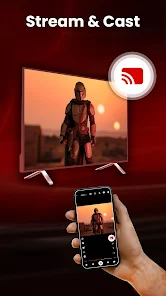
The app listing mentions casting video to TV from your Android phone. However, one user review indicates that the Chromecast feature may need improvement. The exact issue is not specified in the review.
Source: user_reviews, app_metadata
What video formats does HD Video Player All Formats support? high
The app supports a wide range of formats including MKV, MP4, M4V, MOV, 3GP, FLV, WMV, TS, MP3, MPG, and more. It also supports Ultra HD, 4K, and Full HD resolutions.
Source: app_metadata
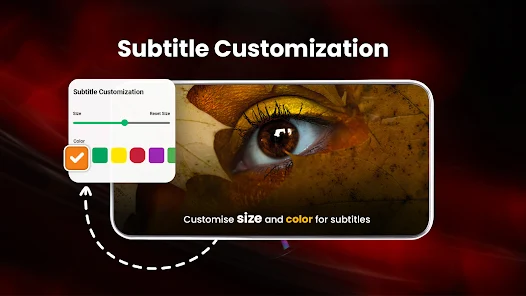
Does the app automatically load subtitles? low
The app offers a subtitle downloader, but according to one user review, it does not automatically pick subtitles even when they have the same filename as the video. You may need to manually select subtitles.
Source: user_reviews, app_metadata
What Android version is required for HD Video Player All Formats? high
The app requires Android 6.0 (Marshmallow) or higher. It has been downloaded over 100 million times and has a rating of 4.4 out of 5 stars from 333,000 reviews.
Source: app_metadata
How to Use
HD Video Player All Formats is a versatile media player that supports a wide array of video and audio formats, offering features like background playback, floating window, subtitle downloader, and file management. This guide covers getting started, key features, and a pro tip based on user feedback. (app_description)
Getting Started
Source: app_description_and_user_feedback_noted
- Download and install the app from the Google Play Store. Grant the necessary storage permissions when prompted.
- Open the app. It will automatically scan your device and SD card for all video and audio files and display them in the library.
- Tap on any video or audio file to start playback. Use the on-screen controls to adjust volume, brightness, and playback speed.
- To use background playback, start playing a video, then press the home button or use the notification controls to continue audio with the screen off.
- To activate the floating window, tap the floating icon while a video is playing. You can then resize and reposition the window while using other apps.
Key Features (from app listing)
Source: app_description
- Supports all popular formats: MKV, MP4, MOV, 3GP, FLV, WMV, TS, MP3, MPG, and more, including Ultra HD and 4K resolution.
- Cast videos to TV from your Android device.
- Built-in video downloader for social media and other sites.
- Background playback, split-screen mode, and floating window (pop-up) player.
- Hardware acceleration with HW+ decoder and extension mode.
- Video locker and video hider for private files.
- Playback speed control and dual audio support.
- Sleep timer for both video and music.
- Built-in gallery to manage photo albums.
- File manager with duplicate file scanning, encryption/decryption, and PIN protection.
- Equalizer with bass boost and virtualizer.
- Night mode to reduce blue light exposure.
- Smart gestures for volume, brightness, and playback control.
Based on a user review reporting echoing audio and duplicate files during background playback, suggesting a temporary workaround may help until a fix is released.
How this content was created
Content type: pattern_analysis_of_user_reviews_and_metadata
AI generated: Yes
- Google Play user reviews (12-20 preferred; may be smaller if source data is limited per app), June 02, 2023 to December 24, 2025
- Google Play ratings distribution
- App Store listing metadata
- Review samples are not statistically representative of all user sentiment
- Only recent reviews were available; no high-engagement or mixed reviews were provided
- Claims labeled 'low confidence' are based on single-review observations only
- No real-world app testing was conducted
- Feature availability may vary by region, device, and app version
Pros & Cons
Based on analysis of Google Play user reviews
Pros
- Background playback with screen off is a highly valued feature medium
Theme 'background playback' appears in 2 recent_reviews. Reviewer #1 praises listening with screen off. Reviewer #4 mentions background play as great but requests a fix for an echoing issue, confirming the feature is valued even when imperfect.
Evidence (2)
“This app is great for listening music while the screen is off and I REALLY like that feature.”Rating: 5★ April 10, 2024 4,592 likes“pretty please fix the background play feature. it's great for the most part until while I'm listening, it'll randomly start echoing the audio”Rating: 4★ December 11, 2025 969 likes - Floating window interface improvements are praised as a standout feature low
Theme 'floating window' appears in 1 recent_review. Reviewer #3 explicitly states the floating window control additions make this the only player they'd pay for, indicating strong positive reception.
Evidence (1)
“You were smart enough to add more controls to the "floating window interface", this is probably the only player I can pay for on play store.”Rating: 5★ December 24, 2025 6,378 likes - HD video playback quality is praised by users low
Theme 'HD quality' appears in 1 recent_review. Reviewer #5 explicitly states the app does HD very well and makes videos look great.
Evidence (1)
“It's a great video player and does HD VERY well. It sure makes my videos look GOOOOOD!!!”Rating: 5★ December 02, 2025 5,296 likes - Reasonable ad removal pricing is noted positively medium
Theme 'ad-free pricing' appears in 2 recent_reviews. Reviewer #2 mentions lifetime ad removal for under $10 is reasonable. Reviewer #5 acknowledges ads exist and justifies them as a way for the developer to earn money, indicating acceptance.
Evidence (2)
“The lifetime ad removal of less than $10.00 is reasonable.”Rating: 4★ June 02, 2023 7,354 likes“Sure, there are ads every now and then. But, they got to make money somehow.”Rating: 5★ December 02, 2025 5,296 likes
Cons
- Background playback can produce echoing audio and duplicate files low
Theme 'background playback issues' appears in 1 recent_review. Reviewer #4 reports random echoing of audio during background play and creation of duplicate video entries, indicating a bug.
Evidence (1)
“while I'm listening, it'll randomly start echoing the audio in a really annoying fashion. And when I go back into the app, I find several new duplicates of the same video I was just listening to.”Rating: 4★ December 11, 2025 969 likes - Subtitle detection does not work automatically even when filenames match low
Theme 'automatic subtitle detection' appears in 1 recent_review. Reviewer #3 notes the app doesn't pick subtitles automatically even when they share the same filename as the video.
Evidence (1)
“It doesn't pick subtitles automatically even when they have the same name as file and you can'”Rating: 5★ December 24, 2025 6,378 likes - Chromecast functionality requires improvement low
Theme 'Chromecast issues' appears in 1 recent_review. Reviewer #2 mentions that the only thing needing fixing is the Chromecast feature, though the snippet is cut off.
Evidence (1)
“The only thing needing fixing is the Chromecast ”Rating: 4★ June 02, 2023 7,354 likes - No option to stop music playback after Bluetooth disconnection low
Theme 'Bluetooth disconnection behavior' appears in 1 recent_review. Reviewer #1 asks for a way to stop audio from continuing after Bluetooth disconnects, indicating missing feature.
Evidence (1)
“How do you stop the app from continuing to play music after you disconnect from bluetooth? I hope there is an option for this”Rating: 5★ April 10, 2024 4,592 likes
Recent Reviews
William Cortes
5★This app is great for listening music while the screen is off and I REALLY like that feature. However i do have a question. How do you stop the app from continuing to play music after you disconnect from bluetooth? I hope there is an option for this so that music doesn't start playing whenever i disconect form bluetooth. Overall, it is a very helpful app and I would recommend this to everyone!
Barry Foxworth
4★A lot has changed in 3 years, thank you! The settings are now easy to control; the phone's video folders are easy to find and the overall experience is much better. Last time I gave it 1 star. The lifetime ad removal of less than $10.00 is reasonable. The only thing needing fixing is the Chromecast TV viewing that looses picture and or sound where I have to keep canceling then having to reset all over again! Kind of a bummer!
Kuber Gupta
5★Good Job guys! You were smart enough to add more controls to the "floating window interface", this is probably the only player I can pay for on play store. I've been looking for this one feature for years! It doesn't pick subtitles automatically even when they have the same name as file and you can't browse to memory card when looking for subtitle. These 2 things are not cool...
Laneme Der
4★pretty please fix the background play feature. it's great for the most part until while I'm listening, it'll randomly start echoing the audio in a really annoying fashion. And when I go back into the app, I find several new duplicates of the same video I was just listening to. Also, one more thing, please make your search bar more effective. Because for some reason, I'd go to search something under videos, I'd put in the entire video title and it'll still just show the most recent. Please fix!
Arise?
5★only needed something that allowed me to watch my videos on my mobile phone and this app does as advertised. It's a great video player and does HD VERY well. It sure makes my videos look GOOOOOD!!! Sure, there are ads every now and then. But, they got to make money somehow. And it makes it so that we could use this app for free. If you need a great video player, then look no further...