By AppHub Editorial Team · Updated August 3, 2026

Screen Recorder Video Recorder






Overview
Video Players & Editors
VIDEOSHOW Video Editor & Maker & AI Chat Generator
Free
Jun 5, 2018
8.2.2.3
5.0
$0.99 - $179.99 per item
No
Feb 26, 2026
Features
V Recorder is a stable screen recorder/game recorder/video saver for android, also a powerful all-in-one video editor and photo editor.
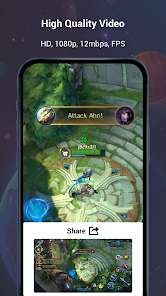
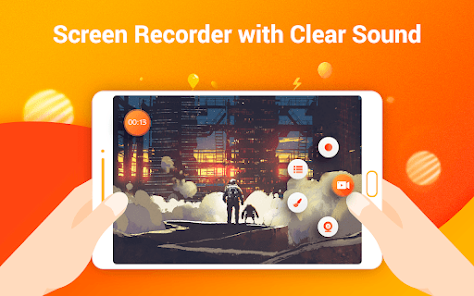
Video Recorder allows you to record game while playing, capture screen with one touch and edit video with filters, effects, music. It's our duty to offer users high quality video and clear screenshot with no rooting and no recording time limit. You can draw on the screen while recording, record phone screen with internal/external sound easily.
Powerful Video...
V Recorder is a stable screen recorder/game recorder/video saver for android, also a powerful all-in-one video editor and photo editor. Video Recorder allows you to record game while playing, capture screen with one touch and edit video with filters, effects, music. It's our duty to offer users high quality video and clear screenshot with no rooting and no recording time limit. You can draw on the screen while recording, record phone screen with internal/external sound easily. Powerful Video Recording:
Download Screen Recorder Video Recorder
Get the official app from the trusted app stores. You will be redirected to the download page.
When you purchase through links on our site, we may earn an affiliate commission. Learn more
Ratings breakdown
1,670,000 reviewsDeveloper contact
Name
VIDEOSHOW PTE. LTD.
Address
11 North Buona Vista Drive #08-09 The Metropolis Singapore 138589
Website
http://www.videoshowapps.com/Phone
+65 9645 9302
Support
support@videoshowapps.com
Privacy
View policyFrequently Asked Questions
Is there a free version of V Recorder? high
Yes, there is a free version with basic recording features. However, the free trial lasts only 3 days, after which premium access costs $19.99 per month or approximately $80-$89.99 per year, based on user reports. In-app purchases range from $0.99 to $179.99 per item.
Source: user_reviews, app_metadata
Does V Recorder work for recording game audio and internal sound? medium
The app claims to support recording internal audio and external sound. User reports are mixed: one reviewer successfully recorded song covers using headphone mic, while two others reported corrupted or unplayable video files after recording. The app description mentions support for internal/external audio, but recording reliability varies.
Source: app_metadata, user_reviews
Are there any free alternatives to V Recorder? low
Yes. One reviewer specifically mentions AZ Screen Recorder as a free alternative that offers similar recording quality with no watermark and minimal ads. This is based on a single user comparison and not a comprehensive analysis.
Source: user_reviews
How to Use
V Recorder is a screen recording app that allows users to capture phone screens, record games, edit videos with filters and music, and take screenshots without requiring root access. (app_description)
Getting Started
Source: app_description_and_user_feedback_noted
- Download V Recorder from the Google Play Store and install on your Android device running Android 5.0 or higher.
- Open the app and grant the necessary permissions (storage, microphone, overlay) when prompted.
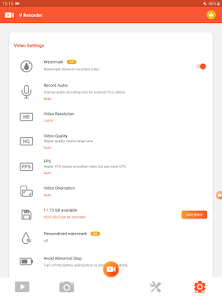
- Configure recording settings: choose aspect ratio (widescreen, vertical, or square), video quality, and whether to record internal audio, external audio, or both.
- Tap the floating button or notification to start recording. You can pause and resume at any time with a single tap.
Key Features (from app listing)
Source: app_description
- One-touch screen recording with no time limit and no root required
- Internal and external audio recording support
- Facecam recording to capture your reactions while recording
- AI-powered image analysis to summarize, analyze content, extract text, and answer questions from screenshots
- AI noise reduction to reduce background noise and clarify human voice
- Custom floating window with replaceable buttons
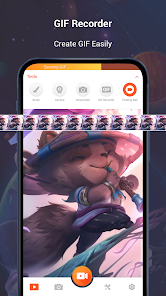
- GIF recorder and GIF maker
- Video editing tools including reverse, rotate, trim, speed control, filters, stickers, themes, and fully licensed music
- Photo editing tools including text, rotate/crop, magic brush, and mosaic blur
Based on recent user reviews reporting that recordings often fail or produce corrupted files, and the premium subscription costs $80-$90 per year. Testing the free trial first helps avoid paying for features that may not work reliably on certain devices.
How this content was created
Content type: pattern_analysis_of_user_reviews_and_metadata
AI generated: Yes
- Google Play user reviews (12-20 preferred; may be smaller if source data is limited per app), June 09, 2019 to June 12, 2024
- Google Play ratings distribution
- App Store listing metadata
- Review samples are not statistically representative of all user sentiment
- Claims labeled 'low confidence' are based on single-review observations only
- No real-world app testing was conducted
- Feature availability may vary by region, device, and app version
- Only 5 recent reviews were available for analysis; no high-engagement or mixed review buckets were provided
- Review dates span from 2019 to 2024, so some feedback may not reflect the current version
Pros & Cons
Based on analysis of Google Play user reviews
Pros
- Free version works perfectly for recording live events and seminars.
Theme 'Free version works well' identified in recent_review #3
Evidence (1)
“I've been able to record some live seminars and events I've attended & it's worked perfectly!! It recorded the whole thing!!”Rating: 5★ January 18, 2023 113 likes - App is useful for recording audio covers by isolating vocals from background music.
Theme 'Great for audio covers' identified in recent_review #4
Evidence (1)
“I use the app in order to record covers of different songs . I'm able to sing along with the original song and have a recording that's of me solo and acapella...”Rating: 5★ June 12, 2024 865 likes - App provides high-quality recording with no watermarks in the free version.
Theme 'Good quality free recording' identified in recent_review #1
Evidence (1)
“AZ Screen Recorder is just as good... because it offers the same quality of recording, with no watermarks and very minimal ads, for FREE.”Rating: 3★ June 09, 2019 412 likes
Cons
- Premium subscription is extremely expensive at $80-$90 per year.
Theme 'Too expensive' identified in recent_review #1
Evidence (2)
“Way too expensive.. What's up with that? After I seen that it said "free for 3 days and then $80.00 per year", I immediately uninstalled.”Rating: 3★ June 09, 2019 412 likes“There is also a Premium Version but the price is quite steep @ $19.99 a mo. or $89.99 a yr.”Rating: 5★ January 18, 2023 113 likes - Recorded videos frequently fail to open or are corrupted after recording.
Theme 'Corrupted recordings' identified in recent_review #2
Evidence (2)
“Everytime i would press on the video, it would just say "failed to open video". And out of the many videos that i have recorded, only 2 of them worked.”Rating: 2★ June 17, 2023 242 likes“Most of the time pressing record doesn't actually work; 9/10 times it'll say it's recording just to end up with a corrupted file that's only like 10 seconds long.”Rating: 1★ October 07, 2023 385 likes - App has become broken and unusable after updates over the past year.
Theme 'App broken after updates' identified in recent_review #5
Evidence (1)
“The app hasn't worked well for like over a year now... Now, it's just completely broken.”Rating: 1★ October 07, 2023 385 likes
Recent Reviews
A Google user
3★Way too expensive.. What's up with that? After I seen that it said "free for 3 days and then $80.00 per year", I immediately uninstalled. AZ Screen Recorder is just as good, if not perhaps even better, because it offers the same quality of recording, with no watermarks and very minimal ads, for FREE. There's absolutely no way to justify $80.00 per year in my mind for a screen recorder, when there are apps like AZ Screen Recorder that are free.
Lisairy Lozada
2★Sometimes when im finished recording a video, i wouldnt be able to open the video and look over it. Everytime i would press on the video, it would just say "failed to open video". And out of the many videos that i have recorded, only 2 of them worked. It would have been 3 of them that worked, but the 3rd one got corrupted and when i fixed it, it wasnt even fully recorded. It was only 2 minutes long even though it took about 10-15 minutes to record.
Shawn Tate (Miss Shawnee)
5★So I've just downloaded the app & I'm still trying to figure out how it all works in the free version. There is also a Premium Version but the price is quite steep @ $19.99 a mo. or $89.99 a yr. (At least that's what I believe I read.) A little too pricey for me. But so far I've been able to record some live seminars and events I've attended & it's worked perfectly!! It recorded the whole thing!! So, sooo far, 👍👍, 5 ⭐️'s, & I Highly Recommend!! If anything changes, I'll let you know here! =)
Geena Hone
5★I have an older mode phone so the app is only compatible with recording external sound when using the mic from my headphones . I actually am happy about it because I use the app in order to record covers of different songs . I'm able to sing along with the original song and have a recording that's of me solo and acapella, allowing for easy mixing and more confidence when singing with the original vocals during recording improves my sound and eliminates the "stage fright" . Love it .
Monkey D. Luffy
1★The app hasn't worked well for like over a year now. Before, it worked just fine and got the job done. Nowadays, it's a hassle to even attempt recording anything. Most of the time pressing record doesn't actually work; 9/10 times it'll say it's recording just to end up with a corrupted file that's only like 10 seconds long. Around a year ago, when it could still actually record, the videos ended up coming out in like 3 fps. It wasn't great, but it was bearable. Now, it's just completely broken.