By App Discoverer Editorial Team · Updated October 1, 2026

Gallery

Overview
Photography
Google LLC
Free
Jul 23, 2019
1.9.2.712403868 release
8.0
No
Users Interact
Jan 8, 2025
Features
Meet Gallery, a smart, light and fast photo and video gallery built by Google to help you:
✨ Find photos faster with automatic organization
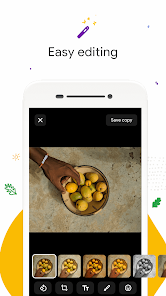
😎 Look your best with editing tools like auto-enhance
🏝️ Use less data
AUTOMATIC ORGANIZATION
Each night, Gallery will automatically organize your photos to group by: People, Selfies, Nature, Animals, Documents, Videos and Movies. Gallery helps you stay organized, so you can spend less...
Meet Gallery, a smart, light and fast photo and video gallery built by Google to help you: ✨ Find photos faster with automatic organization 😎 Look your best with editing tools like auto-enhance 🏝️ Use less data
Download Gallery
Get the official app from the trusted app stores. You will be redirected to the download page.
When you purchase through links on our site, we may earn an affiliate commission. Learn more
Ratings breakdown
569,000 reviewsData Safety
- No data shared with third parties Learn more about how developers declare sharing
- This app may collect these data types Location, Personal info and 3 others
- Data is encrypted in transit
- You can request that data be deleted
Permissions
- read the contents of your USB storage
- modify or delete the contents of your USB storage
- read the contents of your USB storage
- modify or delete the contents of your USB storage
- view network connections
- measure app storage space
- full network access
- run at startup
Developer contact
Name
Google LLC
Address
1600 Amphitheatre Pkwy Mountain View, CA 94043 United States
Website
http://www.android.com/Phone
+1 650-253-0000
Support
apps-help@google.com
Privacy
View policyFrequently Asked Questions
Can I rename albums in Gallery? medium
Based on user reviews, the app does not allow you to rename albums or folders directly. Two recent reviewers (July 2024 and March 2023) independently noted this missing feature.
Source: user_reviews
Is Gallery safe to use? Will it delete my photos? low
One reviewer from March 2024 reported that the app deleted all their photos. However, this appears to be an isolated incident among the sampled reviews, and no other recent reviews mention data loss. The app is developed by Google LLC and has over 1 billion downloads, but users should ensure backups before use.
Source: user_reviews, app_metadata
Does Gallery have photo editing features? high
Yes, the app description states it includes photo editing tools like auto-enhance. None of the recent reviews specifically praise or criticize these tools.
Source: app_metadata
Can I organize photos by month or select photos from a specific month? low
A reviewer from May 2024 complained that you cannot select photos for a particular month; you can only select all or individually. This feature appears to be missing.
Source: user_reviews
Is Gallery free? Does it have ads or in-app purchases? high
Gallery is free with no in-app purchases listed and no ads, according to the app metadata.
Source: app_metadata
How to Use
Gallery is a photo and video organizer by Google that offers automatic grouping, basic editing, and offline access in a small app size. (app_description)
Getting Started
Source: app_description_and_user_feedback_noted
- Download and install the Gallery app from the Google Play Store.
- Upon opening, Gallery may automatically start organizing your photos into groups like People, Selfies, Nature, Animals, Documents, and Videos (overnight).
- Use the main gallery view to browse all photos and videos, and use folders to manually organize.
- To edit a photo, tap on it and use the editing tools (e.g., auto-enhance).
Key Features (from app listing)
Source: app_description
- Automatic organization of photos into groups: People, Selfies, Nature, Animals, Documents, Videos, and Movies (overnight).
- Photo editing tools including auto-enhance for one-tap improvements.
- Folder support and SD card compatibility for copying, viewing, and transferring files.
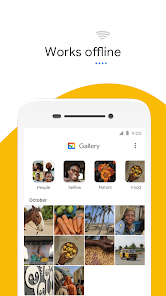
- Works offline to manage photos and videos without using mobile data.
This tip addresses verified user complaints about inability to rename albums (recent_reviews #1 and #5) and select photos by month (recent_reviews #2). Suggests alternative tools as a workaround.
How this content was created
Content type: pattern_analysis_of_user_reviews_and_metadata
AI generated: Yes
- Google Play user reviews (5 per app), Dates range from March 13, 2023 to July 09, 2024
- Google Play ratings distribution
- App Store listing metadata
- Review samples are not statistically representative of all user sentiment
- Only recent_reviews bucket was available (5 reviews), so confidence for many claims is low or medium
- Claims labeled 'low confidence' are based on single-review observations only
- No real-world app testing was conducted
- Feature availability may vary by region, device, and app version
Pros & Cons
Based on analysis of Google Play user reviews
Pros
- The app is lightweight, fast, and works offline without using data.
Theme 'Lightweight and offline' identified in app description and recent_review #1.
Evidence (2)
“Gallery comes in a small file size which means even more space for your own photos. All while using less memory on your device”Rating: 5★ N/A“It's a pretty straightforward gallery app.”Rating: 4★ July 09, 2024 3,657 likes - The app automatically organizes photos into groups like People, Selfies, and Nature.
Theme 'Automatic organization' identified in app description.
Evidence (1)
“Each night, Gallery will automatically organize your photos to group by: People, Selfies, Nature, Animals, Documents, Videos and Movies.”Rating: 5★ N/A - The app provides basic editing tools like auto-enhance for quick photo improvements.
Theme 'Editing tools' identified in app description.
Evidence (1)
“Gallery has easy to use photo editing tools, such as auto-enhance which will make your photos look their best with one-tap.”Rating: 5★ N/A
Cons
- The app lacks basic features like renaming albums or changing folder cover images.
Theme 'Missing features' identified in recent_review #1, #4, #5.
Evidence (3)
“you can't rename your albums. You would have to delete it and name it again.”Rating: 4★ July 09, 2024 3,657 likes“I wish you could hide photos/albums in this app and also change the cover images of the folders”Rating: 4★ November 15, 2022 1,807 likes“you can't rename a folder. Or you can't move a photo from one album to another when you're viewing the photo”Rating: 3★ March 13, 2023 2,231 likes - The app has a serious bug that deletes all photos from the device, though they may reappear.
Theme 'Photo deletion bug' identified in recent_review #3.
Evidence (1)
“Woke up this morning to find that the app deleted every photo I had saved on my phone... Edit: ...my pictures came back?”Rating: 2★ March 04, 2024 1,524 likes - The app does not allow batch selection by month, making it tedious to manage large photo libraries.
Theme 'No batch selection by month' identified in recent_review #2.
Evidence (1)
“I cannot just select the images for the particular month. I can only select ALL or individually. That's *absurd*.”Rating: 3★ May 28, 2024 798 likes
Recent Reviews
7Moons
4★It's a pretty good app. It was something I was looking for. But my main criticism is how plain it is. There is nothing nessicerly dynamic. I don't mean to make it exactly like Google photos, because it's much more easier to manage. However, you can't rename your albums. You would have to delete it and name it again. I wish there were more options and things you could do, like make a custom photo for an album. (Please take this into some account) Also fix bugs but that's about it.
Joseph Mays (The Notorious J. O. E.)
3★It's a pretty straightforward gallery app. I would give it 4 or 5 stars EXCEPT I *hate* that, if I have two (or more) months worth of images, I cannot just select the images for the particular month. I can only select ALL or individually. That's *absurd*. If you want to select photos from a certain month and you have a large volume of them, you should be able to select it by the month. Otherwise, why have it grouped by month in the first place? That's a major development/application fail.
Fluffy
2★The app works great, when it actually works. Woke up this morning to find that the app deleted every photo I had saved on my phone, & I have to find a way of getting those pictures back. I hope you can actually make the app usable, because my photos, or anyone's photos getting deleted, is absolutely unacceptable. Edit: There's a serious issue w/ this app. Because I submitted my report & suddenly my pictures came back? You guys need to find a way to actually fix the bugs instead of pretending
David Feudale
4★Good, could be improved. It has all the basic functionality a gallery should have but doesn't offer a lot of extra features. I have this installed as well as Google Photos and the latter has way more bells and whistles. I wish you could hide photos/albums in this app and also change the cover images of the folders (Samsung's gallery app allows you to do this) to name a few. The reason I downloaded this in the 1st place is Photos can be overwhelming and wanted something more traditional.
Carlos Solorzano
3★Very basic. Many small but important features aren't even available in this app. For example, you can't rename a folder. Or you can't move a photo from one album to another when you're viewing the photo...you have to be in the gallery view and then long press to be able to do that. I get Google wants to make things easy by backing everything thing up, but I don't want everything in my Google Photos account. And your Photos app has it's flaws too. So I wish you built out this standard app