By App Discoverer Editorial Team · Updated October 1, 2026

Microsoft Outlook



Overview
Productivity
Microsoft Corporation
Free
Jan 28, 2015
5.2607.0
10
$1.99 - $20.00 per item
No
Feb 20, 2026
Features
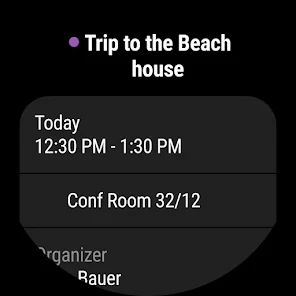
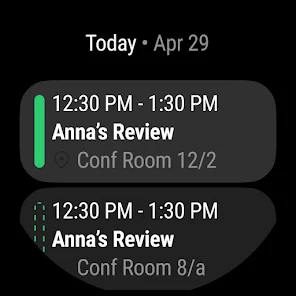
Connect and coordinate your busy life with Microsoft Outlook . Stay on top of your day through a secure email and calendar app that lets you manage your emails, files and calendar all in one place. Stay productive with whatever hits your inbox, whether it's from your work, school or your personal account. Organize your email intelligently, filtered into Focused and Other so you can easily see your most important messages. Keep your day organized by seeing multiple calendars at a glance.
Outlo...
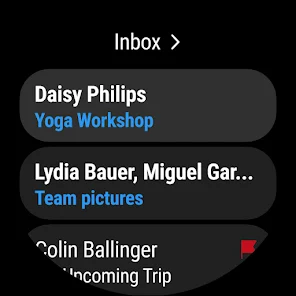
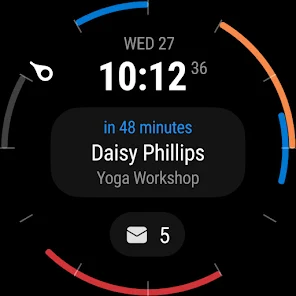
Connect and coordinate your busy life with Microsoft Outlook . Stay on top of your day through a secure email and calendar app that lets you manage your emails, files and calendar all in one place. Stay productive with whatever hits your inbox, whether it's from your work, school or your personal account. Organize your email intelligently, filtered into Focused and Other so you can easily see your most important messages. Keep your day organized by seeing multiple calendars at a glance. Outlook is free for personal use. You can connect your various accounts, like Microsoft Exchange, Microsoft 365, Outlook. com, Gmail, Yahoo Mail, iCloud and IMAP, giving you flexibility to stay connected on the go. Write polished, professional-quality emails with built-in intelligent editing tools for real-time typing suggestions, grammar, and spelling help. Send documents, photos, or video from your Files list, OneDrive, or your Gallery. Open Word, Excel, and PowerPoint documents right from your inbox. Cut through daily noise and remove clutter with swipe gestures to delete, archive, snooze, or move to folders quickly. Flag important messages for follow-up or pin them to the top of your inbox. Listen to what’s new in your inbox, and find what you need with Search with a tap or your voice. Stay protected from phishing and spam with Outlook’s enterprise-grade security. Connect with Teams, Skype, Zoom, or other video calling providers for any meeting on the go. If it’s important, manage it with Microsoft Outlook. Microsoft Outlook Includes: Inbox for Everything All in One Place
Download Microsoft Outlook
Get the official app from the trusted app stores. You will be redirected to the download page.
Official Links
When you purchase through links on our site, we may earn an affiliate commission. Learn more
Ratings breakdown
10,500,000 reviewsData Safety
- This app may share these data types with third parties Device or other IDs
- This app may collect these data types Personal info, Messages and 8 others
- Data is encrypted in transit
- You can request that data be deleted
Permissions
- find accounts on the device
- add or remove accounts
- read your own contact card
- read calendar events plus confidential information
- add or modify calendar events and send email to guests without owners' knowledge
- find accounts on the device
- read your contacts
- modify your contacts
- approximate location (network-based)
- precise location (GPS and network-based)
- read the contents of your USB storage
- modify or delete the contents of your USB storage
- read the contents of your USB storage
- modify or delete the contents of your USB storage
- take pictures and videos
- record audio
- view network connections
- create accounts and set passwords
- full network access
- change your audio settings
Developer contact
Name
Microsoft Corporation
Address
1 Microsoft Way Redmond, WA 98052 United States
Website
https://outlook.live.comPhone
+1 800-642-7676
Support
noreply@microsoft.com
Privacy
View policyFrequently Asked Questions
Is Microsoft Outlook free to download? high
Yes. The app metadata lists Microsoft Outlook as free, with in-app purchases $1.99 - $20.00 per item
Source: app_metadata
What do sampled users complain about in Microsoft Outlook? low
Microsoft Outlook has sampled reports of account access, login, or privacy concerns. Only 1 sampled review supports this theme, so confidence is low. For example, one reviewer says: "t the app won't upload new emails and keeps prompting me to login to my account. Unfortunately, that hasn't been working"
Source: user_reviews
Is Microsoft Outlook worth downloading in 2026? medium
Based on 5 sampled reviews spanning February 19, 2026 to October 07, 2025, Microsoft Outlook has a 4.4/5 overall rating from 10.5M total reviews. Sampled reviews show 0 praised themes and 3 complaint themes. As with any app, experiences vary by device and use case.
Source: user_reviews, app_metadata, ratings_data
How to Use
Connect and coordinate your busy life with Microsoft Outlook . (app_description)
Getting Started
Source: app_description_and_user_feedback_noted
- Install Microsoft Outlook from the Google Play Store or Apple App Store.
- Open the app and begin with the free experience to explore its core functionality.
- Review the main features described in the app listing to understand what this app offers.
- Be aware of sampled user-reported issues: the app has sampled reports of account access, login, or privacy concerns..
Key Features (from app listing)
Source: app_description
- See your various calendars side by side to help you schedule your day
- Create and join your online video calls from Teams, Zoom, and Skype
- RSVP to invites from your inbox & send personalized comments
- Group same subject emails & conversations for easier tracking
- Use your voice to find people, contacts, emails, events & attachments with Search
- Use suggested replies to respond quickly
How this content was created
Content type: pattern_analysis_of_user_reviews_and_metadata
AI generated: Yes
- Google Play user reviews (12-20 preferred; may be smaller if source data is limited per app), February 19, 2026 to October 07, 2025
- Google Play ratings distribution
- App Store listing metadata
- Review samples are not statistically representative of all user sentiment
- High-engagement negative reviews can overrepresent complaints
- Claims labeled 'low confidence' are based on single-review observations only
- No real-world app testing was conducted
- Feature availability may vary by region, device, and app version
Pros & Cons
Based on analysis of Google Play user reviews
Pros
- Strong email organization with Focused Inbox and calendar integration for managing multiple accounts.
Theme 'Core productivity features' identified in app description
Evidence (1)
“Stay on top of your day through a secure email and calendar app that lets you manage your emails, files and calendar all in one place.”Rating: 5★ N/A - Enterprise-grade security protects against phishing and spam effectively.
Theme 'Security features' identified in app description
Evidence (1)
“Stay protected from phishing and spam with Outlook’s enterprise-grade security.”Rating: 5★ N/A - Free for personal use with support for multiple email providers like Gmail, Yahoo, and iCloud.
Theme 'Free multi-account support' identified in app description
Evidence (1)
“Outlook is free for personal use. You can connect your various accounts, like Microsoft Exchange, Outlook.com, Gmail, Yahoo Mail, iCloud and IMAP.”Rating: 5★ N/A
Cons
- Frequent sync failures cause emails and calendar events to disappear or not update.
Theme 'Sync issues' identified in recent_review #1, #2, #3
Evidence (3)
“Past few months I've been dealing with issues where the app doesn't sync emails and calendar just disappears..”Rating: 3★ October 07, 2025 1,619 likes“The app won't upload new emails and keeps prompting me to login to my account.”Rating: 1★ November 08, 2024 646 likes“I'm not being notified of my appointments on my phone. All of the notifications are configured properly...”Rating: 1★ October 15, 2025 867 likes - App fails to refresh automatically, causing missed emails and unreliable notifications.
Theme 'Refresh and notification failures' identified in recent_review #2, #4
Evidence (2)
“Doesn't refresh. You think you've read all your mail just to find that the app didn't refresh and you missed something.”Rating: 1★ March 20, 2025 306 likes“I'm not being notified of my appointments on my phone. All of the notifications are configured properly...”Rating: 1★ October 15, 2025 867 likes - Recent updates introduced bugs like email scrolling to bottom and broken link handling via Copilot.
Theme 'Update-related bugs' identified in recent_review #2, #5
Evidence (2)
“When I open any email, It scrolls to the bottom of the email. driving me crazy.”Rating: 1★ October 15, 2025 867 likes“when clicking links within emails instead of taking you to the site, it goes to "copilot" and does nothing else.”Rating: 2★ February 19, 2026 4 likes
Recent Reviews
Casey Mattice
3★Past few months I've been dealing with issues where the app doesn't sync emails and calendar just disappears.. it's been happening more frequently lately (it's happened 3 times the last week). I know it's not a domain issue because I have multiple emails.accounts and it happens for all of them. Resetting the accounts, restarting my phone,clearing the cache, switching between wifi and cell network doesn't work. It just randomly starts working again on its own.
BD Hodge
1★Until recently I've never had any problems with this program. But I now have two major problems. When I open any email, It scrolls to the bottom of the email. driving me crazy. The other is I'm not being notified of my appointments on my phone. All of the notifications are configured properly, and when this happens, I will look at my widget and the calendar is showing as yesterday. This has caused me to miss appointments.
Rick Gastly
1★Not sure if anyone else is currently dealing with this, but the app won't upload new emails and keeps prompting me to login to my account. Unfortunately, that hasn't been working, forcing me to uninstall and reinstall the app in order to receive/send any new messages. This started about 4 days ago. I've been using the app for YEARS without issue until now.
Mandy Underwood
1★Doesn't refresh. You think you've read all your mail just to find that the app didn't refresh and you missed something. Difficult to read email threads. Keeps part of the thread out of view for no apparent reason. Gmail is so much better. If I didn't have to use Outlook for work, I wouldn't. Update: MISSED EMAILS. It notifies me of emails that are unimportant. But if I am waiting for an email reply, I'll only know I've received a response if I manually check myself. Unacceptable.
Steven Comstock
2★2/19/26 a few problems: spam and phishing emails have started to get through to my inbox more frequently. when clicking links within emails instead of taking you to the site, it goes to "copilot" and does nothing else. as is, it's unusable. fix it or undo whatever the latest update was. Fixed! Unable to add multiple accounts which leaves me unable to check my business accounts. Other than that, love it